Free portfolio website templates let designers, photographers, developers and students publish a professional site without paying for a theme. The catch is the licence: some require a visible credit, some allow full reuse, and a few restrict commercial use. This guide compares five free templates whose licences we checked on 14 November 2026, explains what each licence lets you do, and shows where to host a free portfolio.
This guide focuses on HTML templates, because they are truly free to host and own.
If you need to remove a credit, check whether the author sells an attribution-free licence.
We read each template’s licence page, product page or GitHub repository on 14 November 2026 and recorded the licence, stack and what is included. We did not copy screenshots and we earn nothing from these links. Two of the five are OrdainIT’s own free templates, which we label clearly.
Licences and details checked 14 November 2026.
| Template | Stack | Licence | Notes |
|---|---|---|---|
| HTML5 UP | HTML, CSS | CC BY 3.0 | Credit required; attribution-free via Pixelarity ($19) |
| Freelancer (Start Bootstrap) | Bootstrap | MIT | ~2,600 GitHub stars, one page |
| Resume (Start Bootstrap) | Bootstrap | MIT | ~2,200 stars, CV sidebar |
| Dumty (OrdainIT) | HTML, Bootstrap 5 | Free with attribution | 7 pages, GSAP, AJAX form |
| Norium (OrdainIT) | HTML, Bootstrap 5 | Free with attribution | One-page personal portfolio |
HTML5 UP offers a set of free responsive HTML templates, several of which suit portfolios. They use the Creative Commons Attribution 3.0 licence, so commercial use is allowed if you credit HTML5 UP for the design. The author’s side project, Pixelarity, sells attribution-free use of all templates for $19. View the HTML5 UP licence.
Freelancer is a flat, one-page Bootstrap portfolio theme with about 2,600 GitHub stars and 3,400 forks, released under the MIT licence. It suits freelancers who want a single page with a portfolio grid, about section and contact form. View on GitHub.
Resume has about 2,200 GitHub stars under the MIT licence and uses a fixed sidebar with CV-style sections. Its description says Bootstrap 4 while its topics mention Bootstrap 5, so check the version in the download. View on GitHub.
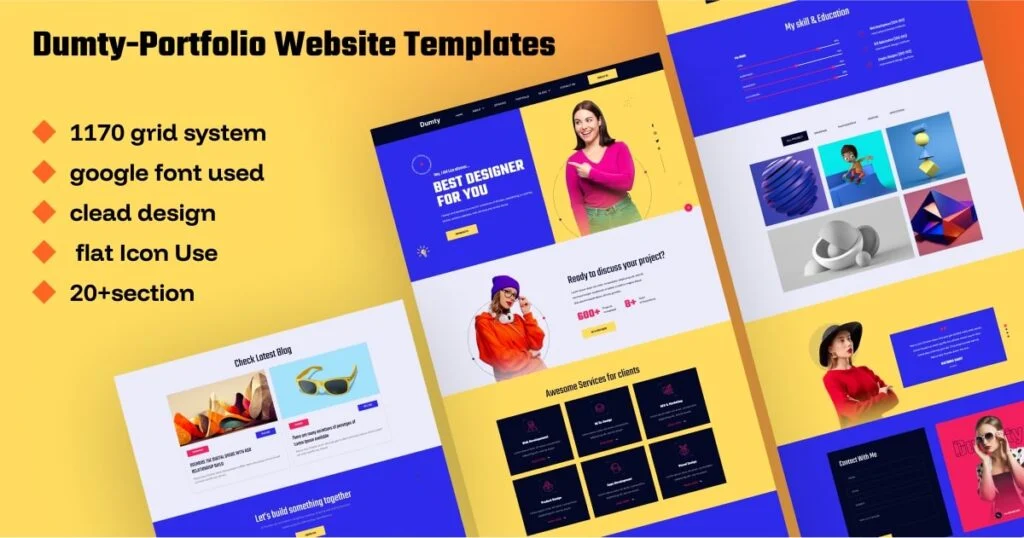
Dumty is our free portfolio template in HTML and Bootstrap 5 for designers, photographers and freelancers. It has 7 pages, GSAP animations and an AJAX contact form, and is free for personal and commercial use with attribution.
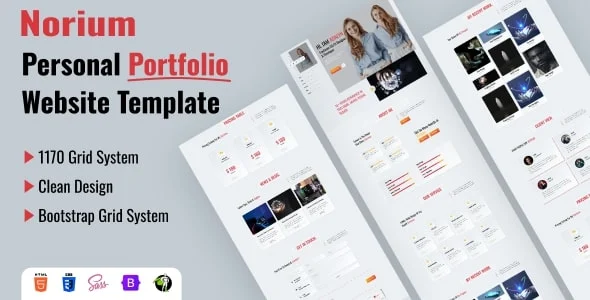
Norium is our free one-page personal portfolio in HTML and Bootstrap 5, with about, experience, services, portfolio, pricing and contact sections. It is free for personal and commercial use with attribution.
Test each demo on a phone before choosing; free templates vary a lot in mobile polish.
Static HTML sites can be hosted free on GitHub Pages, Netlify or Vercel. Upload your files or connect a repository, and the site goes live on a free subdomain. Add a custom domain with your name for a professional address, and turn on HTTPS. If you want to edit without code later, move to WordPress with one of these WordPress portfolio themes.
Upgrade when you need more page types, a blog, case-study layouts, a shop or author support. Our portfolio HTML template guide compares paid HTML options checked the same way.
Free templates are widely shared, so not every download site is trustworthy. Download only from the author’s official site or official GitHub repository. Avoid sites that bundle templates into installers or ask you to disable your browser’s protections. Open the files and check the JavaScript for unexpected links, tracking codes or scripts loading from unknown domains, and remove anything you do not recognise. Look at the contact form code too: some free templates send messages through a third-party service that you need to set up with your own account, and a few include placeholder keys that must be replaced. These checks take ten minutes and protect both you and your visitors.
A template is only the frame; the content does the persuading. Lead with your eight to twelve strongest pieces rather than everything you have made. Give each piece a title, a one-line description of the brief and your role, and two or three images or a short video. Write an about section that says what you do, who you do it for and how to reach you, in plain words. Add one or two short testimonials if you have them. Finish with a clear call to action, such as a contact button or a link to book a call. Most free portfolio website templates have sections for all of this, so fill them with real work before you worry about colours or animation.
Give the site a descriptive title such as Your Name, Product Designer. Write a short meta description, add alt text to every image, and submit the sitemap or home page in Google Search Console so it gets indexed.
Keep a local copy of your edited files in a folder or a private repository. When you add a project, edit the copy first, test it in your browser and then upload or push it. This simple routine prevents broken pages and makes it easy to roll back a mistake.
Yes, if you replace all demo content with your own work and test the site on mobile. Clients judge the work, not the price of the template.
It depends on the licence. MIT and CC BY allow commercial use; CC BY requires visible credit.
Basic HTML and CSS help. You will edit text, image paths and colours in the files.
GitHub Pages, Netlify and Vercel offer free hosting for static sites.
Only if the licence allows it or you buy an attribution-free licence.
Chosen a theme or template? The OrdainIT team, which designs and builds its own WordPress themes and templates, can also get your website live. Pick a fixed-price service:
Want a design to start from? Browse OrdainIT free WordPress themes and templates, to start your project at no cost, or see all WordPress services. Not sure what you need? Contact OrdainIT for a free, no-obligation quote.
See OrdainIT’s themes and customer ratings on OrdainIT’s ThemeForest profile.