A portfolio HTML template gives you static pages you can edit in any code editor and host almost anywhere, with no database, plugins or monthly platform fee. This guide compares three paid ThemeForest templates for personal and creative portfolios, using their item pages on 14 November 2026, adds OrdainIT’s paid and free HTML options, and explains how to customise and host one.
The trade-off is editing. Every change means editing HTML, so this format suits people comfortable with code, or anyone who updates their portfolio a few times a year. If you want a dashboard, choose one of these WordPress portfolio themes instead.
We opened each ThemeForest item page on 14 November 2026 and recorded the Regular License price, sales, rating, last update, version, framework and demo count. Where the page contradicts itself we say so. We did not copy screenshots and we earn nothing from these links. OrdainIT’s templates are listed separately. Test each demo and run a speed test yourself.
Data from each ThemeForest item page, checked 14 November 2026. Prices are Regular License.
| Template | Price | Sales | Rating (reviews) | Last update | Framework | Layouts |
|---|---|---|---|---|---|---|
| Reeni | $8 | 644 | 5.00 (15) | 30 Mar 2026 | Bootstrap 5, SCSS | 50+ demos, RTL |
| Simone | $24 | 1,027 | 5.00 (25) | 17 Nov 2025 | Bootstrap 5 | One page |
| Kerge HTML | $8 | 1,083 | 5.00 (19) | 17 Feb 2026 | HTML5, jQuery | 2 layouts, light and dark |
Reeni by InversWeb costs $8, has 644 sales and a 5.00-star rating from 15 reviews, and shows a last update of 30 March 2026 (version 2.2.0). It uses Bootstrap 5 and SCSS with a PHP and AJAX contact form, and lists 50+ prebuilt demos with dark and light modes and RTL. The changelog uses mixed date formats, and the page promises lifetime support while the licence includes 6 months. View Reeni.
Simone by HarnishDesign costs $24, has 1,027 sales and a 5.00-star rating from 25 reviews, and was last updated on 17 November 2025. It is a one-page Bootstrap 5 portfolio for developers, designers and freelancers, with a contact form protected by reCAPTCHA. The page calls it static, though the files include PHP for the form. View Simone.
Kerge by LMPixels costs $8, has 1,083 sales and a 5.00-star rating from 19 reviews, and was updated on 17 February 2026 (version 2.5). It uses HTML5, CSS3 and jQuery, with animated and one-page layouts, 6 colour schemes and light and dark versions. A WordPress version of Kerge also exists if you later want a dashboard. View Kerge HTML.
All three have small but positive review counts. Check recent comments for questions about the contact form, which is the part most buyers need help with.

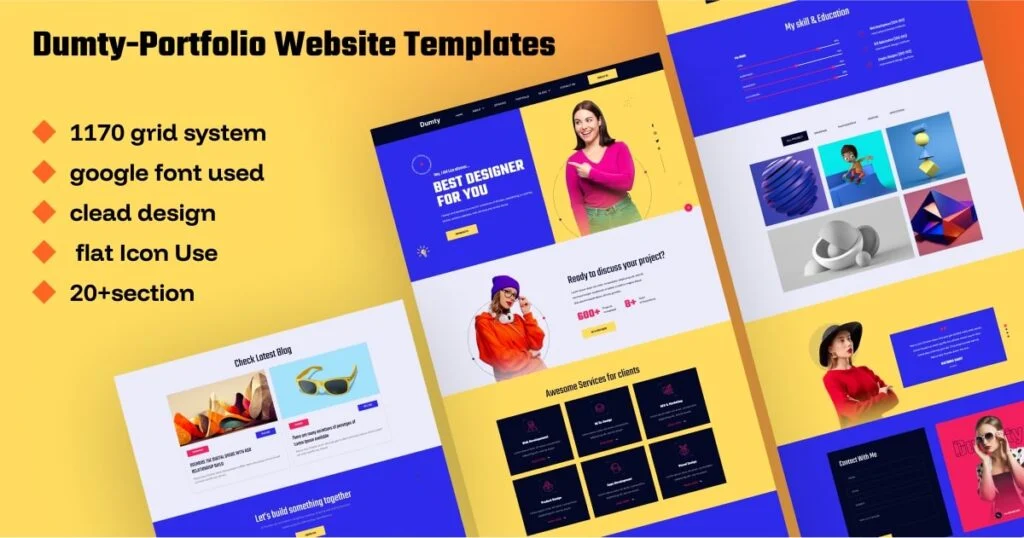
OrdainIT builds portfolio templates and checks speed and demos before release.
The free templates require attribution. For a React version, see Sorex React.
Static hosts such as GitHub Pages, Netlify and Vercel host HTML sites free; note that their free plans do not run PHP, so a PHP contact form needs a different host or a form service. Shared hosting runs PHP forms and costs a few dollars a month. Add a custom domain and HTTPS either way.
Without a dashboard, you need a simple routine for new work. Duplicate an existing project block or project page, change the text and images, and update the grid or filter category. Keep image names descriptive, such as brand-identity-coffee-roaster-1.webp, and store originals in a separate folder so you can re-export them later. If you add projects often, consider a static-site generator or a headless CMS later, but for a few updates a year, editing HTML directly is quick once you know where each section lives. Write a short note in the project folder listing which files you changed for each section; future you will thank you.
Static templates are fast by nature, but images and scripts can still slow them down. Export images at display size, use modern formats, add width and height attributes so the layout does not shift, and lazy-load images below the first screen. Remove unused libraries, such as sliders you do not use, and combine small CSS files if the template ships many. Load fonts with font-display swap or use system fonts. Check the result in PageSpeed Insights on mobile and fix the biggest issue first; with a static site, reaching good Core Web Vitals is very achievable.
If you are not sure about code, start small. Change one colour variable and reload the page to see the effect, then edit the hero text. Most templates group each section between clear comments, so search the file for the section name. Make one change at a time and keep a backup of the original files, so you can compare when something looks wrong. Within an hour you will know the structure well enough to update your portfolio confidently.
It is a set of static HTML, CSS and JavaScript files designed for a portfolio site, which you edit and upload to any web host.
Choose HTML for speed, low cost and few updates. Choose WordPress if you want to add projects often from a dashboard.
The three templates above cost $8 to $24 for a Regular License on 14 November 2026. OrdainIT offers two free templates.
Not on static hosts such as GitHub Pages. Use a form service or a host that runs PHP.
A Regular License covers one end product for you or one client. Buy one licence per site.
Chosen a theme or template? The OrdainIT team, which designs and builds its own WordPress themes and templates, can also get your website live. Pick a fixed-price service:
Want a design to start from? Browse OrdainIT HTML templates, with lifetime updates, or see all WordPress services. Not sure what you need? Contact OrdainIT for a free, no-obligation quote.
See OrdainIT’s themes and customer ratings on OrdainIT’s ThemeForest profile.



We reply 24 hours a day, Monday to Saturday. Sunday is our day off.