A free WordPress portfolio theme can carry a professional portfolio if it is fast, actively maintained and easy to edit. The WordPress.org directory lists hundreds of themes tagged portfolio, so this guide narrows them to eight, using version, update date, active installations and ratings from the WordPress.org themes API on 14 November 2026, and explains which suits which kind of creative.
Free themes on WordPress.org are reviewed before listing, updated through your dashboard and cost nothing to try. Many offer starter sites you can import, and the most popular ones are tested on hundreds of thousands of sites. The trade-off is that advanced layouts, extra demos and direct author support often sit in a paid pro version. For a freelancer or student, a free theme is usually the right first step.
We pulled each theme’s record from the WordPress.org themes API on 14 November 2026: version, last update, active installations, rating out of 100 and number of ratings. WordPress.org rounds installations down, for example 300,000+. We did not install all eight, did not copy screenshots and earn nothing from these links. OrdainIT’s own options are listed separately.
Data from the WordPress.org themes API, checked 14 November 2026. Ratings are out of 100.
| Theme | Version | Last update | Active installs | Rating (count) |
|---|---|---|---|---|
| Blocksy | 2.1.62 | 13 Nov 2026 | 300,000+ | 100/100 (874) |
| Twenty Twenty-Five | 1.5 | 20 May 2026 | 1,000,000+ | 80/100 (14) |
| Hestia | 3.3.10 | 13 Nov 2026 | 70,000+ | 96/100 (563) |
| Inspiro | 2.3.1 | 10 Nov 2026 | 60,000+ | 94/100 (127) |
| OnePress | 2.3.24 | 6 Nov 2026 | 50,000+ | 92/100 (154) |
| Phlox | 2.17.22 | 1 Aug 2026 | 30,000+ | 96/100 (867) |
| Rife Free | 2.4.24 | 29 Jan 2026 | 20,000+ | 98/100 (355) |
| Perfect Portfolio | 1.2.6 | 31 Mar 2026 | 1,000+ | 98/100 (28) |
Blocksy by Creative Themes is on version 2.1.62, was updated on 13 November 2026, has 300,000+ active installations and a 100/100 rating from 874 ratings. It works with the block editor and popular page builders. View Blocksy.
The default WordPress theme, version 1.5, was updated on 20 May 2026 and has 1,000,000+ active installations with an 80/100 rating from 14 ratings. It is a block theme, so you design layouts in the site editor without a page builder. View Twenty Twenty-Five.
Hestia by Themeisle is on version 3.3.10, was updated on 13 November 2026, has 70,000+ active installations and a 96/100 rating from 563 ratings. It suits one-page portfolio and business layouts. View Hestia.
Inspiro by WPZOOM is on version 2.3.1, was updated on 10 November 2026, has 60,000+ active installations and a 94/100 rating from 127 ratings. It is designed for photography and video portfolios. View Inspiro.
OnePress by FameThemes is on version 2.3.24, was updated on 6 November 2026, has 50,000+ active installations and a 92/100 rating from 154 ratings. It focuses on one-page layouts. View OnePress.
Phlox by averta is on version 2.17.22, was updated on 1 August 2026, has 30,000+ active installations and a 96/100 rating from 867 ratings. In Colorlib’s own speed test of free portfolio themes, Phlox carried the most overhead, so test it on your content. View Phlox.
Rife Free by apollo13themes is on version 2.4.24, was updated on 29 January 2026, has 20,000+ active installations and a 98/100 rating from 355 ratings. It is aimed at photographers and creative agencies. View Rife Free.
Perfect Portfolio by Rara Themes is on version 1.2.6, was updated on 31 March 2026, has 1,000+ active installations and a 98/100 rating from 28 ratings. It is a small, focused portfolio theme. View Perfect Portfolio.
Read what the free version includes before building, because some portfolio layouts and post types are reserved for pro versions.
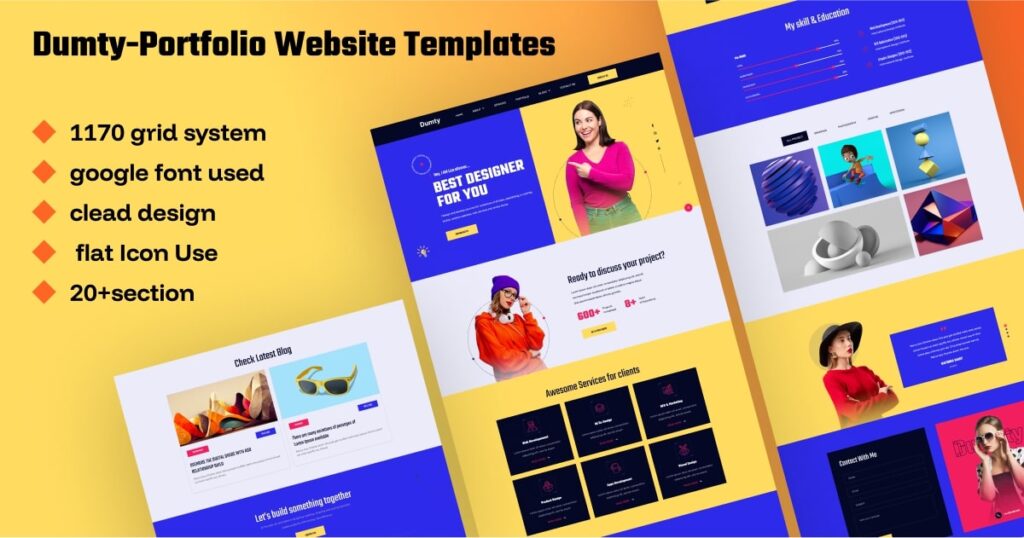

OrdainIT offers free portfolio templates in HTML and a premium portfolio theme, and we check speed and demos before release.
The two HTML templates are free for personal and commercial use with attribution.
Most free themes do not include a dedicated portfolio post type, so you need a way to manage projects. You have three common choices. First, use regular posts in a Portfolio category and show them with a query loop or a page builder grid; this is simple and works with any theme. Second, use pages, one per project, grouped under a parent Work page; this suits a small number of detailed case studies. Third, install a lightweight portfolio plugin that adds a project post type with categories; check its update date and active installations before you rely on it. Whichever you choose, keep the URL pattern consistent, for example yoursite.com/work/project-name, so links stay tidy as the portfolio grows.
Block themes such as Twenty Twenty-Five let you edit headers, footers and templates in the site editor, with no extra builder. Classic themes such as Hestia and OnePress use the customizer and often pair with a page builder. Block themes usually load less code and keep working when you switch themes, while classic themes with a builder can be quicker to learn if you already know that builder. Choose the approach you will still be comfortable with a year from now, because rebuilding pages later costs more time than any setting saves today.
A free WordPress portfolio theme still needs good hosting, regular updates and backups. Choose a host with automatic backups and SSL, update the theme and plugins monthly, and keep a copy of your images outside the site.
Before installing, collect your best eight to ten projects, a short bio, a professional photo and the text for your contact page. Having content ready lets you judge each theme on your real work rather than demo images, and it shortens setup to an afternoon.
It is a no-cost WordPress theme from the official directory designed or suitable for showcasing creative work, with galleries, project layouts and contact options.
Themes on WordPress.org pass a review before listing. Keep them updated and avoid downloading premium themes from unofficial sites.
It depends on your content and plugins. Lightweight themes such as Blocksy and block themes like Twenty Twenty-Five are good starting points; test with your own images.
Some do. Many let you change the footer text in the customizer, but check the theme’s terms.
When you need more project layouts, bundled plugins or direct support from the author.
Chosen a theme or template? The OrdainIT team, which designs and builds its own WordPress themes and templates, can also get your website live. Pick a fixed-price service:
Want a design to start from? Browse OrdainIT free WordPress themes and templates, to start your project at no cost, or see all WordPress services. Not sure what you need? Contact OrdainIT for a free, no-obligation quote.
See OrdainIT’s themes and customer ratings on OrdainIT’s ThemeForest profile.





 New release: