 New release:

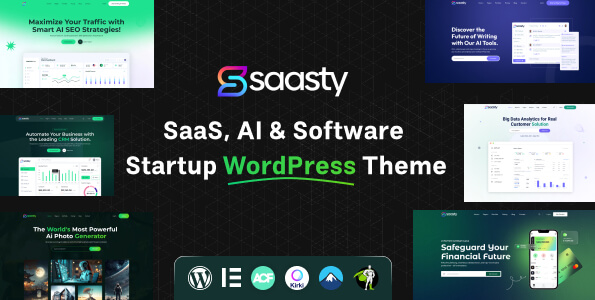
Sassty – Free Software Company WordPress Theme
Sassty is a free software company WordPress theme for SaaS startups, AI products and tech businesses. It is built for Elementor and comes with demo content for 9 home pages and the inner pages a software business needs. View the live demo of Sassty.
Import the demo with One Click Demo Import, then change the text, images and colors to match your product. Pages such as pricing, integrations, careers and sign-in are already designed.
Who Is This Free Software Company WordPress Theme For?
- SaaS startups and software companies
- AI tools and AI startups
- App and product landing websites
- Tech agencies that build SaaS websites for clients
What You Get
- Sassty WordPress theme (version 1.0.0)
- OrdainIT Toolkit plugin with custom Elementor widgets
- Demo content: 9 home pages plus one-page versions, about (3 styles), services, integrations, pricing, team, career, FAQ, testimonials, contact (2 styles), sign in, sign up and legal pages
- Customizer settings for header, logo, colors, typography, breadcrumb, blog, 404 page and footer
Key Features of This Software Company WordPress Theme
- Built for the Elementor page builder
- One Click Demo Import support
- Kirki-powered theme Customizer
- WooCommerce support
- Contact Form 7 support
- Translation ready
Requirements
- WordPress with PHP 7.4 or newer
- Required plugins: Elementor, OrdainIT Toolkit (included) and Kirki
- Recommended plugins: Contact Form 7 and One Click Demo Import
How to Install Sassty
- Download the theme ZIP from this page.
- In WordPress go to Appearance > Themes > Add New > Upload Theme, choose the ZIP and click Install Now, then Activate.
- Install the required plugins when WordPress asks you to.
- Import the demo content, then edit the pages with Elementor.
License and Updates
No license key is needed. The theme is free to use on personal, business and client websites. When a new version is released, WordPress shows it under Appearance > Themes with an “Update now” button, so you update it from your own dashboard.
Frequently Asked Questions
Is Sassty really free?
Yes. The price is $0 and no license key is needed.
Do I need Elementor Pro?
No. Sassty needs the free Elementor plugin and the OrdainIT Toolkit that comes with the theme.
How do I get updates?
New versions appear in your WordPress dashboard under Appearance > Themes. Click “Update now” to install them.
Is there a premium version?
Yes. See the premium Sassty SaaS WordPress theme with RTL support.
More SaaS and Startup Themes
- Sassty – SaaS, AI & Software Startup WordPress Theme (premium)
- Browse all OrdainIT WordPress themes
- Read our guide: 10 Best Startup WordPress Themes
- Read our guide: 11 Best Free WordPress Themes 2026
Update Your Theme from the WordPress Dashboard
When a new version of Sassty is released, your WordPress dashboard shows New version available in Appearance, Themes. Click Update now to install it. Every OrdainIT license includes lifetime free updates.
Take a backup before you update. See how updates work.

Reviews
There are no reviews yet.