The best free WordPress themes in 2026 are fast, actively maintained and trusted on hundreds of thousands of sites. This guide compares nine free themes from the official WordPress.org directory using two kinds of evidence: directory data (version, last update, active installations and ratings) pulled on 14 November 2026, and our own measurement of each theme’s official preview page weight on 15 November 2026. It then explains which theme fits which kind of site.
We started from the most installed and highest rated general-purpose themes on WordPress.org and removed niche themes. For each one we recorded the directory data, then downloaded the theme’s official preview page on wp-themes.com and added up the bytes of the HTML, stylesheets, inline styles and scripts, uncompressed. Preview pages use different demo content, so treat the weights as a rough guide, not a lab benchmark; your real site will differ once you add plugins and images. We could not measure Twenty Twenty-Five, whose preview returned an error. We earn nothing from these links.
Directory data from the WordPress.org themes API, 14 November 2026; ratings out of 100. Page weight is HTML + CSS + JS of the official wp-themes.com preview, uncompressed, measured by OrdainIT on 15 November 2026. Preview content differs per theme.
| Theme | Version | Last update | Active installs | Rating (count) | Preview weight |
|---|---|---|---|---|---|
| Astra | 4.14.3 | 12 Nov 2026 | 1,000,000+ | 98 (6,558) | ~238 KB |
| Hello Elementor | 3.5.2 | 3 Nov 2026 | 1,000,000+ | 84 (131) | ~43 KB |
| Twenty Twenty-Five | 1.5 | 20 May 2026 | 1,000,000+ | 80 (14) | Not measured |
| Kadence | 1.6.0 | 6 Nov 2026 | 500,000+ | 98 (458) | ~184 KB |
| GeneratePress | 3.6.1 | 1 Dec 2025 | 500,000+ | 98 (1,428) | ~77 KB |
| OceanWP | 4.2.8 | 26 Oct 2026 | 400,000+ | 98 (5,721) | ~161 KB |
| Blocksy | 2.1.62 | 13 Nov 2026 | 300,000+ | 100 (874) | ~150 KB |
| Neve | 4.2.19 | 6 Nov 2026 | 200,000+ | 94 (1,284) | ~179 KB |
| Ollie | 1.6.6 | 4 Nov 2026 | 7,000+ | 100 (36) | ~121 KB |
Astra by Brainstorm Force is on version 4.14.3, updated 12 November 2026, with 1,000,000+ active installations and a 98/100 rating from 6,558 ratings. Its preview page weighed about 238 KB in our test, much of it inline CSS. Astra works with every major page builder and offers a large starter template library. View Astra.
Hello Elementor by Elementor is on version 3.5.2, updated 3 November 2026, with 1,000,000+ installations and an 84/100 rating from 131 ratings. It was the lightest in our test at about 43 KB, because it is a near-blank base designed for building everything in Elementor. View Hello Elementor.
The current default theme, version 1.5, updated 20 May 2026, has 1,000,000+ installations and an 80/100 rating from 14 ratings. It is a block theme: you design headers, footers and templates in the site editor with no page builder. View Twenty Twenty-Five.
Kadence is on version 1.6.0, updated 6 November 2026, with 500,000+ installations and a 98/100 rating from 458 ratings. Its preview weighed about 184 KB. It has a strong header and footer builder and pairs with its own blocks plugin. View Kadence.
GeneratePress is on version 3.6.1, updated 1 December 2025, with 500,000+ installations and a 98/100 rating from 1,428 ratings. Its preview weighed about 77 KB, the lightest of the full-featured themes we measured. The free version is deliberately minimal; most layout features are in the paid add-on. View GeneratePress.
OceanWP is on version 4.2.8, updated 26 October 2026, with 400,000+ installations and a 98/100 rating from 5,721 ratings, the most ratings after Astra. Its preview weighed about 161 KB and loaded 13 script files, the most in our test. View OceanWP.
Blocksy by Creative Themes is on version 2.1.62, updated 13 November 2026, with 300,000+ installations and a 100/100 rating from 874 ratings. Its preview weighed about 150 KB with almost no JavaScript. View Blocksy.
Neve by Themeisle is on version 4.2.19, updated 6 November 2026, with 200,000+ installations and a 94/100 rating from 1,284 ratings. Its preview weighed about 179 KB. View Neve.
Ollie by Mike McAlister is a block theme on version 1.6.6, updated 4 November 2026, with 7,000+ installations and a 100/100 rating from 36 ratings. Its preview weighed about 121 KB with no script files. It is newer and less widely used, but a strong choice if you want to work in the site editor. View Ollie.
All nine are good starting points. The bigger speed difference usually comes from plugins, images and hosting, not the theme alone.
Free versions of these themes cover layout, colours, typography and basic headers. Premium add-ons usually add advanced header and footer builders, more starter sites, mega menus, WooCommerce extras and priority support. Start free; upgrade only when you hit a specific limit. Our best premium WordPress themes guide compares paid options.
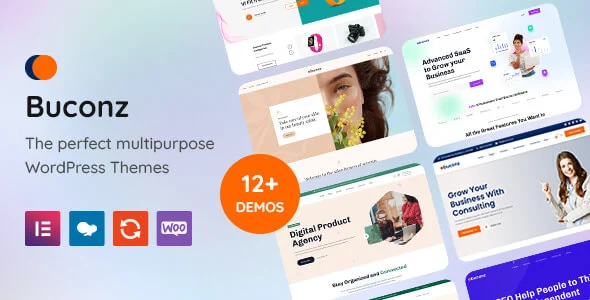
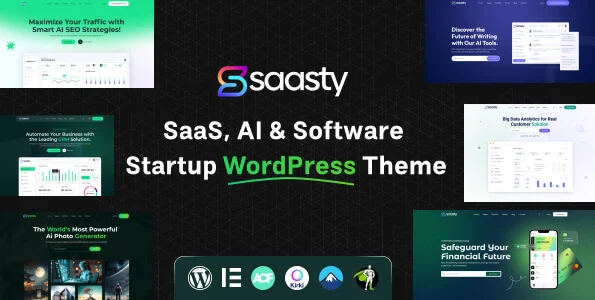
OrdainIT publishes free themes on WordPress.org, including Buconz Starter for business sites, and a free Sassty theme for software companies with demo content for 9 home pages. When you need industry layouts, our premium themes such as Buconz include free installation and lifetime updates. We check speed and demos before release.
Installing a free theme takes a minute, but a careful setup saves hours later. Install it from Appearance, Themes, Add New, and activate it on a staging copy of your site first. If the theme offers starter sites, import only one, and choose the one closest to your structure rather than the prettiest. Set global colours, fonts and the logo before editing individual pages. Then build your key pages: home, about, services or products, and contact. Delete demo pages, posts and widgets you do not use. Finally, install an SEO plugin, a caching plugin and a backup plugin, and run a speed test on your own home page. The best free WordPress themes stay fast only when the setup stays lean, so add plugins one at a time and test after each.
Most free themes on this list now support both the block editor and popular page builders. Block themes such as Twenty Twenty-Five and Ollie let you edit every template in the site editor, while classic themes such as Astra, GeneratePress and OceanWP use the customizer for global settings and pair well with Elementor or other builders. Choose one approach and stay with it; mixing a heavy builder with a block theme adds weight without benefit.
Before you install, check when the theme was last updated in the WordPress.org directory and read the most recent support threads. A free theme that is updated often and answers questions is a much safer base than one that looks good but has gone quiet.
There is no single winner. Astra and Hello Elementor have the most installations, GeneratePress and Hello Elementor were the lightest in our test, and Blocksy had the best rating.
Themes in the official directory are reviewed before listing. Keep them updated and download only from WordPress.org or the author.
In our preview-page test, Hello Elementor (about 43 KB) and GeneratePress (about 77 KB) were the lightest. Your plugins and images matter more.
Yes. Many large sites run on free themes. See our guide to free WordPress themes for business.
Your posts and pages stay, but theme-specific layouts, widgets and shortcodes may need rebuilding.
Chosen a theme or template? The OrdainIT team, which designs and builds its own WordPress themes and templates, can also get your website live. Pick a fixed-price service:
Want a design to start from? Browse OrdainIT free WordPress themes and templates, to start your project at no cost, or see all WordPress services. Not sure what you need? Contact OrdainIT for a free, no-obligation quote.
See OrdainIT’s themes and customer ratings on OrdainIT’s ThemeForest profile.



We reply 24 hours a day, Monday to Saturday. Sunday is our day off.