Shopify vs WordPress comes down to one trade-off: Shopify is a hosted store builder that handles the technical side for a monthly fee, while WordPress (with WooCommerce for selling) is free, open-source software you host yourself and control completely. Choose Shopify if you want to sell products fast with little maintenance. Choose WordPress if content, SEO, design freedom and lower long-term costs matter more, or if your site is mainly a business website with some selling on the side.
Key takeaways: Shopify’s Basic plan is $29 a month billed yearly ($39 monthly) before apps and card fees, according to Shopify’s pricing page. A WordPress store costs hosting, a domain and a theme, but you handle updates and security yourself or pay someone to.
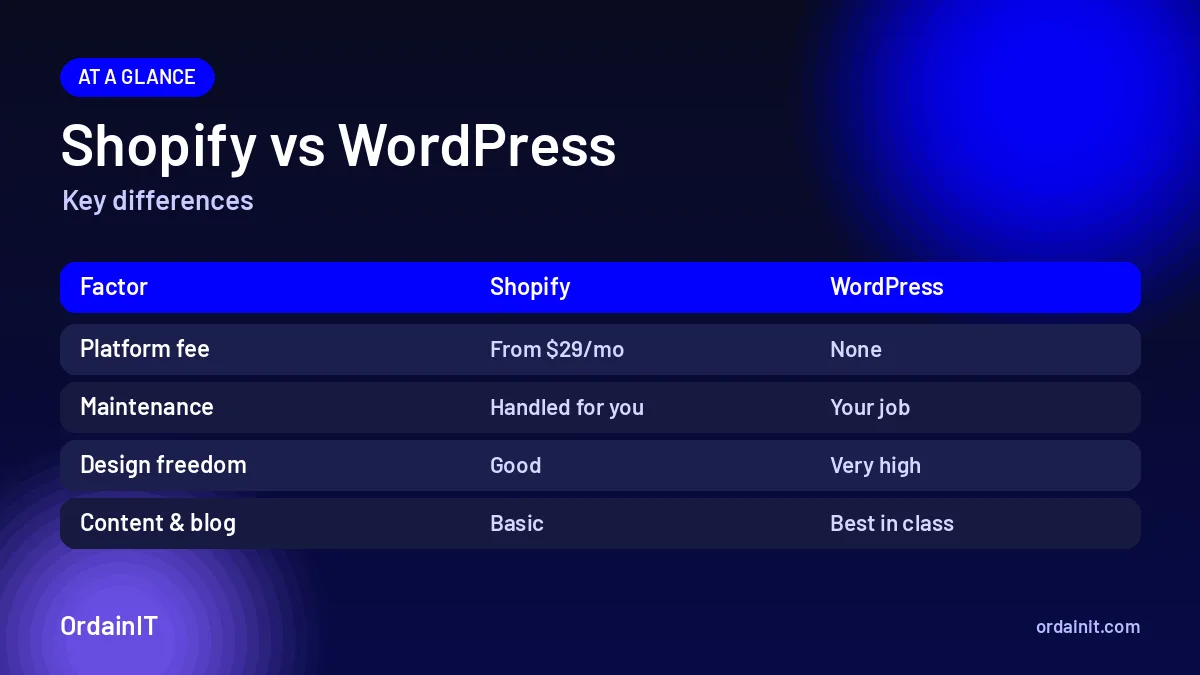
| Factor | Shopify | WordPress + WooCommerce |
|---|---|---|
| Type | Hosted, all-in-one store builder | Self-hosted, open-source CMS |
| Starting cost | $29/month (yearly) or $39 monthly | Software free; pay for hosting, domain, theme |
| Ease of setup | Very easy | Moderate; easier with setup help |
| Maintenance | Handled by Shopify | Your job: updates, backups, security |
| Design freedom | Good, within Shopify themes | Very high |
| Blogging and content | Basic blog | Best in class |
| Ownership | Store lives on Shopify’s platform | You own the files and database |
Shopify is a subscription platform built only for selling. Hosting, security, the checkout and payment processing come in one package, and you add features with apps from the Shopify App Store. You pick a theme, add products, connect a domain and you can start selling the same day. The cost is a monthly plan plus card processing fees, and many useful features come from paid apps.
Shopify also offers a low-cost Starter plan for selling through social media and links, and Shopify Plus for very large businesses. For most small stores comparing Shopify vs WordPress, the real choice is between Shopify Basic or Grow and a WordPress site running WooCommerce on good hosting.
WordPress is free, open-source software that powers a large share of websites worldwide. On its own it is a content management system for pages and blogs; with the free WooCommerce plugin it becomes a full online store. You install it on hosting you choose, pick a theme, and add plugins for extra features. That flexibility is its strength, but it also means updates, backups and security are your responsibility. If you are new to it, see our guide on how to install a WordPress theme.
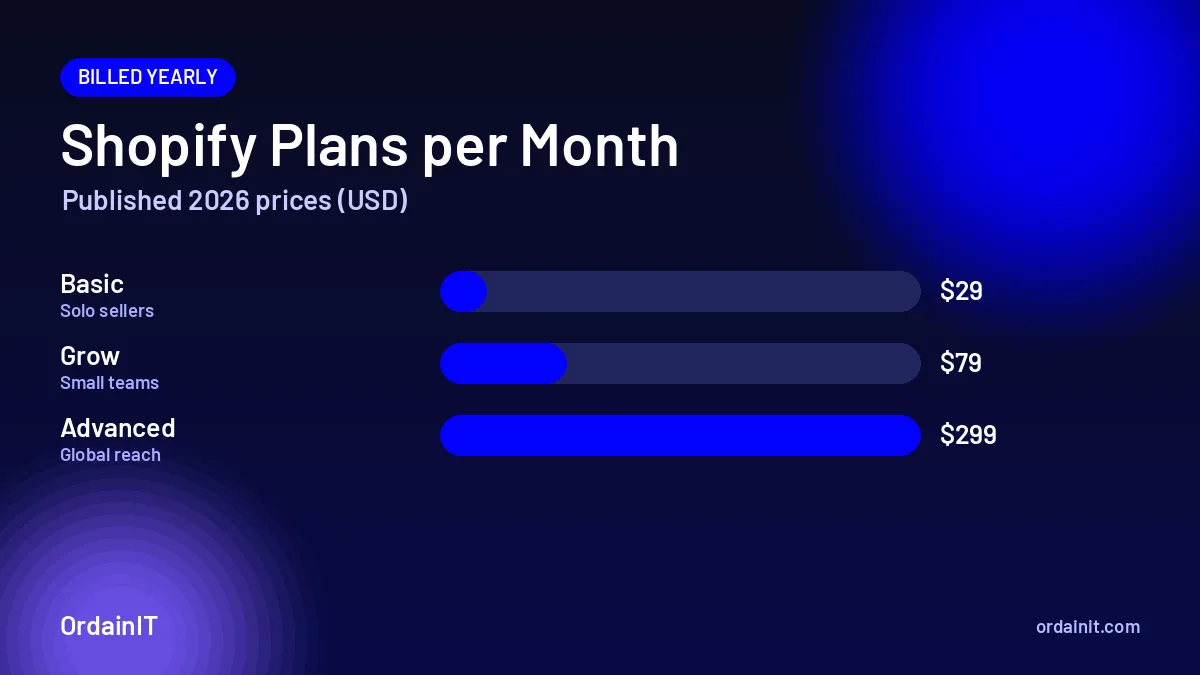
Shopify’s 2026 published plans are Basic at $29 a month, Grow at $79 and Advanced at $299 when billed yearly, with higher prices for monthly billing. Online card rates on Shopify Payments start at 2.9% + 30¢ on Basic and drop on higher plans. Add the cost of any paid apps and a premium theme if you want one.
A WordPress store has no platform fee. You pay for hosting (often a few dollars to around $30 a month for a small store), a domain, a theme and any premium plugins, plus your payment gateway’s fees. A premium OrdainIT WordPress theme is $13, and our WooCommerce launch service is $129 if you want the store set up for you. Over several years, WordPress is usually cheaper for small stores, but only if you count the time or money spent on maintenance honestly. For more on budgets, read our guide to website design cost.
Shopify wins on simplicity. There is nothing to install or update, the checkout is tested at huge scale and support is built in. WordPress asks more of you: you choose hosting, keep the core, theme and plugins updated, and take backups. Good hosting with automatic backups, plus a simple website maintenance checklist, makes this manageable for most owners, and a care plan can handle it for you.
Both platforms can rank well. Shopify covers the basics: editable titles, meta descriptions, clean URLs and automatic sitemaps. WordPress gives finer control through SEO plugins, flexible URL structures, schema markup and the strongest blogging tools available. If your plan depends on content marketing, guides, comparison pages and a large blog, WordPress has the edge. If search traffic mainly comes from product pages, either platform works.
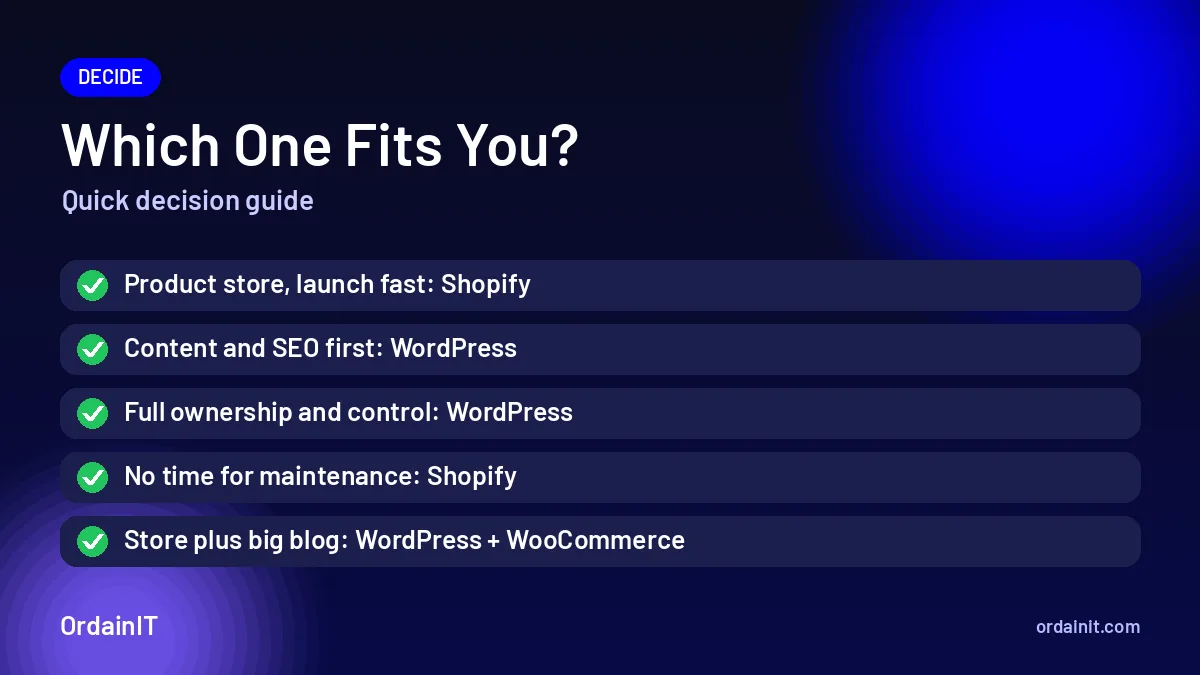
The right answer in the Shopify vs WordPress debate changes with the kind of business you run:
| Business | Better fit | Why |
|---|---|---|
| Fashion or product brand | Shopify | Fast launch, strong checkout, inventory tools |
| Agency, consultant or clinic | WordPress | Service pages, bookings and content without a store fee |
| Blog or media site | WordPress | Best publishing and SEO tools |
| Course or membership site | WordPress | LMS and membership plugins |
| Restaurant with online orders | Either | Depends on menu size and delivery tools |
Still unsure? Write down your product count, monthly sales target, how much content you plan to publish and who will maintain the site. The answers usually make the choice clear.
If WordPress fits, start from a niche theme instead of a blank page. Browse OrdainIT WordPress themes, open the demo on your phone, run a speed test yourself, and add Professional Website Setup ($99) if you want our team to install and configure everything.
Neither is better for everyone. Shopify is easier for product stores; WordPress offers more control, stronger content tools and lower platform costs.
Usually yes for small sites, because WordPress has no monthly platform fee. You still pay for hosting, a domain, a theme and any paid plugins.
Both handle SEO basics. WordPress gives more control and better blogging, which helps content-led SEO strategies.
Yes. Products, customers and orders can be exported and imported into WooCommerce. Set up 301 redirects so old URLs keep their rankings.
No. Themes, page builders and plugins let you build and edit a site without code, though basic technical comfort helps with updates.
Chosen a theme or template? The OrdainIT team, which designs and builds its own WordPress themes and templates, can also get your website live. Pick a fixed-price service:
Want a design to start from? Browse OrdainIT WordPress themes, each with free installation and lifetime updates, or see all WordPress services. Not sure what you need? Contact OrdainIT for a free, no-obligation quote.
See OrdainIT’s themes and customer ratings on OrdainIT’s ThemeForest profile.




We reply 24 hours a day, Monday to Saturday. Sunday is our day off.