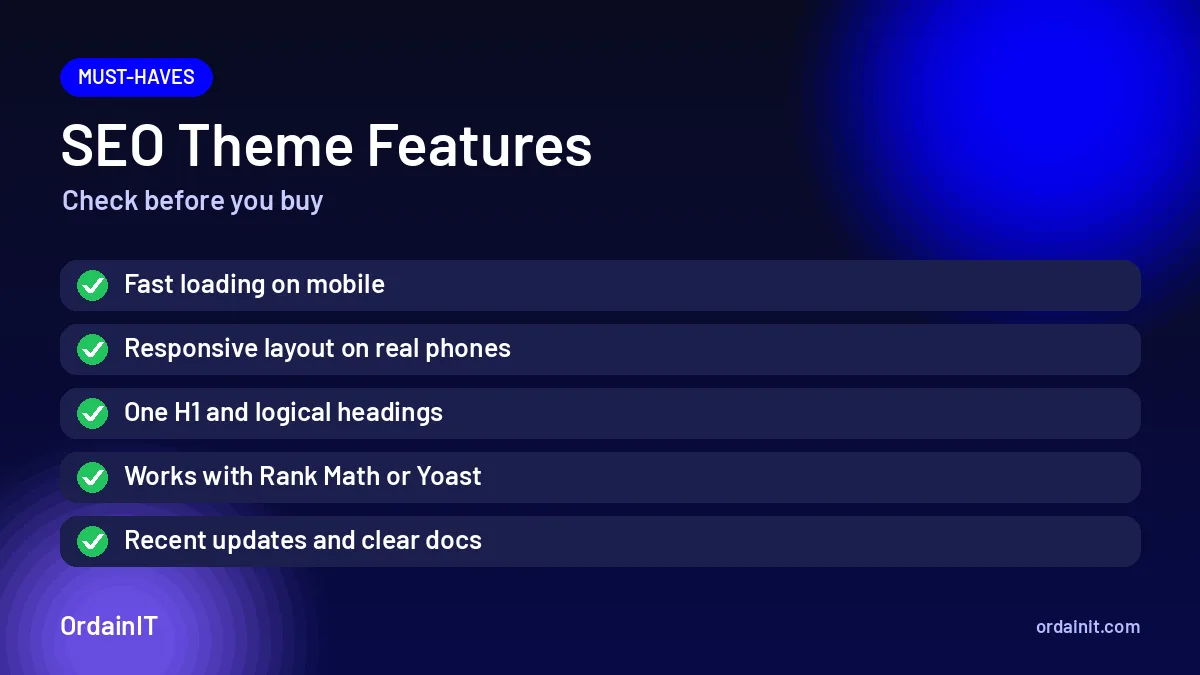
An SEO friendly WordPress theme is a theme that loads fast, works well on phones, uses clean heading structure and semantic HTML, keeps its code light, and works smoothly with SEO plugins such as Rank Math or Yoast. A theme cannot rank a site on its own, but a heavy or badly coded theme can hold good content back. This guide shows exactly what to check, and a 15-minute test you can run on any theme demo before you buy.
Key takeaways: speed and mobile usability matter most, so test the live demo with real tools rather than trusting the words “SEO optimized” on a sales page.
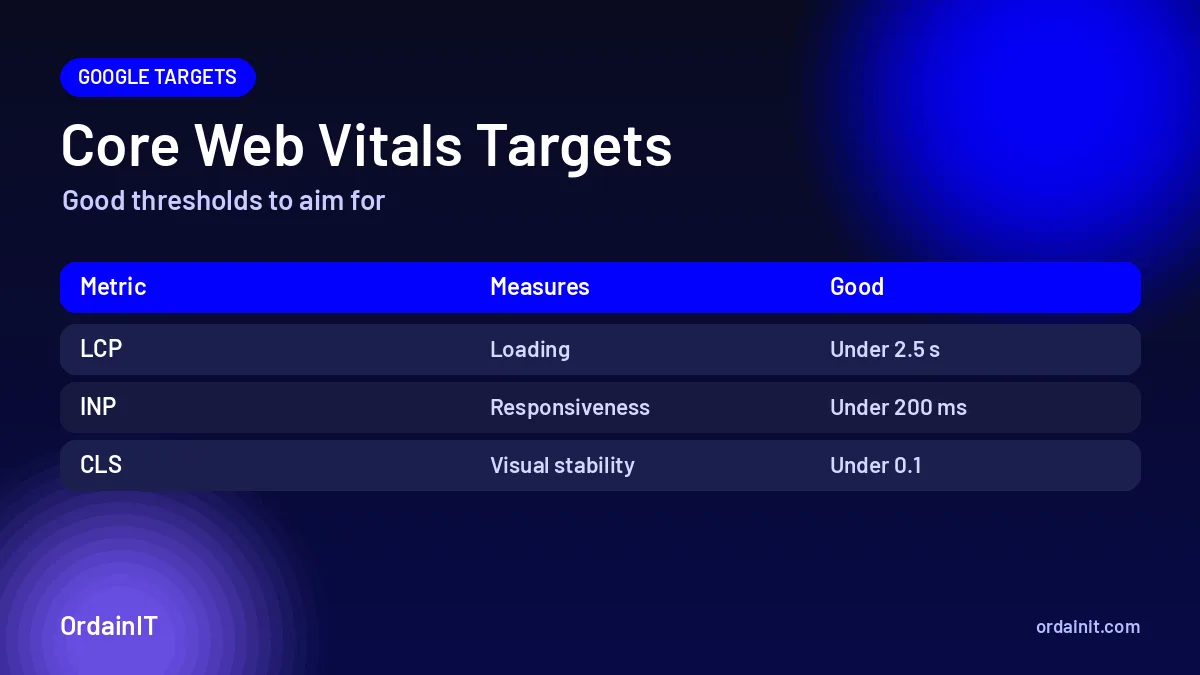
Yes, indirectly. Search engines rank pages, not themes, but the theme controls much of what they measure: how fast the page loads, whether the layout shifts while loading, how the HTML is structured, and whether the site is easy to use on a phone. Google’s Core Web Vitals targets are a Largest Contentful Paint under 2.5 seconds, Interaction to Next Paint under 200 milliseconds and Cumulative Layout Shift under 0.1, as described in Google Search Central. A bloated theme makes those targets much harder to reach.
| Feature | Why it matters | How to check |
|---|---|---|
| Fast loading | Speed affects rankings and conversions | PageSpeed Insights on the demo |
| Responsive design | Google indexes the mobile version first | Open the demo on a real phone |
| Clean heading structure | Helps search engines and AI tools understand content | One H1 per page, logical H2/H3 |
| Valid, semantic HTML | Fewer rendering and crawling problems | W3C Markup Validator |
| SEO plugin compatibility | Titles, schema and sitemaps come from the plugin | Check documentation and changelog |
| Regular updates | Security and compatibility with new WordPress versions | Recent last-update date |
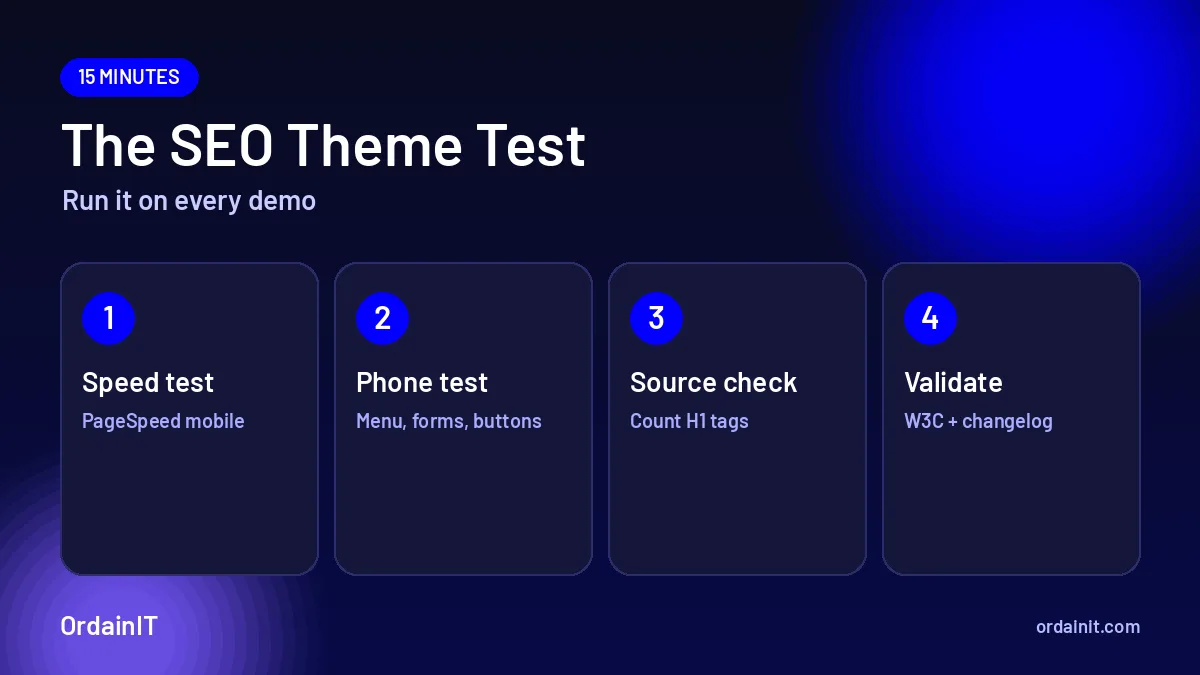
Speed is the feature that separates a truly SEO friendly WordPress theme from one that only claims to be. Look for themes that load few scripts, avoid large sliders above the fold, use modern image formats and do not force heavy font files on every page. Run the demo through PageSpeed Insights and check the mobile field data or lab results. Remember demo sites often load every feature at once, so a good score on a full demo is a strong sign.
Open the demo on an actual phone, not just a narrow browser window. Check that text is readable without zooming, buttons are easy to tap, menus open smoothly and nothing scrolls sideways. Google mainly uses the mobile version of your site for indexing and ranking, so a weak mobile layout hurts everywhere.
Right-click the demo, choose “View page source”, and search for <h1. If you see several H1 tags for logos or slider text, that is a warning sign.
An SEO plugin handles titles, meta descriptions, canonical tags, XML sitemaps and schema. The theme should not fight it, for example by printing its own duplicate title tags or schema. Check that the theme lists compatibility with popular SEO plugins and supports breadcrumbs, which help both visitors and search results.
Every bundled plugin adds code. A theme that requires ten plugins just to show the demo will usually be slower than one that needs two or three. Prefer themes that let you switch off features you do not use, such as animations, sliders and icon libraries.
A theme that was last updated years ago may break with new WordPress or PHP versions. Check the changelog, the support policy and whether clear documentation exists. Good support matters for SEO too, because an unpatched bug can take pages offline or block indexing.
Write the results in a small table for each theme you consider. The best choice is usually obvious after two or three themes.
Even the most SEO friendly WordPress theme cannot fix slow hosting or a pile of heavy plugins. When a site is slow, check these three layers in order:
Test again after each change so you know which fix helped. Put together, a lean theme, decent hosting, a short plugin list and optimised images usually bring a small business site into the “good” Core Web Vitals range.
OrdainIT WordPress themes are built for niche businesses with responsive layouts, W3C-validated code and Retina-ready graphics, and they work with standard SEO plugins. Most cost $13. Do not take our word for it: open any demo from our WordPress themes collection, run the 15-minute test above and compare. If your current site is already live but slow, our speed and Core Web Vitals optimisation ($99) and SEO and AI visibility optimisation ($99) services can help. For a wider buying guide, read how to choose a WordPress theme.
A theme that loads fast, is responsive, uses clean semantic HTML and correct headings, and works with SEO plugins without conflicts.
It can. A new theme changes speed, layout and HTML. Test it on a staging site and check titles, headings and redirects before switching.
Not necessarily. Many free themes are fast and well coded. Judge any theme by its speed, mobile usability, code quality and updates.
Yes. The plugin manages titles, meta descriptions, sitemaps and schema, while the theme provides a fast, clean foundation.
Run its demo through PageSpeed Insights, test it on a phone, check the headings in the page source, validate the HTML and review the update history.
Chosen a theme or template? The OrdainIT team, which designs and builds its own WordPress themes and templates, can also get your website live. Pick a fixed-price service:
Want a design to start from? Browse OrdainIT WordPress themes, each with free installation and lifetime updates, or see all WordPress services. Not sure what you need? Contact OrdainIT for a free, no-obligation quote.
See OrdainIT’s themes and customer ratings on OrdainIT’s ThemeForest profile.



We reply 24 hours a day, Monday to Saturday. Sunday is our day off.