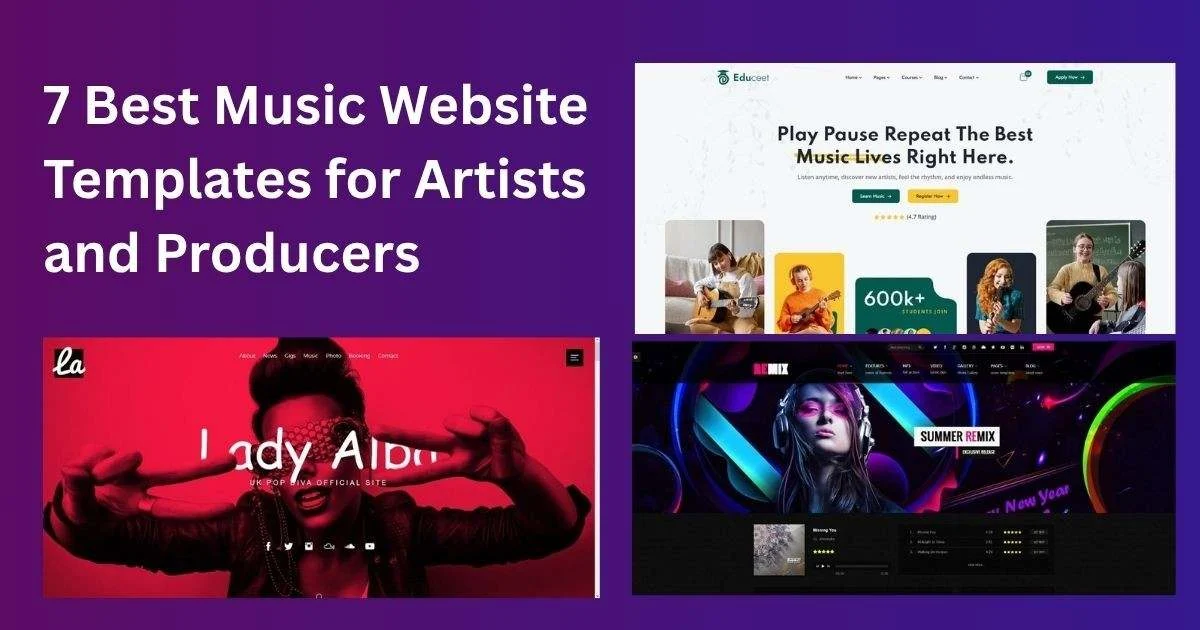
A music website template gives bands, DJs, producers and solo artists a ready site for music players, tour dates, videos, merch and booking enquiries. When we checked ThemeForest’s music template results on 15 November 2026, most of the top listings had not been updated since 2016 to 2019, and several were built for Adobe Muse, which Adobe no longer supports. This guide shows what to use instead, which formats suit musicians today, and the pages every artist site needs.
We read ThemeForest’s search results for music website templates on 15 November 2026 and recorded price, sales, reviews and last update. Free options were checked on WordPress.org the same day. We earn nothing from these links. Test the demo and run a speed test yourself.
ThemeForest search results and WordPress.org, 15 November 2026.
| Option | Format | Price | Sales / installs | Last update | Note |
|---|---|---|---|---|---|
| Rockfest | HTML | $15 | 217 | 2 Mar 2026 | Recently updated |
| Back to Rock | HTML | $12 | 334 | 11 May 2017 | Old |
| Bishop DJ page | HTML | $18 | 226 | 16 Jul 2019 | Old |
| Duotone | HTML | $39 | 109 | 11 Jul 2017 | Old |
| MixMaker | Adobe Muse | $69 | 248 | 8 Feb 2017 | Muse unsupported |
| WordPress + The Events Calendar | WordPress | Free | 600,000+ plugin installs | 12 Nov 2026 | Maintained |
| Sorex (OrdainIT) | WordPress / HTML | $13 / own store | n/a | Lifetime updates | Portfolio layout |
Rockfest by designesia, $15, 217 sales, last updated 2 March 2026. An HTML template for music festivals, concerts, DJs and night clubs, and the only top result with a 2026 update. View Rockfest.
These can still work as design references, but expect outdated libraries.
Several top results, such as MixMaker, CuePlay and Rhythmus, are Adobe Muse templates last updated between 2016 and 2018. Adobe ended support for Muse in 2020, so these are hard to edit or maintain today.
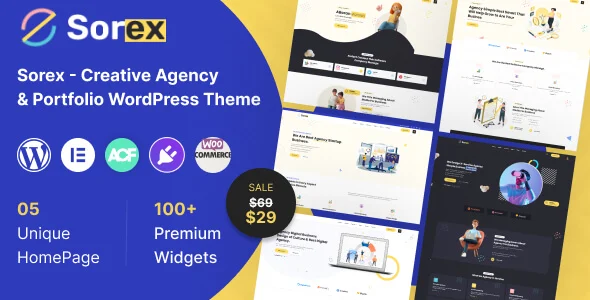

OrdainIT does not currently sell a music-specific template.
Promoters, journalists and venue bookers want the same things every time, so give them a dedicated press page. Include a short bio in two lengths, high-resolution photos with photographer credits, logos, notable shows or releases, streaming links, a technical rider if you play live, and one clear contact. Offer a single download link for everything. Keep it current: an old photo or a bio that mentions a release from three years ago makes you look inactive. A tidy press page often decides whether a promoter books you or moves on to the next act.
Social platforms decide who sees your posts; your mailing list does not. Put a sign-up form on the home page and at the end of every page, offer something in return such as an early listen, a free download or presale access, and send updates only when you have something genuinely worth sharing. Use a reputable email service, follow carefully its consent rules, and make unsubscribing easy. Over time, the list becomes the most reliable way to sell tickets and merch.
Audio files are large, and self-hosting them slows your site and uses bandwidth. Embed players from streaming services or Bandcamp instead, and load video embeds only when visitors click play by using a lightweight preview image. Compress photos, especially large live gig shots, and limit background video on the home page. Many fans visit from social links on their phones, so test the site on a mobile connection.
A tour page with past dates tells visitors you are inactive. Use an events tool that hides past shows automatically or moves them to an archive, link each date to a ticket page, and add sold-out or cancelled labels promptly. Structured event data helps search engines show your dates in results.
Before you buy any music website template, open the demo on a phone and check four things: the music player embeds load quickly, the tour dates section is easy to update, the press or booking page exists, and the mailing list form works. Then check the last update date on the item page and read the newest comments. A template that passes these checks will serve you better than a flashier one with outdated code. If none passes, a maintained general theme with a few plugins is the safer route.
Fans search for your artist name, so make it the site title and the first words on the home page. Add a short bio with genre, location and notable releases, link all your official profiles, and keep the same name and photo across platforms. When you release music or announce a tour, publish a short news post on your own site and link to it from social media, so search engines and fans find the latest information in one place.
If you sell merch, keep the store simple: a few products with clear photos, sizes and shipping costs. Many artists link to a print-on-demand or band merch service rather than running stock themselves, which keeps the website light and avoids handling orders.
We recheck the template listings in this guide regularly and update the table and date when they change.
A new artist can launch with five pages: home with a player and sign-up form, music, shows, press, and contact. Whatever music website template or theme you start from, add pages only when you have content to fill them, and keep every page updated after each new release, tour announcement or change to your line-up.
Before you choose, play a track on the demo from a phone on mobile data. Check that the audio player keeps playing while you browse, that tour dates are easy to edit, and that release pages load without a long blank wait.
A music player, tour dates, videos, a press kit, booking contact, a mailing list sign-up and merch links.
They can work, but templates not updated for years may have outdated code. Prefer recently updated options or a maintained WordPress theme.
Not practically. Adobe ended Muse support in 2020, so editing and maintaining them is difficult.
Yes. A website and mailing list are channels you control, while social platforms can change reach overnight.
Embed players from your streaming or Bandcamp profile, which keeps large audio files off your own server and pages loading quickly for fans.
Chosen a theme or template? The OrdainIT team, which designs and builds its own WordPress themes and templates, can also get your website live. Pick a fixed-price service:
Want a design to start from? Browse OrdainIT HTML templates, with lifetime updates, or see all WordPress services. Not sure what you need? Contact OrdainIT for a free, no-obligation quote.
See OrdainIT’s themes and customer ratings on OrdainIT’s ThemeForest profile.