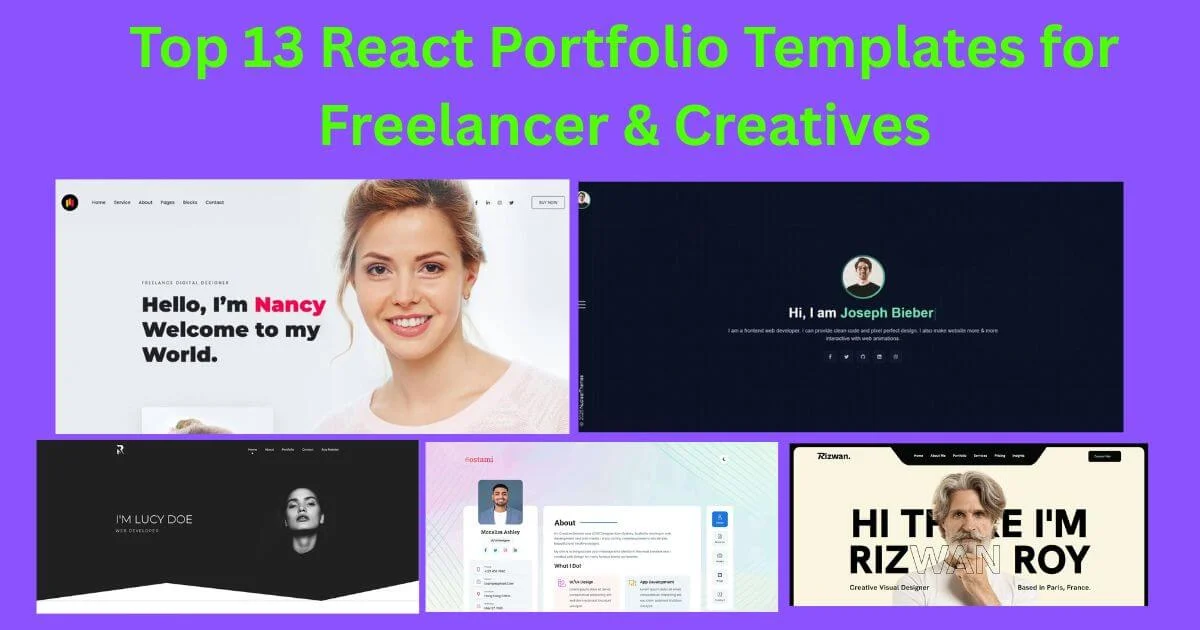
A React portfolio template gives designers, developers and creative studios a fast, component-based site to show their work, with project grids, case-study pages, an about section and a contact form. This guide compares three React portfolio options, one paid personal template, one open-source developer template and OrdainIT’s agency-style Sorex React, using their official pages on 14 November 2026, and explains how to choose and launch one.
The trade-off is editing: content changes happen in code or data files, unless you connect a CMS. If you want server rendering and image optimisation built in, see our Next.js portfolio template guide.
A personal portfolio focuses on one person: an about section, skills, experience and a handful of projects, often on one page. An agency or studio portfolio adds services, team, case studies and a blog across several pages. Choose the template type that matches your situation, because converting a one-page CV into a multi-page studio site takes as long as starting again.
We read the ThemeForest item page or GitHub repository for each option on 14 November 2026 and recorded price, sales or stars, rating, last update and stack. Where a page contradicts itself we say so. We did not copy screenshots and we earn nothing from these links. Sorex is OrdainIT’s own template, and we label it as such.
ThemeForest, GitHub and OrdainIT pages checked 14 November 2026.
| Template | Stack | Price | Popularity | Updates | Best for |
|---|---|---|---|---|---|
| Tokyo | React + Next.js versions | $19 | 612 sales, 4.97 (30) | 12 Sep 2025 | One-page personal |
| developerFolio | React | Free (GPL-3.0) | ~6,600 stars | Not actively maintained | Developer sections, GitHub projects |
| Sorex React (OrdainIT) | React | See product page | Our own | Free lifetime updates | 5+ homes, 31+ pages |
Tokyo by ib-themes costs $19, has 612 sales and a 4.97-star rating from 30 reviews, and shows a last update of 12 September 2025. It ships as two separate projects, React and Next.js, with a portfolio module with detail popups, about and service sections, a working contact form and light and dark modes. The newest changelog entry is version 2.5 from October 2024, and the changelog lists version 2.3 twice. View Tokyo.
developerFolio by saadpasta has about 6,600 GitHub stars and 3,900 forks under the GPL-3.0 licence. It is a React portfolio for software developers with sections for skills, education, experience, open-source projects pulled from GitHub, achievements, blogs and talks. The repository says it is not actively maintained, so plan to update dependencies yourself. View on GitHub.
Sorex React is OrdainIT’s React portfolio template for creative agencies, freelancers and personal portfolios. It includes 5+ home pages and 31+ pages, with free lifetime updates. We check speed and demos before release. The same design is available as an HTML template and a WordPress theme, so you can switch formats later without changing the look.


Portfolio images are the biggest weight. Export them at display size, use modern formats and lazy-load images below the first screen. Keep animation libraries to one, and avoid heavy effects on mobile. A plain React single-page app renders in the browser, so add good metadata and consider pre-rendering if search visibility matters.
A common mistake is hard-coding project details inside many components. Instead, keep projects in one data file, such as an array of objects with title, slug, client, year, role, tools, summary, cover image and gallery images. Your project grid and detail pages then read from that file. Adding new work becomes one new entry, filters can use the tools or category fields, and you can later move the same data into a headless CMS without redesigning anything. The same idea works for testimonials, services and experience entries. Most good templates already separate data from layout; if yours does not, refactor this first, because it saves time every time you update the site.
Recruiters and clients often open a portfolio on a phone between meetings. Make sure project cards are easy to tap, galleries swipe smoothly, text is readable without zooming and the contact button is always within reach. Test on a real mid-range phone, not only in desktop developer tools, and check load time on a mobile connection.
Plain React apps render content in the browser, which can make it harder for some crawlers and social previews to read your pages. Set a descriptive title and description in the main HTML file, add Open Graph tags for sharing, and use clear headings. For the best results, pre-render pages at build time or move to Next.js.
Add new projects as they finish, while the details are fresh, and remove older work that no longer shows your best level. Update dependencies every few months, rebuild and redeploy. A React portfolio template stays valuable only if the work inside it stays current.
Update dependencies every few months and redeploy, so the site stays secure and fast.
It is a ready-made portfolio website built with React components, with sections for projects, about, services and contact that you customise in code.
React works well for a simple site. Next.js adds server rendering, routing and image optimisation, which help search visibility and speed.
Tokyo cost $19 for a Regular License on 14 November 2026, developerFolio is free under GPL-3.0, and OrdainIT’s Sorex React price is on its product page.
Yes. Static builds deploy free to Vercel, Netlify or GitHub Pages.
Basic React and JavaScript help, because content lives in components or data files.
Chosen a theme or template? The OrdainIT team, which designs and builds its own WordPress themes and templates, can also get your website live. Pick a fixed-price service:
Want a design to start from? Browse OrdainIT React and Next.js templates, with lifetime updates, or see all WordPress services. Not sure what you need? Contact OrdainIT for a free, no-obligation quote.
See OrdainIT’s themes and customer ratings on OrdainIT’s ThemeForest profile.



We reply 24 hours a day, Monday to Saturday. Sunday is our day off.