Follow :

Saas Website Design
startup web template

Saas Website Design: Boost Engagement & Conversion

  Are you looking to create a standout SaaS website that captures attention and drives engagement? The design of your SaaS website is more than just a digital storefront; it’s a powerful tool that can make or break your connection with potential customers. Imagine visiting a website that instantly speaks to your needs, is easy to navigate, and leaves you with a lasting impression. That’s the magic of effective SaaS website design. We’ll explore the key elements you need to create a website that not only looks good but also converts visitors into loyal users. Are you ready to transform your online presence and boost your business? Let’s dive in and unlock the secrets to exceptional SaaS website design. Key Elements Of Saas Website Design Designing a SaaS website requires careful attention to detail. It’s not just about aesthetics; it’s about creating a seamless user experience. The design should cater to the needs of the user while effectively showcasing the product. Key elements like user-centric design, visual hierarchy, and responsive design are crucial. They ensure the website is functional, attractive, and easy to navigate. User-centric Design User-centric design focuses on the needs and preferences of the user. It prioritizes ease of use and intuitive navigation. Users should find information quickly and effortlessly. Simplified navigation reduces frustration and enhances satisfaction. Every element should serve a purpose, guiding the user smoothly through the site. Visual Hierarchy Visual hierarchy helps direct the user’s attention. It organizes content by importance, creating a natural flow. Use different font sizes, colors, and spacing to distinguish elements. Important information stands out, while secondary details are less prominent. This makes it easier for users to absorb key messages. Responsive Design Responsive design ensures the website looks good on all devices. Whether accessed on a phone, tablet, or desktop, the site should function well. Adjust images and text to fit different screen sizes. This maintains usability and keeps users engaged. A responsive site adapts to the user’s device, providing a consistent experience. Enhancing User Experience SaaS website design focuses on creating clear and simple interfaces. This design approach makes it easy for users to navigate. Fast loading times and responsive layouts improve user satisfaction. Enhancing user experience is vital for any SaaS website. A well-designed interface keeps users engaged and satisfied. It encourages them to explore more features. Good design can turn visitors into loyal customers. Focus on user needs and preferences to achieve this. Intuitive Navigation Navigation should be simple and clear. Users find what they need quickly. Use clear labels for menu items. Group related items together. Limit the number of clicks to reach important pages. The navigation bar should be visible on every page. Consistent design helps users feel at ease. Fast Loading Times Nobody likes to wait for slow pages. Speed is crucial for keeping users. Optimize images and reduce file sizes. Use efficient coding practices. Fast websites improve user satisfaction. They also rank better in search engines. Test your site on different devices and browsers. Ensure it loads quickly everywhere. Accessible Content Content must be easy to read and understand. Use simple language and short sentences. Break up text with headings and bullet points. Ensure your site works with screen readers. Include alt text for images. This helps visually impaired users. Make sure buttons and links are easy to click. Accessibility improves overall user experience. Effective Calls To Action Effective calls to action (CTAs) are crucial for any SaaS website design. They guide users towards desired actions and conversions. With clear CTAs, users can easily navigate your services. Well-designed CTAs can significantly boost engagement and conversion rates. Strategic Placement Position your CTAs where users are most likely to see them. Place them above the fold for immediate visibility. Ensure CTAs are near relevant content. Users should find them naturally while browsing. Avoid clutter around your CTAs. Clear surroundings enhance focus and attention. Compelling Copy Use direct and clear language in your CTAs. Short phrases work best. “Start Free Trial” or “Contact Us” are effective examples. Tailor your copy to user needs. Highlight benefits to encourage clicks. Ensure your message matches your brand tone. A/b Testing Test different CTA designs and placements. Compare user interactions and conversion rates. Adjust based on performance data. Use A/B testing to optimize your CTAs. Experiment with colors, sizes, and wording. Find what resonates with your audience. Optimizing For Conversion Crafting a Saas website to boost conversions involves clear calls-to-action and intuitive navigation. Simplified design enhances user experience, encouraging engagement. Responsive layouts ensure accessibility across devices, fostering customer trust and retention. Optimising a SaaS website for conversion is crucial. It means turning visitors into customers. Focusing on design elements can boost conversion rates. A well-designed site builds trust and guides users smoothly. Let’s explore key areas like trust signals, signup processes, and personalisation. Trust Signals Trust is vital for online transactions. Users need to feel secure. Display testimonials and case studies. They show real user success. Use security badges to reassure visitors. These symbols indicate to users that their data is secure. Highlight your privacy policy. It helps users feel protected. Simplified Signup Process A complicated signup can deter users. Keep it simple. Only ask for essential information. Long forms can frustrate users. Offer social media signups. This speeds up the process. Allow users to explore before signing up. It builds confidence in your service. Personalization Personalization enhances user experience. Tailor content to user preferences. Use data to understand user needs. Offer relevant recommendations. This keeps users engaged. Personalization can lead to higher satisfaction. Satisfied users are more likely to convert. Engagement Through Interactive Features Creating a SaaS website that captivates your audience isn’t just about stunning visuals. It’s about making the user experience interactive and engaging. When users can actively participate, they stay longer and become more invested in what you offer. Let’s explore how specific interactive features can elevate your SaaS website design. Live Chat Support Imagine visiting a website and feeling like you’re talking to a

agency themes

Best Digital Marketing Agency WordPress Theme 2026

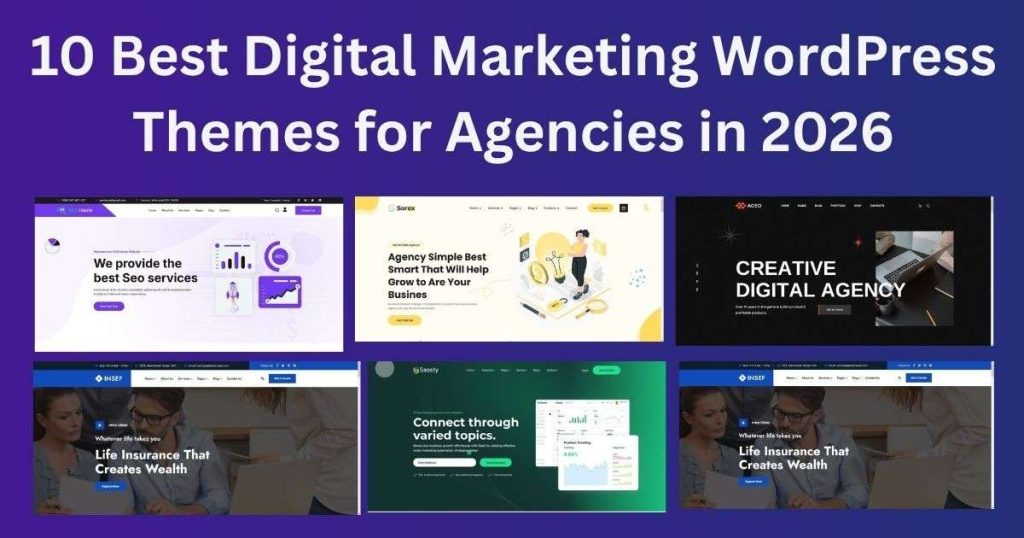
10 Best Digital Marketing WordPress Themes for Agencies in 2026 A digital marketing agency needs a website that does more than look professional. It should explain your services, show your work, build trust, and make it easy for potential clients to contact you. That is why choosing the right Digital Marketing WordPress Theme matters. A well-designed theme gives you a ready-made structure for your homepage, services, portfolio, case studies, blog, team, testimonials, and contact pages. It can also reduce development time and make it easier to keep your website consistent with your brand. But choosing a theme can be difficult. There are hundreds of agency themes available, and they are not all built for the same purpose. Some focus on SEO and digital marketing. Some are better for creative agencies. Others are designed for SaaS companies, startups, ecommerce businesses, or professional services. In this guide, we compare 10 digital marketing WordPress themes and agency website templates for 2026. We will also cover the features you should check before choosing a theme, the difference between WordPress themes and HTML templates, and how to choose the right option for your agency. Quick Answer: What Is the Best Digital Marketing WordPress Theme? There is no single Digital Marketing WordPress Theme that is perfect for every agency. The right choice depends on your services, audience, platform, design style, budget, and website goals. For example: Reak is built specifically for creative and digital marketing agencies. Buconz is a flexible multipurpose WordPress option. Sorex is useful for creative agency and portfolio websites. Sassty is designed for SaaS, AI, and software businesses. Azency is an HTML template that combines marketing and ecommerce layouts. SEO Haute is focused on SEO and digital marketing websites. Xoft is designed for creative and digital marketing agencies. The important thing is to choose a theme or template based on your actual business needs rather than choosing only because the demo looks attractive. What Is a Digital Marketing WordPress Theme? A Digital Marketing WordPress Theme is a WordPress theme designed for businesses that provide digital marketing and online services. Depending on the theme, it may include ready-made layouts for: SEO services PPC advertising Social media marketing Content marketing Email marketing Web design Branding Digital advertising Marketing consulting Lead generation Agency portfolios Case studies A dedicated agency WordPress theme can save time because many of these sections are already designed. Instead of building every page from scratch, you can replace the demo content with your own services, images, projects, team information, and branding. Why Does Your Marketing Agency Need a Good WordPress Theme? Your agency website is often one of the first places a potential client checks before contacting you. A visitor may want to know: What services do you provide? Who do you work with? Can I see your previous work? What results have you achieved? Who is on your team? How can I contact you? Why should I choose your agency? A good marketing agency WordPress theme helps organize this information in a clear way. The theme itself will not create leads automatically. Your content, offers, case studies, calls to action, SEO, and overall user experience also matter. What Should You Look for in a Digital Marketing WordPress Theme? Before choosing a theme, check these important features. 1. Responsive Design Your website should work properly on desktops, tablets, and smartphones. Check the: Navigation menu Buttons Forms Images Text Portfolio sections on different screen sizes before launching the site. 2. Fast and Clean Design A theme should not add unnecessary complexity to your website. However, remember that website speed depends on more than the theme. Hosting, plugins, images, scripts, fonts, caching, and third-party tools can also affect performance. 3. Service Page Layouts A marketing agency may offer several services. For example: SEO PPC Social media marketing Content marketing Web development Email marketing A theme with dedicated service layouts makes these services easier to present. 4. Portfolio and Case Study Sections Potential clients want to see evidence of your work. Look for layouts that allow you to showcase: Projects Campaigns Client work Results Screenshots Testimonials Case studies A good case study should explain the problem, your approach, the work completed, and the outcome. 5. Easy Customization Your agency should have its own visual identity. Check whether you can easily change: Logo Colors Fonts Header Footer Buttons Images Page sections Easy customization can reduce development time. 6. Page Builder Support If you use WordPress, a page builder can make customization easier. For example, Reak includes Elementor and more than 200 custom Elementor widgets. This gives agencies many options for building and modifying pages without editing every section manually. 7. Blog Support A blog can help your agency publish useful information about marketing, SEO, advertising, social media, and other topics. Look for: Blog archive Single post layout Categories Search Related posts Author information Do not create blog content only to insert keywords. Write about questions your potential clients actually ask. 8. Clear Calls to Action Your website should tell visitors what to do next. Examples include: Get a Free Consultation Request a Quote Start a Project Book a Call Contact Us Get an SEO Audit Place relevant calls to action near important sections of the page. 10 Best Digital Marketing WordPress Themes and Agency Templates for 2026 Now let’s look at the 10 products selected for this guide. 1. Reak – Creative Agency WordPress Theme Reak is one of the most directly relevant products in this list because it is built for creative and digital marketing agencies. It is designed for marketing professionals, SEO businesses, advertising agencies, branding companies, web design agencies, startups, and freelancers. The theme includes 5+ homepage layouts and more than 200 custom Elementor widgets. It also uses Bootstrap 5 and supports one-click demo import. Key Features 5+ homepage layouts 200+ Elementor widgets Elementor Page Builder Bootstrap 5 One-click demo import Service pages Portfolio layouts Team sections Blog layouts Responsive design Retina-ready design Touch-friendly interface Contact Form 7 support Child theme support

Insurance Website Templates
insurance template

Insurance Website Templates: Elevate Your Online Presence

  Are you struggling to make your insurance business stand out in the crowded online marketplace? Do you want to attract more clients without spending a fortune on web design? In today’s digital landscape, insurance companies, agencies, and individual agents must establish a strong and credible online presence to stay competitive. With more customers searching for services online, your website is often the first impression people have of your business. But building a high-performing website from scratch can be time-consuming and expensive, and that’s where Insurance Website Templates come in. Whether you’re running a large agency or working independently, using an insurance agency website template can streamline your online setup, improve SEO, and generate more leads. In this guide, we’ll explain what insurance website templates are, their key features, who should use them, and how to choose the right one for your business. Let’s explore how selecting the right template can enhance your online presence and give you a competitive edge. Benefits Of Using Insurance Website Templates Insurance website templates offer several advantages for businesses. They simplify the process of creating and managing a website. Templates provide a structured framework, making web development accessible to everyone. Explore the key benefits of using templates below. Cost-effectiveness Templates are budget-friendly. Hiring a web designer can be expensive. Templates eliminate this need. They provide a ready-made design at a fraction of the cost. Businesses save money while achieving a professional look. Time Efficiency Time is precious. Templates speed up the website creation process. With pre-designed elements, you can quickly set up your site. No need to start from scratch. Launch your insurance website in days, not weeks. Professional Design Templates offer sleek and modern designs. They ensure your website looks polished and credible. Impress clients with a visually appealing site. Enhance user experience with intuitive navigation. A professional design builds trust. Key Features To Look For Choosing the right insurance website template is crucial. It sets the foundation for your online presence. A well-designed template can attract clients and build trust. When selecting a template, focus on key features. These features ensure your site looks professional and functions smoothly. Responsive Design Your website must look good on all devices. This includes mobile phones, tablets, and desktops. A responsive design adjusts to different screen sizes. It ensures that users have a great experience. People will leave a site if it doesn’t work well on their device. A responsive design boosts engagement and keeps visitors longer. Customizability Customizability allows you to tailor the site to your brand. You should be able to change colours, fonts, and layouts. A template should offer easy customization options. This helps your website stand out from competitors. Personalisation attracts more visitors and creates a unique identity. It should be simple to make changes without coding skills. Seo Optimization SEO optimization helps your site rank higher in search engines. It should include clean code and fast loading times. A well-optimised site attracts more visitors naturally. Keywords should be easy to integrate. Good SEO practices increase visibility and traffic. Your template should support SEO-friendly features. Security Features Security is crucial for any website, especially insurance sites. Your site must protect sensitive customer data. Look for templates with strong security features. This includes secure login options and data encryption. Security builds trust and ensures user safety. A secure site prevents breaches and protects your reputation. Popular Template Platforms Discover a variety of insurance website templates tailored for ease and efficiency. These templates offer user-friendly designs, ensuring a seamless experience for visitors. Perfect for businesses seeking a professional online presence without hassle. Creating an insurance website can be a daunting task. You want it to be professional, reliable, and user-friendly. Luckily, popular template platforms like WordPress, Squarespace, and Wix offer a variety of templates that make designing your site a breeze. These platforms provide you with the tools to craft a website that not only looks great but functions seamlessly. Let’s dive into the specifics of what each platform offers.  WordPress Options WordPress is a favourite among many for its versatility. I’ve used WordPress for my projects and found its extensive library of templates incredibly helpful. You can choose from thousands of themes tailored specifically for insurance businesses. Whether you need a clean, minimalist design or something more dynamic, WordPress has you covered.  Squarespace Solutions Squarespace is known for its sleek and modern designs. If you’re aiming to make a strong visual impression, Squarespace might be your best bet. Its templates are not only beautiful but also mobile-responsive, ensuring your site looks great on any device. Squarespace also offers easy drag-and-drop functionality, which can be a game-changer if you’re not tech-savvy.  Wix Templates Wix offers simplicity without sacrificing quality. Imagine creating a stunning insurance website in just a few clicks. Wix makes that possible with its intuitive interface and customizable templates. You might find the feature of adding specific elements like contact forms or chatbots particularly useful for engaging your visitors. With so many options available, which platform will you choose to bring your insurance website to life? Design Tips For Insurance Websites Crafting effective insurance website templates involves simplicity and clarity. Visuals should be clean, aiding user navigation. Prioritize mobile responsiveness to reach more users. When crafting an insurance website, design is key to capturing attention and building trust. A well-designed site can transform casual visitors into loyal clients. But how do you get there? Here are some design tips that will help you create an insurance website that is both attractive and functional. Choosing The Right Color Scheme Selecting the right colors for your website can influence how visitors perceive your brand. Soft blues and greens often convey trust and reliability, while bold colors like red can evoke urgency. Balance is crucial—too many colors can overwhelm, while too few might seem dull. Consider your brand’s identity. Align your color scheme with the emotions you want to evoke. Would you feel comfortable purchasing insurance from a site that looks like a circus,

Creative Agency Website Templates
agency themes

Creative Agency Website Templates: Unleash Your Brand 2025

  In today’s fast-paced digital world, having a standout website is essential for any creative agency. Whether you’re running a branding studio, digital marketing firm, or design-focused business, the right website template can make all the difference. That’s where creative-agency-website-templates come in—they’re built to help you showcase your creativity, services, and portfolio in the most compelling way possible. These templates are designed with agencies in mind. Get ready for visually dynamic layouts, expressive typography, and smooth, user-first navigation that brings your brand identity to life. Whether you need a clean, single-page site or a detailed multi-page design packed with portfolio showcases, you’ll find templates tailored to your creative goals.     What Are Creative Agency Website Templates? Creative-agency-website-templates are pre-designed website layouts specifically built for creative professionals, agencies, and studios. These templates provide a ready-made framework that helps digital agencies, branding firms, marketing teams, and design studios build a professional online presence without starting from scratch. Designed with creativity in mind, these templates typically feature: Modern, eye-catching designs Clean typography and bold visuals Customizable layouts for portfolios, services, and case studies Built-in responsiveness for mobile and tablet devices SEO-friendly code and fast-loading pages Whether you’re building a site on WordPress, Webflow, HTML, or another platform, creative-agency-website-templates give you a solid foundation to showcase your brand, highlight your work, and convert visitors into clients. These templates are ideal for: Branding agencies looking to highlight their identity and services Digital marketing teams wanting to showcase results and strategies Design studios that need to display a visual portfolio Freelance creatives building a personal brand By using a creative-agency-website-template, you save time on design and development, while ensuring your website looks polished, professional, and aligned with current trends. Why Choose Creative-Agency-Website-Templates? Modern, Responsive Design – Templates that adapt perfectly to all devices, ensuring your agency looks professional everywhere. Easy Customization – Change colors, fonts, sections, and layouts to suit your unique branding. Portfolio & Case Study Sections – Highlight your best work and past projects with visual storytelling tools. SEO-Optimised Code – Built with clean code to help your site rank higher in search engines. Types of Creative Agency Templates There are many templates for creative agencies. Each has its style. Here are some popular ones: Minimalist Templates: Minimalist templates are simple. They have lots of white space. They focus on content. These are good for showing your work. Bold And Colourful Templates: Bold templates use bright colours. They catch the eye. They are great for artistic agencies. These templates show creativity. Portfolio Templates : Portfolio templates show your work. They are like a digital gallery. These are good for photographers and artists. Features of Good Templates Not all templates are the same. Good templates have key features: Responsive Design Responsive design means the template looks good on all devices. It works on phones, tablets, and computers. This is important. Customizable You should be able to change the template. Colors, fonts, and images should be easy to edit. Customization makes the template yours. Seo Friendly SEO means Search Engine Optimization. SEO helps your website show up in search results. A good template is SEO friendly. Fast Loading People don’t like slow websites. A good template loads quickly. This keeps visitors on your site. How to Choose the Right Template Choosing the right template is important. Here are some tips: Think about your brand. What style fits your agency? Look at the features. Does it have what you need? Check reviews. What do other users say? Try a demo. See how the template looks and works. Popular Platforms for Templates Many platforms offer website templates. Some are free. Others you have to pay for. WordPress: WordPress is very popular. It has many templates. You can find free and paid options. WordPress is easy to use. Wix: Wix is a website builder. It offers templates for many industries. Wix templates are easy to customize. Squarespace: Squarespace is known for beautiful designs. Its templates are professional. Squarespace offers support for users. Customising Your Template Once you pick a template, it’s time to customize. Add your logo. Change colors to match your brand. Update text and images. Make it unique. Adding Content : Content is key. Add text that explains your services. Use images that show your work. Make sure it is clear and easy to read. Testing Your Website : Before launching, test your site. Check it on different devices. Make sure links work. Look for spelling errors. Testing ensures everything is perfect. OrdainIT: A Case Study Let’s look at a real example. OrdainIT is a creative agency. They used a template for their website. Their template was clean and modern. They customised it with their colors. Their website now shows their work beautifully. Benefits For Ordainit Professional Appearance: The template made their site look professional. Time Saved: They built their site quickly. Easy Updates: OrdainIT can easily update its content. Frequently Asked Questions What Are Creative Agency Website Templates? Creative agency website templates are pre-designed layouts for agency websites. They help showcase portfolios, services, and team profiles effectively. Why Use A Creative Agency Website Template? Using a template saves time and effort. It provides a professional look without needing advanced design skills. How Do I Choose The Right Template? Consider your agency’s style and needs. Look for responsive design, customization options, and portfolio features. Can I Customize The Templates Easily? Yes, most templates are customizable. You can change colors, fonts, images, and layouts to match your brand. Conclusion Creative agency website templates are a great tool. They help build beautiful, professional websites. Templates save time and money. They offer a wide range of styles. Choose a template that fits your brand. Customize it to make it yours. With the right template, your website will shine. Also read :15+ Best WordPress Restaurant Themes for 2025  

10 Best SaaS WordPress Themes for Startups & Software Companies in 2026
saas wordpress theme

10 Best SaaS WordPress Themes for Startups & Software Companies in 2026

10 Best SaaS WordPress Themes for Startups & Software Companies in 2026 Choosing the right SaaS WordPress Theme can make it much easier to build a professional website for a software product, SaaS startup, AI platform, or technology company. A SaaS website needs to do more than look modern. It needs to explain what the product does, communicate its value, showcase features, present pricing, build trust, answer common questions, and guide visitors toward an action such as starting a free trial, booking a demo, or contacting sales. The challenge is that there are hundreds of WordPress themes marketed toward startups, software companies, AI businesses, and SaaS products. Some offer dozens of demos, while others focus on Elementor, app landing pages, pricing layouts, or technology-specific designs. To make the decision easier, this guide compares 10 popular SaaS WordPress themes for 2026 based on their target audience, layouts, customization options, page-building experience, features, and overall suitability for software-focused websites. The list includes: Sassty Saasland Stratus Softwerk Flowbit Gigas Soft Sofland Sasico Synex Whether you are launching a SaaS startup, AI product, software company, mobile application, technology service, or digital platform, this comparison can help you choose a WordPress theme that matches your project. Quick Answer: What Is the Best SaaS WordPress Theme? There is no single best SaaS WordPress Theme for every business. The right choice depends on your product, target audience, budget, required features, preferred page builder, and how much customization you need. For a website specifically focused on SaaS, AI, and software startups, Sassty is a strong option because it combines SaaS-focused layouts with 18+ homepage designs, 50+ inner pages, Elementor compatibility, responsive design, RTL support, and one-click demo import. Other options are better suited to different requirements. For example, Saasland is useful if you want a very large collection of demos and website elements, while Stratus is particularly suitable for app and SaaS businesses that need conversion-focused layouts. The best theme is therefore the one that fits your specific website requirements rather than simply the theme with the largest number of demos. Best SaaS WordPress Themes at a Glance Theme Best For Main Strength Price* Sassty SaaS, AI & software startups SaaS-focused layouts + Elementor $19 Saasland SaaS & technology companies Large demo and element library $59 Stratus Apps, SaaS & startups Conversion and lead generation $59 Softwerk Software startups Flexible software layouts $79 Flowbit SaaS & AI startups Modern AI/SaaS layouts $39 Gigas SaaS & software businesses Product-focused layouts $69 Soft SaaS, AI & software Multiple homepage options $69 Sofland SaaS & tech startups Elementor customization $19 Sasico SaaS & technology startups Visual editing $49 Synex SaaS & software startups Simple ready-made sections $29 *Prices and theme features can change. Check the relevant product listing before purchasing. What Is a SaaS WordPress Theme? A SaaS WordPress Theme is a WordPress theme designed specifically for software-as-a-service companies, software products, technology startups, AI platforms, mobile applications, and other digital businesses. Unlike a general-purpose business theme, a SaaS-focused WordPress theme usually provides layouts for the information that software businesses need to communicate. Typical sections include: Product features Product benefits Pricing plans Product screenshots Customer testimonials FAQs Integrations App showcases Services Product demos Free-trial calls to action Demo request forms Contact forms Blog layouts SaaS landing pages This type of structure can save significant design and development time because you do not have to build every common SaaS website section from scratch. More importantly, a specialized theme can help you organize information around the SaaS customer journey: problem → solution → features → benefits → proof → pricing → action. 1. Sassty – SaaS, AI & Software Startup WordPress Theme Sassty is a SaaS-focused WordPress theme designed for software startups, AI businesses, technology companies, digital products, and SaaS platforms. If your primary goal is to create a modern website around a software product, Sassty is one of the strongest options in this comparison. It provides 18+ homepage designs and 50+ inner pages, giving businesses multiple starting points for SaaS landing pages, software websites, AI products, and technology businesses. The theme also includes responsive design, RTL support, mega menu functionality, typography options, Elementor compatibility, WooCommerce compatibility, multilingual support, and one-click demo import. Why Sassty Stands Out A SaaS website needs to answer several questions quickly: What does the product do? Who is it for? What problem does it solve? What features does it provide? Why should customers choose it? How can users get started? Sassty provides layouts that can help organize this information into a structured customer journey. Instead of beginning with a blank WordPress installation, businesses can start from an industry-focused homepage and customize the content for their own product. Key Features of Sassty 18+ homepage designs 50+ inner pages SaaS-focused layouts AI startup layouts Software business designs Responsive design RTL language support Elementor integration One-click demo import Mega menu support Typography customization WooCommerce compatibility Multilingual support Detailed documentation Regular updates and support What Can You Build With Sassty? Sassty can be adapted for: SaaS startups AI platforms Software companies CRM platforms Data analytics products Payment platforms Security software AI automation tools SEO platforms Digital marketing businesses Web applications Technology startups The available demo concepts also cover areas such as SaaS, data analytics, payment gateways, CRM software, AI automation, and security software. Pros Strong SaaS and AI focus Large collection of homepage and inner-page layouts Elementor support One-click demo import Responsive and RTL-ready design Suitable for different software industries Considerations Because the theme provides many layouts and options, you may need to spend some time selecting the right demo and removing sections that are not relevant to your product. Best for: SaaS companies, AI startups, software businesses, technology startups, digital products, and IT businesses. Price: The Ordain IT product page currently lists Sassty at $19, discounted from $49. View Details 2. Saasland – SaaS, Startup & Technology WordPress Theme Saasland is a versatile SaaS WordPress Theme designed for SaaS companies, software startups, technology businesses, mobile applications, digital agencies, and online products.

10 Best SaaS Website Templates in 2026 | Top Picks
saas themes

10 Best SaaS Website Templates in 2026

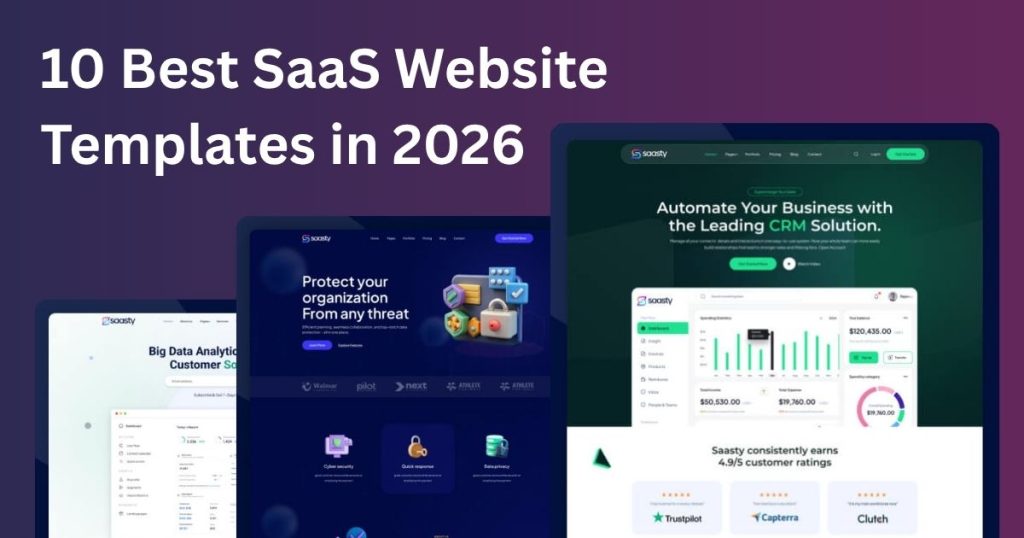
10 Best SaaS Website Templates in 2026 Finding the right SaaS Website Template can save hours of design and development work. Whether you are launching a SaaS startup, AI software, CRM platform, fintech product, or web application, the right template gives you a professional foundation for building a high-converting website. But choosing a template is not only about visual design. You also need to consider the platform, responsiveness, customization options, page speed, available sections, and how well the design supports your conversion goals. To help you choose faster, we have reviewed 10 of the best SaaS Website Templates in 2026 for startups, software companies, AI businesses, developers, and digital product owners. Best SaaS Website Templates at a Glance SaaS Website Template Best For Platform Main Advantage Expentix SaaS & Fintech Startups Figma Modern SaaS UI Saasty SaaS & Software Companies HTML 18+ Homepages Saasty SaaS & AI Startups Next.js React/Next.js Sassty SaaS & AI Businesses WordPress 18 Homepages + 50+ Pages Healthier AI & SaaS Startups Figma Product-focused UI AIFlow AI SaaS Products Figma Dashboard-focused design GrowthPilot AI CRM & Marketing Figma CRM-focused interface Codox AI Chatbot & SaaS HTML AI-focused layouts Reak Startups & Digital Agencies WordPress Elementor support SaaS Startup Template New SaaS Products Web Simple startup structure What Is a SaaS Website Template? A SaaS Website Template is a pre-designed website layout created for software-as-a-service products and companies. Instead of designing every page from scratch, you can customize ready-made sections such as: Homepage Product features Pricing Testimonials FAQs Product screenshots Use cases Contact pages Blog sections Call-to-action areas The best SaaS templates are designed around a simple goal: help visitors understand the product and encourage them to take action. Depending on your needs, you can choose an HTML, WordPress, Figma, React, or Next.js template. 1. Expentix – Best SaaS Website Template for Startups Best for: SaaS startups, fintech products, technology businesses, and modern software companies. Expentix is a modern SaaS Website Template designed for startups that need a professional and scalable digital presence. The design focuses on SaaS interfaces, product presentation, dashboard-style layouts, landing page sections, and clear visual hierarchy. It is particularly suitable for businesses that want to present a software product with a clean and modern interface. Expentix is available as a Figma design template, making it useful for designers and development teams that want to customize the interface before moving into development. Its structure includes responsive grid-based layouts, SaaS landing page sections, pricing areas, testimonials, FAQs, and product-focused components. Key Features Modern SaaS UI design Startup-focused layout Responsive grid system SaaS landing page sections Product showcase sections Pricing layouts Testimonial sections FAQ section Customizable typography and colors Scalable design system Why Choose Expentix? Expentix is a strong choice if you are launching a SaaS startup and want a modern SaaS web design template that can be customized before development. 2. Saasty – SaaS HTML Website Template Best for: SaaS startups, AI companies, software businesses, and technology companies. Saasty is a professional SaaS HTML template created for software, AI, and startup businesses. It provides a large collection of layouts and pages that can be adapted to different SaaS products. The template includes 18+ homepages and 50+ pages, along with Bootstrap 5, responsive layouts, UI components, animations, clean code, and detailed documentation. Key Features 18+ homepage layouts 50+ total pages Bootstrap 5.x Responsive design RTL-ready layouts Clean and commented code HTML, CSS and JavaScript files UI components Multiple animation effects Detailed documentation Why Choose Saasty? Saasty is ideal if you need a flexible SaaS software website template and want direct control over the HTML, CSS, and JavaScript code. It is especially useful for developers who want a ready-made starting point instead of building a SaaS website from a blank project. 3. Saasty – Next.js SaaS Website Template Best for: SaaS developers, AI startups, software products, and React projects. For developers searching for a SaaS Website Template for Next.js, Saasty provides a modern starting point for building software and technology websites. Its React and Next.js structure makes it suitable for SaaS applications, AI products, software startups, and modern web projects. Key Features React and Next.js SaaS-focused layouts AI startup sections Responsive design Bootstrap 5 Reusable components Clean code RTL support Developer-friendly structure Best choice for: Developers and startups building with React or Next.js. 4. Sassty – SaaS & AI WordPress Theme Best for: SaaS companies, AI startups, software businesses, and WordPress users. Sassty is a complete SaaS WordPress Theme designed for software, AI, and technology businesses. It includes 18 homepage layouts and 50+ inner pages, giving businesses plenty of options for building product pages, service pages, landing pages, blogs, and other website sections. The theme also supports Elementor, one-click demo import, responsive layouts, RTL, and WooCommerce. Key Features 18 homepage layouts 50+ inner pages Elementor support One-click demo import Responsive design RTL support WooCommerce compatibility Modern SaaS layouts Best choice for: Businesses that want a flexible SaaS website with WordPress. 5. Healthier – SaaS Web Design Template Best for: AI startups, SaaS products, technology companies, and digital platforms. Healthier is a modern SaaS web design template focused on clean product presentation and startup-friendly UI. Its design can be adapted for SaaS platforms, AI products, software companies, and digital services. The template provides sections for product features, pricing, testimonials, FAQs, and calls to action. Key Features Modern SaaS UI/UX Product-focused layouts Pricing sections Testimonials FAQ layouts Responsive design Customizable Figma components Startup-friendly structure Best choice for: AI and SaaS startups that want a clean Figma design. 6. AIFlow – AI SaaS Website Template Best for: AI software, productivity tools, analytics platforms, and AI startups. AIFlow is designed specifically for AI and SaaS products. Unlike a basic landing page template, it combines marketing sections with dashboard and product interface designs. This makes it useful when you need to show visitors how your software actually works. Key Features AI SaaS design Dashboard UI Analytics sections Product showcase Pricing layouts Feature sections Testimonials Reusable Figma components Responsive layouts Best choice

10 Best WordPress Restaurant Themes in 2026 for Restaurants, Cafés & Food Businesses
web development

10 Best WordPress Restaurant Themes in 2026 for Restaurants, Cafés & Food Businesses

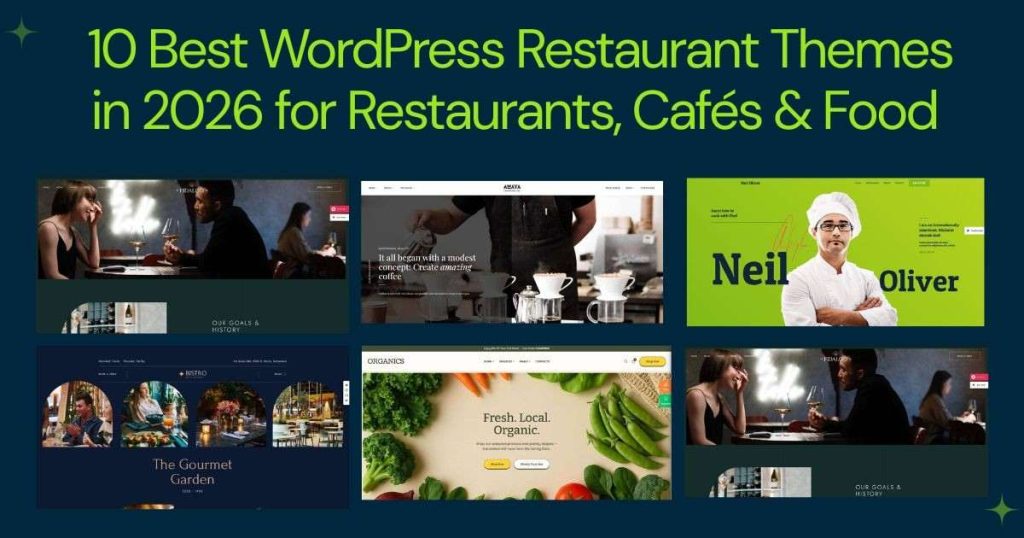
10 Best WordPress Restaurant Themes in 2026 for Restaurants, Cafés & Food Businesses Choosing the right website design can make a major difference for a restaurant, café, bakery, or other food business. Today, customers often check a restaurant’s menu, food photos, prices, location, opening hours, reviews, reservations, and ordering options before deciding where to eat. That is why choosing the right WordPress Restaurant Themes is about much more than finding an attractive design. A good restaurant website should help visitors quickly understand what you offer and take action—whether that means viewing the menu, booking a table, finding your location, contacting your business, or placing an online order. In this guide, we compare 10 WordPress Restaurant Themes suitable for restaurants, cafés, bistros, bakeries, food brands, and other food-related businesses. We will look at their design approach, useful features, ideal use cases, and the factors you should consider before choosing one. You’ll also learn how to choose a restaurant website theme, what features matter for online ordering, how WordPress can support a food business, and how to make your restaurant website more SEO-friendly. Quick Comparison: Best WordPress Restaurant Themes If you want to compare the options quickly, the table below highlights the main use case and strength of each theme. WordPress Restaurant Theme Best For Main Strength PatioTime Restaurants & Bistros Modern restaurant design Grand Restaurant Fine Dining & Cafés Restaurant-focused layouts Fidalgo Modern Restaurants Clean and flexible design Amaya Cafés & Coffee Shops Visual food presentation Deli Restaurant Casual Food Businesses Simple restaurant layout Organics Organic Food Brands Food and WooCommerce focus Online Cooking Restaurant Website Food Brands & Cooking Businesses Content and eCommerce potential SpicyHunt Street Food & Casual Restaurants Bold visual presentation Heritaste Traditional Restaurants Classic restaurant style NUVO Restaurants & Cafés Flexible layouts and demos Our Top Picks at a Glance Different restaurants need different website features, so there isn’t one theme that is perfect for every business. Best for modern restaurants: PatioTime Best for fine dining: Grand Restaurant Best for cafés and coffee shops: Amaya Best for traditional restaurants: Heritaste Best for bold food brands: SpicyHunt Best for flexible restaurant websites: NUVO Best for organic food businesses: Organics The right choice ultimately depends on your restaurant type, branding requirements, content, ordering system, and budget. What Are WordPress Restaurant Themes? WordPress Restaurant Themes are pre-designed WordPress themes created specifically for restaurants and food-related businesses. Instead of starting with a completely generic website layout, a restaurant-focused theme usually provides sections and page structures that are useful for presenting food and hospitality services. These themes can be used for: Restaurants Cafés Coffee shops Bakeries Bistros Food trucks Fast-food businesses Catering companies Bars Organic food brands Food stores Specialty food businesses A dedicated restaurant website WordPress theme may include layouts for food menus, dish descriptions, prices, galleries, restaurant information, reservations, testimonials, contact details, and online ordering. For example, a restaurant homepage might include: A hero section Featured dishes Food menu Restaurant story Food gallery Customer reviews Opening hours Location Reservation button Online ordering call-to-action This gives restaurant owners a practical starting point and reduces the amount of design work required to launch a professional website. Why Choose a Restaurant-Specific WordPress Theme? You can build a restaurant website with almost any WordPress theme. However, a specialized theme can save time because many restaurant-focused sections are already available. Instead of spending hours creating a menu layout, food gallery, reservation section, and restaurant homepage from scratch, you can start with an existing structure and customize it to match your brand. That makes restaurant WordPress themes especially useful for small businesses and restaurant owners who want to launch a website without building everything from zero. Why Use a Restaurant Website Theme? A restaurant website has a very specific purpose. Visitors usually don’t want to spend several minutes searching through your website to find basic information. They want answers quickly: What food do you serve? How much does it cost? Where are you located? Are you open? Can I book a table or order online? A good restaurant website theme should make those answers easy to find. 1. Display Your Food Menu Clearly The menu is one of the most important parts of any restaurant website. A good design should make it easy to display: Food categories Dish names Prices Ingredients Descriptions Food images Special dishes Dietary information Your menu should also be easy to update when dishes or prices change. 2. Showcase Food Photography Food is highly visual. Professional food photography can communicate the quality and personality of your restaurant before a customer ever visits. A strong theme should provide enough space for: Signature dishes Restaurant interiors Chef creations Food collections Seasonal dishes Events However, large images should be optimized carefully so they don’t negatively affect page speed. 3. Make Reservations Easier If your restaurant accepts table bookings, your website should make the reservation process obvious. The theme itself doesn’t necessarily need to provide a complete booking system. Compatibility with a reliable reservation plugin or external booking solution can also be enough. The important thing is that customers can find the booking option without searching through multiple pages. 4. Support Online Food Ordering Restaurants offering delivery or takeaway need more than a traditional brochure website. A suitable food ordering website template should make it easy for customers to move from browsing food to completing an order. A simple journey might look like: Homepage → Menu → Food Item → Cart → Checkout → Order Confirmation The fewer unnecessary steps, the better. 5. Build a Strong Restaurant Brand Your website should look like your restaurant—not like a generic template. Look for a design that lets you customize: Logo Colors Fonts Images Buttons Sections Headers Footers Page layouts 6. Launch Your Website Faster Pre-built layouts and demos can significantly reduce the amount of design work required. Instead of creating every section from scratch, you can replace the demo content with your own restaurant information and customize the visual style. How We Selected These WordPress Restaurant Themes

the best education system
web development

The Best Education System

Education is more than just learning facts. It helps you grow, find good jobs, and make friends. Good education shows you how to think, solve problems, and make a difference. This guide will help you understand what makes education great, how it can help you, and how to choose the best learning method. What Defines the Best Education? A Simple Guide Education helps us grow and learn. But what makes it the best? It’s about more than just being in a classroom. The best education helps students think, solve problems, and become better people. Here’s what makes education great. 1. Just for Learning Every student is different. Some students grasp concepts faster, while others may require extra time, ensuring that everyone has the opportunity to succeed. While some students pick things up quickly, others may need additional time, allowing everyone to reach their full potential. 2. Great Teachers Good teachers make a big difference. They care about their students and know how to explain things in simple ways. Great teachers make learning fun and help students feel confident. 3. Thinking for Yourself The best education helps students think on their own. It’s not just about memorizing facts. Students develop the skills to ask questions and find solutions. This prepares them for life. 4. Using Technology Technology makes learning easier and more fun. The best schools use things like computers, apps, and videos to help students learn. It makes school more interesting and helps students understand better. 5. Everyone Is Included The best education includes everyone. Your background or beliefs don’t define your potential. Schools that welcome all students help them learn from each other and feel happy to be there. 6. Help When You Need It The best education gives students help when they need it. This could be extra lessons, tutoring, or after-school activities. With help, students feel better about learning and can do their best. 7. for Real Life The best education helps students learn things they can use in the real world. It’s not just about books. Students work on projects that prepare them for what’s ahead in life. 8. Learning Forever Great education teaches students to keep learning. It helps them stay curious and ready for new things, even after school. Lifelong learning helps us stay ready for anything that comes our way. 9. Strong Support from the Community The best education works with families and the community. Schools collaborating with parents and local groups give students more chances to grow. A strong community helps everyone. 10. Being Flexible The best education is flexible. It can change when something new is needed. This helps students try new ways of learning and face challenges with confidence. What Is the Best Education System? Education helps people learn and get ready for life. But what makes the best education system? Every country teaches in different ways. Let’s look at what makes a great education system. What Makes a Good Education System? Here are the most important things that make a good education system: 1. Good Teachers Teachers are the most important part of school. The best schools have teachers who care about their students. When teachers are good, students learn better. 2. Important Subjects A good education system teaches important subjects like math, reading, science, and art. These subjects help students understand the world. The best schools make lessons fun and easy to learn. 3. The Right Tools Students need the right tools to learn. The best schools ensure that every student has books, computers, and other learning aids. 4. Support for Every Student Every student learns differently. Some need more help, while others need more challenges. The best schools support all students so everyone can do their best. 5. Involvement from Parents Education works better when parents are involved. The best schools ask parents to help their children learn and work together with the school. 6. Fair Tests Tests show how well students are learning, but there are other ways to check, like projects or class activities. The best schools use different methods to see how students are doing. 7. Fairness for All A good education system treats all students equally and ensures that every student has a chance to succeed, no matter where they come from. 8. Mental Health Students need to feel happy and calm. The best education systems help students with their feelings and stress. When students are happy and calm, they learn more easily. Benefits of the Best Education System A good education benefits everyone. It helps kids learn, grow, and be successful. The best education systems do more than teach lessons—they help kids become happy, smart, and ready for life. 1. Learning and Getting Better Grades An excellent education helps kids learn a lot and do well in school. When kids learn better, they can: Understand what they are learning. Get better grades and finish school. Kids study better with good teachers and helpful tools like books and computers. 2. Getting Good Jobs and Making Money A good education helps people get good jobs when they grow up. Children who perform well in school can: Find jobs they like. Make more money when they work. The better the education, the more chances kids have for a good future. 3. Becoming a Better Person The best education doesn’t just teach math and reading. It helps kids: Think for themselves. Understand their feelings. Be creative and try new things. Education helps kids grow into thoughtful, strong, and happy people. 4. Helping Others and Being Kind An excellent education teaches kids to be kind and helpful. It helps kids learn how to: Work well with others. Help their family and community. Make good choices that help everyone. When kids learn to care about others, the whole community becomes better. 5. Everyone Has the Same Chance Every kid has the same chance to succeed in the best education system. It means: Kids from all backgrounds get the help they need. Everyone is treated fairly and equally.

15-Best-WordPress-Portfolio-Templates
portfolio themes

WordPress Portfolio Templates | 15+ Free & Premium Designs for Creatives

Today, having a great online portfolio is a must for creative professionals. If you’re a designer, photographer, writer, or developer, using a WordPress Portfolio Template can help you show your skills and stand out from the competition. A portfolio is more than just a collection of your work—it’s your personal brand and digital identity. It allows you to showcase your talent, creativity, and professionalism. With the right WordPress Portfolio Template, you can display your projects in a polished, visually appealing way that leaves a lasting impression on potential clients or employers. In this post, we’ll show you the best WordPress Portfolio Templates, explain how they can help you build a strong online presence, and highlight the key features to look for when choosing the right template for your portfolio. ​ What is a WordPress Portfolio Template? A WordPress Portfolio Template is a pre-made theme or layout that helps you display your work, projects, and achievements professionally on your WordPress site. These templates are made for creative professionals like designers, photographers, writers, developers, artists, or anyone who wants to showcase their work online. If you’re in a creative field, an online portfolio is essential. It acts like a virtual resume, showing your skills and style. With a WordPress Portfolio Template, you don’t need to start from scratch. These templates are easy to customize, work on any device, and are designed for good performance and SEO. Whether you freelance or work at an agency, a strong portfolio can help you get more clients and opportunities. Why Choose a WordPress Portfolio Template? A WordPress Portfolio Template makes it simple to display your work online. WordPress is easy to use, so it’s great for both beginners and experienced users. You can adjust these templates to match your style without needing to know how to code. Many WordPress Portfolio Templates come with professional, ready-made layouts. These designs help your portfolio look great and make your work stand out. They also offer a clean, organized way to present your skills. These templates are responsive, so your portfolio will look good on any device, whether it’s a computer or a phone. Since many people browse on their phones, a responsive design helps keep your audience engaged. Most WordPress Portfolio Templates are designed to be SEO-friendly, which helps your site appear higher in search results like Google. They use optimized code, images, and meta tags, making it easier for clients and employers to find you. Key Features of a WordPress Portfolio Template When choosing a WordPress Portfolio Template, look for features that make your portfolio stand out. Customization matters. The best templates let you change colors, fonts, layouts, and more, so your portfolio fits your style or brand. For example, the CDA Professional Portfolio Template offers many customization options to help you create a unique, professional look. It’s also useful if the template offers different layouts and style options. A good portfolio template should include design elements like grids, sliders, and galleries. This way, you can show your work in the way that suits you best. Whether you want a high-end look or a simple, clean design, you can find a layout that works for you. Fast loading speed is important. Slow websites can frustrate visitors and make them leave. Pick a WordPress Portfolio Template that is lightweight and built for speed. This helps your portfolio load quickly and keeps clients interested. To help people find your portfolio online, pick a template that is SEO optimized. An SEO-friendly template helps your site rank higher in search results, making it easier for clients and employers to find your work. Look for templates with features like optimized images, clean code, and easy ways to update metadata. Finally, support and updates are important. A good portfolio template should offer regular updates and responsive customer support to keep your website secure and up to date. Whether you use a paid or free template, having support helps you solve problems quickly. Remember, choosing a template is about more than just the design. Search templates with customization options, high-loading speed, search optimization, and continuous support to make your portfolio remarkable and bring more clients to you ​ Why Use a WordPress Portfolio Template? A portfolio template simplifies the process of building a professional website. These templates come pre-designed with layouts tailored for portfolios, offering features like galleries, grids, sliders, and interactive elements. With a portfolio template, you can: Save Time: No need to build from scratch. Look Professional: High-quality designs attract clients. Customize Easily: Templates are highly customizable to match your branding. Mobile Responsiveness: Ensure your site looks great on all devices. 15 Best WordPress Portfolio Templates. 1. Travello Travello is a clean, minimalist WordPress theme designed for travel blogs, agencies, and tour operators. It’s fully mobile-friendly, ensuring your site looks great on all devices. Whether you’re a traveler or an agency, Travello helps you showcase your content with ease. With an animated portfolio, you can display your projects and destinations in a dynamic way. The theme is compatible with ElementorSite, allowing easy customization with no coding required. Travello’s clean WP theme layout is ideal for presenting your work professionally. Perfect for travel agencies, Travello also supports e-commerce for selling travel-related products and services. It includes versatile templates, like the farmer template, and is one of the best minimalist WordPress themes for a sleek, user-friendly experience. Travello offers a travel WordPress theme that is not only elegant but also mobile-friendly, ensuring a smooth experience for all visitors.   Key Features: Simple Design: Easy setup with no coding needed. Booking Ready: Customers can book tours online. Mobile-Friendly: Looks great on any device. SEO-Friendly: Improves your site’s visibility and ranking on search engines. Photo Gallery: Share stunning travel photos. Google Maps: Show locations and routes easily. Language Support: Works with translation plugins. Travello makes it simple to build a travel website that’s beautiful and fun to explore. 2. Educate Educate is a simple, easy-to-use WordPress theme for educational websites. It’s perfect for schools, colleges, universities,

Top 6+ React.js Portfolio Templates – Best Picks 2026 for Developers, Freelancers, and Agencies
React.js Portfolio Templates

Top 6+ React.js Portfolio Templates – Best Picks 2026

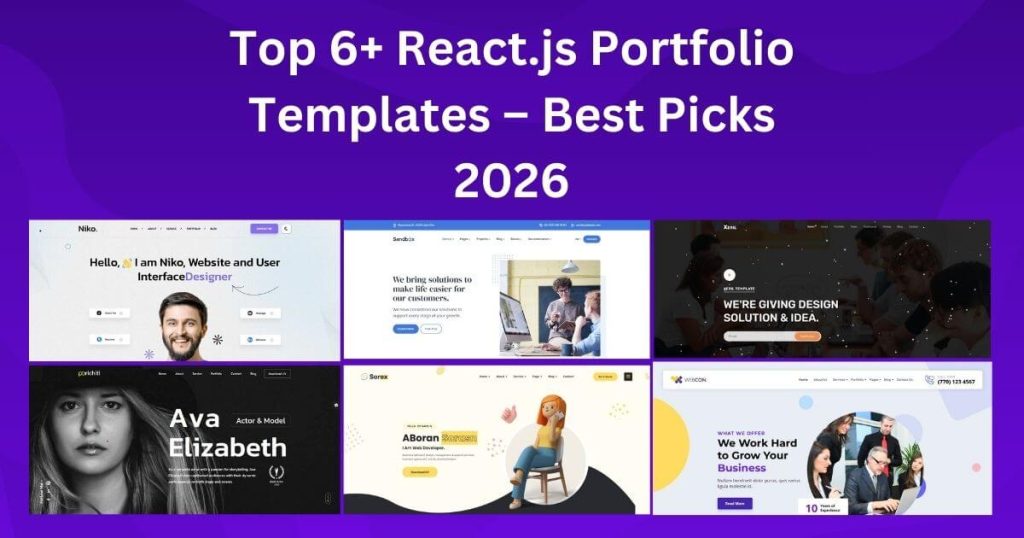
What is React.js? React.js is a tool created by Facebook that helps people make websites and apps fast and easy to use. It allows websites to load quickly and work smoothly. It breaks websites into small parts called components, like buttons or menus, making it easier to build and manage a website. React.js also makes websites interactive. For example, when you click a button or type something, the page updates without reloading, making the website feel faster. React helps websites work well on phones, tablets, and computers. React is easy to learn, especially if you know a little about HTML and JavaScript. Many people use it, and you can find a lot of help online. React is used to build personal websites, online stores, social media apps, and even mobile apps with React Native. What Is a React.js Portfolio Template? A React.js portfolio template is a ready-made design that helps you create your portfolio website. It is made with React.js, a tool that makes websites fast and easy to use. You can change the design and add your projects, skills, and pictures to make it your own. Some templates here include. React.js is popular because it helps make websites fast and straightforward. It lets you reuse parts of your website, so you can easily change or update it. React also makes your portfolio interactive, meaning people can click on buttons and see cool animations, making it fun to use. React.js templates are great for: Personal Portfolios: Show your work and skills clearly and professionally. Freelance Portfolios: Share your best work to get new clients. Job Applications: Impress employers by showing your skills and projects. React.js portfolio templates help you create a fun, easy-to-use, professional website to show off your work. Why Use a React.js Portfolio Template? Making a portfolio can be easy and fun with React.js templates. Here’s can see  why they are a smart choice: Saves Time: Starting from nothing takes a lot of work. React.js templates give you ready-made pieces. You can use these pieces to quickly build your portfolio without wasting time. Easy to Change: You can make a React.js template look precisely how you want. Change the colors, layout, and design to match your style. It’s simple to make your portfolio memorable and show your best work. Cool and Fun to Use: React helps you add fun things like animations and smooth effects. This makes your portfolio more exciting to look at and fun to use. It also shows you how to create interactive websites. Looks Modern: Using a React.js template shows you can work with modern tools. Employers like this because it proves you’re good at web design. A nice-looking portfolio helps you stand out. top 6+ React.js Portfolio Templates We’ve handpicked the top 6+ React.js Portfolio Templates that are fully responsive, mobile-friendly, and easy to customize. These templates are designed to help you create stunning portfolios quickly, without writing complex code. 1. Sorex – Creative Agency & React Portfolio Template Sorex is a modern and stylish React.js Portfolio Template built for creative agencies, design studios, startups, and freelancers. It helps you showcase your services, projects, and team in a clear and professional way. The layout is clean, well-organized, and designed to make a strong first impression. This template looks great on all devices, including mobile phones, tablets, and desktops. Smooth animations and fast loading speed keep visitors engaged and improve the overall user experience. Clear sections for portfolios, services, case studies, and contact details make it easy for users to explore your website. Built as a flexible React.js Template, Sorex is simple to customize and easy to manage. You can update content, colors, and layouts without hassle. It is SEO-friendly, performance-optimized, and perfect for agencies that want a strong online presence with a modern and creative design. Download 2. Niko – Personal Portfolio React.js Template Niko is a modern and easy-to-use React.js Portfolio Template made for developers, designers, and freelancers. It helps you show your skills, work experience, and projects in a clean and simple way. Every section is clearly placed, so visitors can quickly understand your work and background. The design is fully responsive, which means your website looks great on phones, tablets, and desktop screens. Pages load fast and run smoothly, keeping visitors engaged longer. Built as a flexible React.js Template, Niko is easy to customize and works well for both beginners and experienced users. It’s a great choice for building a strong personal brand online. Download 3. Porichiti – Personal Portfolio & Resume React.js Template Porichiti is a clean and professional React.js Portfolio Template created for online resumes, CVs, and personal websites. It includes simple sections for education, job experience, skills, and portfolio projects. This makes it easy for visitors to learn about your career in just a few minutes. The layout is designed for easy reading and smooth navigation. It works perfectly on all screen sizes without losing quality. Developed as a modern React.js Template, Porichiti focuses on speed, clarity, and SEO performance. It’s ideal for job seekers, professionals, and freelancers who want a clear and trusted online profile. Download 4. Sandbox – Modern & Multipurpose ReactJs Template Sandbox is a powerful and flexible React.js Portfolio Template built for creatives, startups, agencies, and businesses. It comes with ready-made layouts for portfolios, services, landing pages, and company websites. This makes it easy to create many types of websites using one design. The structure is clean and easy to manage, allowing quick updates and changes. Pages load fast and look great on all devices. As a multipurpose React.js Template, Sandbox helps save time while delivering a modern and professional look. It’s perfect for users who want flexibility and long-term use. Download 5. Xeril – React 19 One Page Template Xeril is a simple and stylish React.js Portfolio Template built with the latest React 19 features. It uses a one-page layout where visitors can scroll smoothly through your profile, skills, and projects. This keeps the design clean and easy to follow. The

best-wordpress-travel-themes-for-stunning-travel-website
Tutorials

Best WordPress Travel Themes for Stunning Travel Websites

Travel themes are ideas that guide your travel plans. They help you focus on what you enjoy most—whether it’s exploring new cultures, spending time in nature, or capturing beautiful moments with photography. A travel theme makes your trip more enjoyable and meaningful. Why Travel Themes Are Important Travel themes make trips more fun and easy to enjoy. They help you focus on what you like most, whether it’s nature, food, adventure, or culture. Choosing a theme makes your trip special and simple to plan. Make Your Trip Unique A theme lets you enjoy the things you love most. Love history? Visit old castles or ruins. Love food? Embark on a food tour to discover and enjoy new flavors. A theme lets you focus on your passions. Experience Local Life Some themes, like cultural travel or festivals, help you meet local people and learn about their traditions. This makes your trip more exciting and meaningful. Plan With Ease Themes make planning easy. A relaxation theme might include spas and quiet beaches. An adventure theme could include hiking or water sports. A theme gives you clear ideas for your trip. Learn New Things Travel themes can teach you something new. Love art? Visit museums and galleries. Love nature? Explore parks and forests. Embark on a food tour to discover and enjoy new flavors. Feel Happy and Fulfilled Themes like volunteering or spiritual trips give your journey a purpose. These trips can leave you feeling rejuvenated and motivated. Benefits of Travel Themes: Direction and Purpose: A travel theme gives your trip a clear focus. For example, if you love photography, a “Photography” theme might lead you to capture stunning landscapes and local scenes. Cultural Connection: With a “Culinary” theme, you can explore local foods, visit markets, and try new dishes. Personal Growth: A travel theme can help you learn and grow. For instance, a “Historical” theme might lead you to visit ancient sites and learn about different cultures. Tailored Itineraries: By choosing a theme, you can plan your trip around your interests—whether it’s hiking, relaxing on the beach, or city exploring. Choosing a travel theme makes trips fun and easy to plan. Whether going solo, with a partner, or with family, a theme keeps your trip focused and exciting. This guide will help you find the best theme for your trip. Step 1: What Do You Enjoy? Think about what you like to do. Do you love history, food, or outdoor fun? Use your hobbies as a guide. Hobbies – Match your interests, like photography or hiking, with places. Bucket List Goals – Plan trips like climbing a mountain to achieve dreams. Seasons – Pick activities for the time of year, like winter skiing or summer festivals. Step 2: What Is Your Goal? Decide what you want from your trip: Relaxation – Escape stress and rest. Adventure – Try fun activities and explore. Culture – Learn about traditions and food. Growth – Discover new skills and ideas. Step 3: Pick a Destination Once you know your theme, find places that match: Adventure – Costa Rica, New Zealand, or Patagonia. Culture – Italy, Japan, or Egypt. Beaches – Maldives, Bali, or Hawaii. Nature – Iceland, Tanzania, or Canada. Luxury – Dubai, Monaco, or Paris. Step 4: Plan Your Activities Make a list of things to do based on your theme: Culture Trips – Museums, old buildings, and markets. Adventure Trips – Hiking, water sports, and zip-lining. Relaxation Trips – Spa visits, yoga, and beach time. Step 5: Be Open to Surprises Themes help you plan, but leave room for surprises. Sometimes, the best moments are unplanned. Must-Visit Destinations for Every Type of Traveler The world is full of incredible places. Here are some top picks: Nature Lovers: Banff National Park, Canada. Why Go: Stunning lakes, majestic mountains, and wildlife. History Buffs: Rome, Italy Why Go: Ancient ruins and iconic landmarks. Don’t Miss: The Colosseum, Vatican City, and Roman Forum. Beach Seekers: Maldives Why Go: Clear waters, soft sands, and luxury resorts. Don’t Miss: Snorkeling, diving, and staying in an overwater bungalow. Adventure Fans: Queenstown, New Zealand Why Go: Thrilling outdoor activities and stunning views. Don’t Miss: Bungee jumping, skydiving, and hiking. Culture Enthusiasts: Kyoto, Japan Why Go: Traditional temples, tea houses, and cherry blossoms. Don’t Miss: Fushimi Inari Shrine and a tea ceremony. Travel Tips for an Easy Journey Stay Organized: Keep copies of important documents. Dress Right: Learn about local customs and dress accordingly. Stay Connected: Use an international SIM card or portable Wi-Fi. Be Flexible: Embrace spontaneous plans. Take Care of Yourself: Ensure you stay hydrated and get enough rest. Traveling Sustainably Explore the world responsibly and contribute to protecting the planet. Use Less Plastic: Carry reusable water bottles and bags. Support Local Businesses: Choose local restaurants and hotels. Choose sustainable travel options: walk, cycle, or take public transportation. Respect Nature: Keep a safe distance from wildlife and avoid harmful activities. Taking Amazing Travel Photos Golden Hour Shots: Capture the best light at sunrise or sunset. Try Different Angles: Make your photos stand out. Show the Culture: Include locals in your shots to tell a story. Be Real: Focus on authentic moments, not just posed pictures. Dealing with Travel Challenges Travel isn’t always smooth, but you can prepare: Language Issues: Use translation apps or learn key phrases. Jet Lag: Prepare for travel by adjusting your sleep schedule in advance. Lost Luggage: Pack essentials in your carry-on and clearly label your The Joy of Solo Travel Traveling alone can be life-changing. It builds confidence and allows for self-discovery. Here’s how to enjoy it: Stay Safe: Let a trusted person know your travel plans. Make Friends: Join group tours or stay in social places like hostels. Follow Your Instincts: Trust yourself and avoid anything that feels unsafe. Easy and Fun Travel Themes for Your Next Trip Traveling isn’t just about seeing new places. It’s about having fun, learning new things, and making great memories. Picking a travel theme can make your trip even

next.js templates
web development

Next.js Templates:15+ Free and Premium Next.js Templates for Stunning Websites

What are Next.js templates? Next.js is a React framework that gives you building blocks to create web applications. It makes websites load quickly, look nice, and work well on phones, tablets, and computers. Next.js is built on React, another tool for creating websites, but it adds extra features to improve websites. People use Next.js because it saves time and helps make websites easy to use. Whether you want to create a simple blog, an online shop, or a big company website, Next.js can do the job.   Why Use Next.js Templates? Building a website can be tricky, but using Next.js templates makes it much easier! These templates are like ready-made plans for your website. They save time and help you create a fast, flexible website that works well. Let’s see why using Next.js templates is a great choice. Fast and Smooth Performance Nobody likes a slow website. Next.js templates are designed to make your website super fast. They use clever tricks like loading pages quickly and showing only what’s needed. This means your site will work smoothly, even on slow internet. A fast website makes visitors happy and helps your site rank better on search engines like Google! Built for Optimization Next.js templates have tools to improve your website without you doing extra work. For example, they load images faster and ensure your site runs well on phones, tablets, and computers. This means your website will look and feel great for everyone, regardless of where or the device they use. Easy to Customize Do you want your website to look unique? With Next.js templates, you can! These templates are like a puzzle where you can swap pieces to create your desired design. You can change colours, add new features, or remove parts you don’t need. It’s easy to make your website match your style or business needs. Good Coding Practices Next.js templates are made by experts who follow the best coding rules. This means the code is clean and organized, making fixing things or adding new features easier. If you’re working with a team, they’ll find it simple to understand and improve the code. Categories of Next.js Templates Building a website doesn’t have to be hard! Next.js templates are like pre-made designs or plans that help you create websites quickly and easily. They come in different types, so you can pick the one that fits your needs. Let’s explore these templates and how they work! General-Purpose Templates General-purpose templates are super flexible. They are like blank slates you can use for almost anything. Here’s what you can do with them: Blogs: Want to write and share your thoughts? These templates can help you set up a blog where you can post articles. Business Websites: If you’re starting a small business, general-purpose templates give you a solid starting point to showcase your services or products. Personal Projects: Whether it’s a hobby or a portfolio, these templates let you customize your website to match your style. General-purpose templates are like multi-tools. You can adjust the colours, fonts, and layouts to make your website unique. Templates for Specific Uses Some templates are made for special purposes. These templates come with features already set up for what you need. Here are some examples: Portfolios: These templates are perfect for showing off your work. If you’re an artist, photographer, or designer, they include galleries, project pages, and sections for your skills. They make it easy for others to see what you can do! E-commerce (Online Stores): Selling things online? E-commerce templates come with product pages, shopping carts, and payment options. You don’t have to build everything from scratch—they’re ready to go! Admin Dashboards: If you manage data or keep track of information, admin dashboard templates are great. They have charts, tables, and tools to help you stay organized and manage everything smoothly. These templates are like shortcuts. They save time because they already have the features you need. The Best Next.js Templates Next.js templates help you create websites quickly and easily. They are pre-made designs with built-in features, so you don’t have to start from scratch. Whether you are a beginner or an expert, these templates can save time and effort. Let’s look at some of the best Next.js templates and what they can do for you! 1. Next.js booking Template This template is made for online stores, hotels, and restaurants. For example, Travello is a tour and travel booking template. It has all the features you need to sell products online. Feature: Comes with pages for products, shopping carts, and checkout. Optimized for fast loading, so customers don’t have to wait. Works smoothly on phones, tablets, and desktops. RTL available Price: low Review: 4/5 30+ active installation Travello is the perfect template for anyone who wants to open an online store, Hotel, or restaurant and start selling products quickly. if you want to know  or buy about Travello then click here 2. Portfolio Template The Portfolio Template is excellent for designers, photographers, and artists who want to showcase their work. Feature: Includes sections to show your projects, skills, and experience. It comes with a gallery to display your best work. Has a clean and straightforward design that focuses on you and your work. If you’re a freelancer or creative professional, this template helps you impress potential clients. 3. Vercel Starter Kit The Vercel Starter Kit is perfect for beginners. It’s simple to use and helps you learn while building a website. Feature: It comes with essential tools to start a project. Includes features like page navigation and basic setup for APIs (connecting your website to other apps). Ideal for personal websites or practice projects. If you’re new to website building, this template makes it easy to start! 4. Material Kit Pro This is a premium template for people who want a modern and professional-looking website. It uses Material Design, a style known for clean and organized layouts. Feature: Includes pre-made sections like buttons, forms, and menus. Works on all devices, from phones to

Scroll to Top