Bootstrap templates are website templates built on Bootstrap, the free, open-source CSS framework that gives you a responsive grid, ready-made components and JavaScript plugins. Because the layout system is already done, a Bootstrap template is quick to customise and works well on phones, tablets and desktops. In November 2026 the stable release line is Bootstrap 5.3 (version 5.3.9), while Bootstrap 6 is still in alpha, so production templates should use Bootstrap 5.
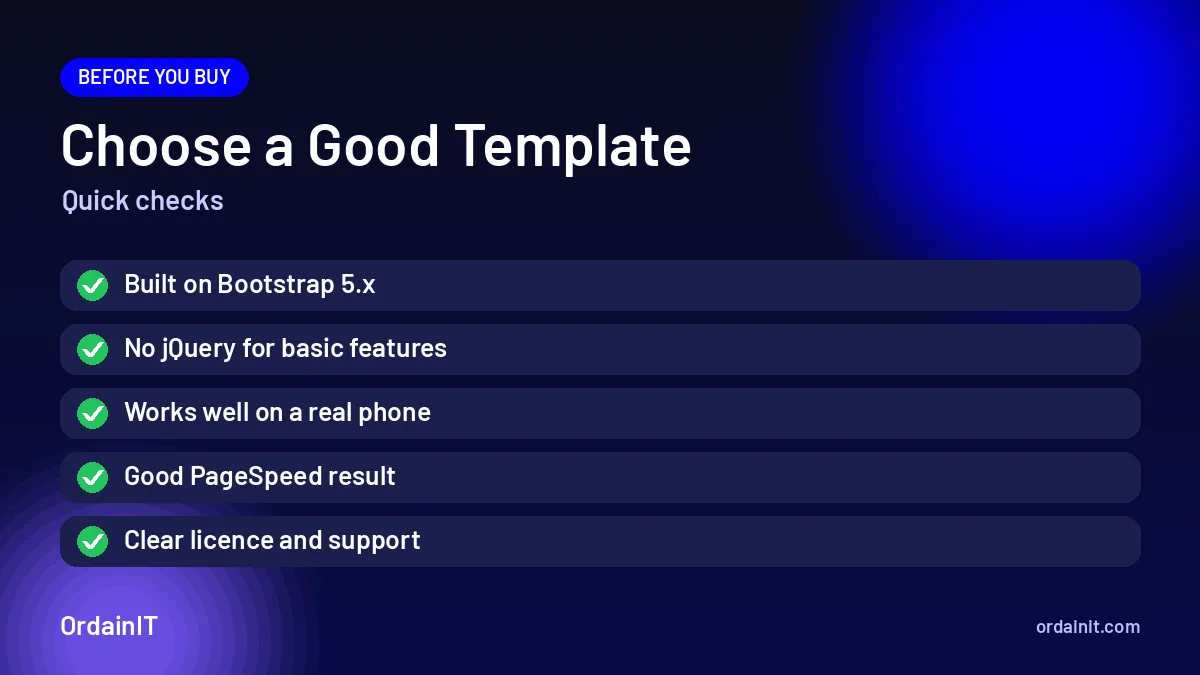
Key takeaways: choose templates built on Bootstrap 5, avoid ones that still depend on jQuery, and customise colours through Bootstrap’s CSS variables or Sass instead of editing the framework files.
Bootstrap is a front-end toolkit first released by Twitter engineers and now maintained as an open-source project under the MIT licence. It gives you a 12-column grid, utility classes for spacing and colour, and components such as navbars, cards, modals, forms, buttons and carousels. Read the official Bootstrap documentation for the full component list. A Bootstrap template is a finished design that uses these pieces, so you get both the framework and a professional layout.
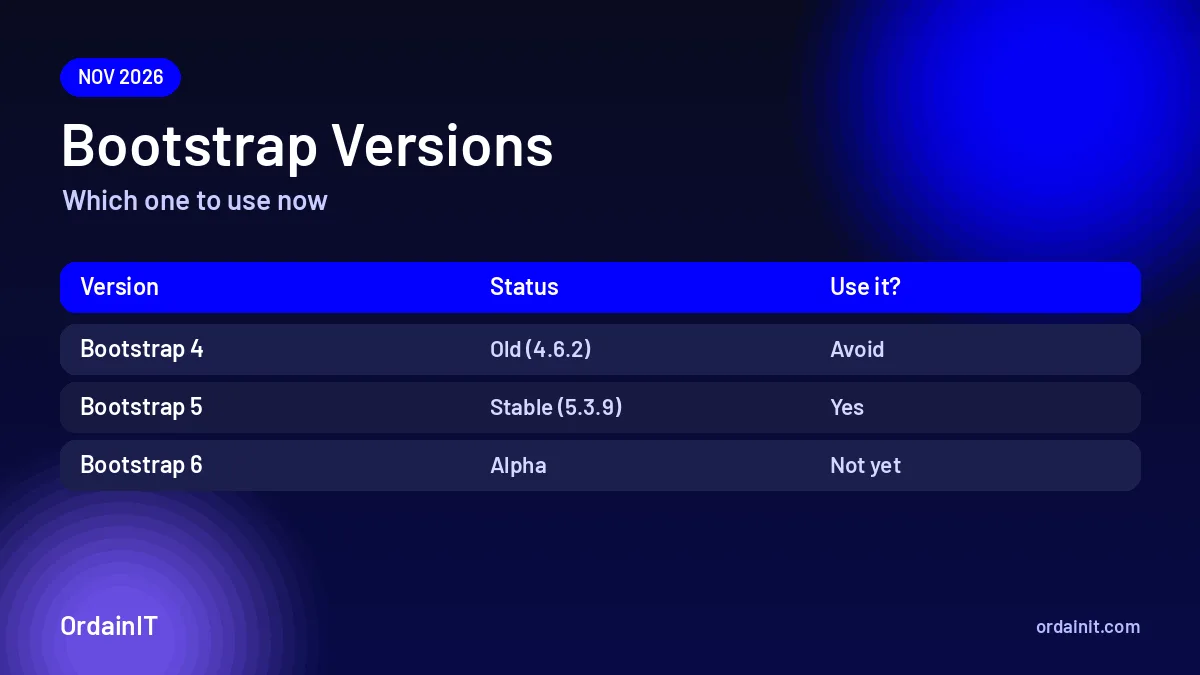
| Version | Status (Nov 2026) | Key points |
|---|---|---|
| Bootstrap 4 | Old; last release 4.6.2 | Needs jQuery; avoid for new projects |
| Bootstrap 5 | Current stable (5.3.9) | No jQuery, CSS variables, colour modes, utilities API |
| Bootstrap 6 | Alpha (first alpha October 2026) | Major rewrite; not ready for production |
For a website you plan to launch now, pick a template built on Bootstrap 5. Moving from Bootstrap 4 to 5 changes many class names, so starting on version 5 saves rework.
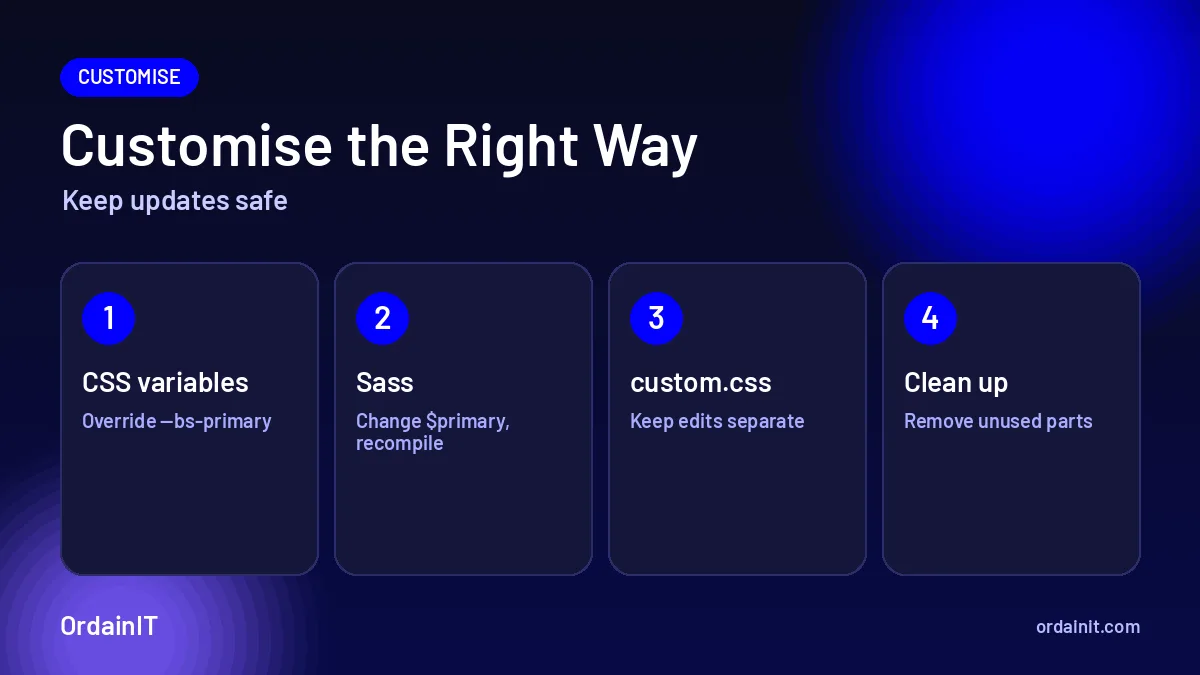
--bs-primary. Override them in your own stylesheet that loads after Bootstrap.$primary) and recompile for a cleaner result.mt-4 or py-5 handle most layout tweaks without new CSS.| Problem | Likely cause | Fix |
|---|---|---|
| Mobile menu does not open | Bootstrap JavaScript bundle missing or loaded twice | Load bootstrap.bundle.min.js once, before your own scripts |
| Your CSS changes do nothing | Your stylesheet loads before Bootstrap | Load custom.css after the Bootstrap CSS file |
| Icons show as empty boxes | Icon font path is wrong after moving files | Check the font folder path in the icon CSS |
| Layout breaks on small screens | Fixed widths added to columns | Use grid classes such as col-md-6 instead of fixed widths |
| Slow first load | Large images and unused plugins | Compress images to WebP and remove unused scripts |
Once the design is ready, a short launch routine prevents most problems. Replace every piece of demo text and every placeholder image, and give each page its own title and meta description. Connect the contact form to a form service or a server script, because static pages cannot send email on their own. Add a favicon, a 404 page and links to your privacy policy. Upload the files to your hosting, switch on HTTPS, and submit the site to Google Search Console. Finally, test the live site on two or three phones and browsers. Following these steps turns any of the Bootstrap templates you choose into a professional, fast website that is ready for visitors and search engines.
Bootstrap itself is neither good nor bad for SEO; what matters is how the template uses it. Check that each page has one H1 and logical H2 and H3 headings, that images include alt text and dimensions, and that the full Bootstrap bundle is not loaded twice. Minify CSS and JavaScript, compress images, and add proper titles and meta descriptions. A well-built Bootstrap site can easily reach good Core Web Vitals scores. For more on choosing a fast design, see our guide to an SEO friendly WordPress theme; the same checks apply to HTML templates.
Bootstrap gives you finished components and a consistent default look, so you can build quickly with little design work. Tailwind CSS gives you low-level utility classes and no pre-designed components, which offers more design freedom but asks for more design decisions. Bootstrap templates are usually easier for beginners and for teams that want a ready structure; Tailwind suits developers who want a fully custom look. Both can produce fast, modern sites.
A practical rule: if you want a professional site this week and you are comfortable editing HTML, a Bootstrap template is the quicker route. If you have a designer, a build process and time to craft every component, Tailwind gives you more control. Many teams also mix approaches, using a Bootstrap template for marketing pages and a separate stack for their web app.
OrdainIT HTML templates are built with Bootstrap 5 and designed for specific industries, from medical and education to digital agencies, roofing and solar. Most cost $9, and the HTML template bundle includes 25 templates for unlimited client sites. You can also start with our free HTML templates. Open any demo, test it on your phone and run a speed test yourself before you decide.
Website templates built with the Bootstrap CSS framework, giving you a responsive layout and ready-made components that you customise with your own content.
Yes. Bootstrap 5.3 is actively maintained and widely used, and Bootstrap 6 entered alpha in October 2026.
Bootstrap itself is free under the MIT licence. Many templates are free, while premium templates add more pages, support and updates.
Bootstrap 5 templates do not need jQuery. Bootstrap 4 and older versions do, which is one reason to choose Bootstrap 5.
Yes, but it must be converted into a WordPress theme. If you want WordPress, it is usually easier to start with a ready WordPress theme.
Chosen a theme or template? The OrdainIT team, which designs and builds its own WordPress themes and templates, can also get your website live. Pick a fixed-price service:
Want a design to start from? Browse OrdainIT WordPress themes, each with free installation and lifetime updates, or see all WordPress services. Not sure what you need? Contact OrdainIT for a free, no-obligation quote.
See OrdainIT’s themes and customer ratings on OrdainIT’s ThemeForest profile.



We reply 24 hours a day, Monday to Saturday. Sunday is our day off.