WordPress vs HTML comes down to who updates the site. Choose WordPress when non-developers will add pages, posts or products every month, because it gives you an editor, plugins and a login. Choose a static HTML website when the site is small, rarely changes and a developer maintains it, because it is faster, cheaper to host and has almost nothing to hack. Both can rank well on Google; the content and speed decide that, not the platform.
Key takeaways: WordPress wins on easy editing and features, HTML wins on speed, security and running cost, and the right answer depends on how often the site changes and who changes it. We sell templates for both, so this comparison has no reason to favour one.
Every website ends up as HTML in the visitor’s browser. The difference is how the pages are made. A static HTML website is a set of ready files that the server sends as they are. WordPress is a content management system that builds each page from a database using PHP, then sends the resulting HTML.
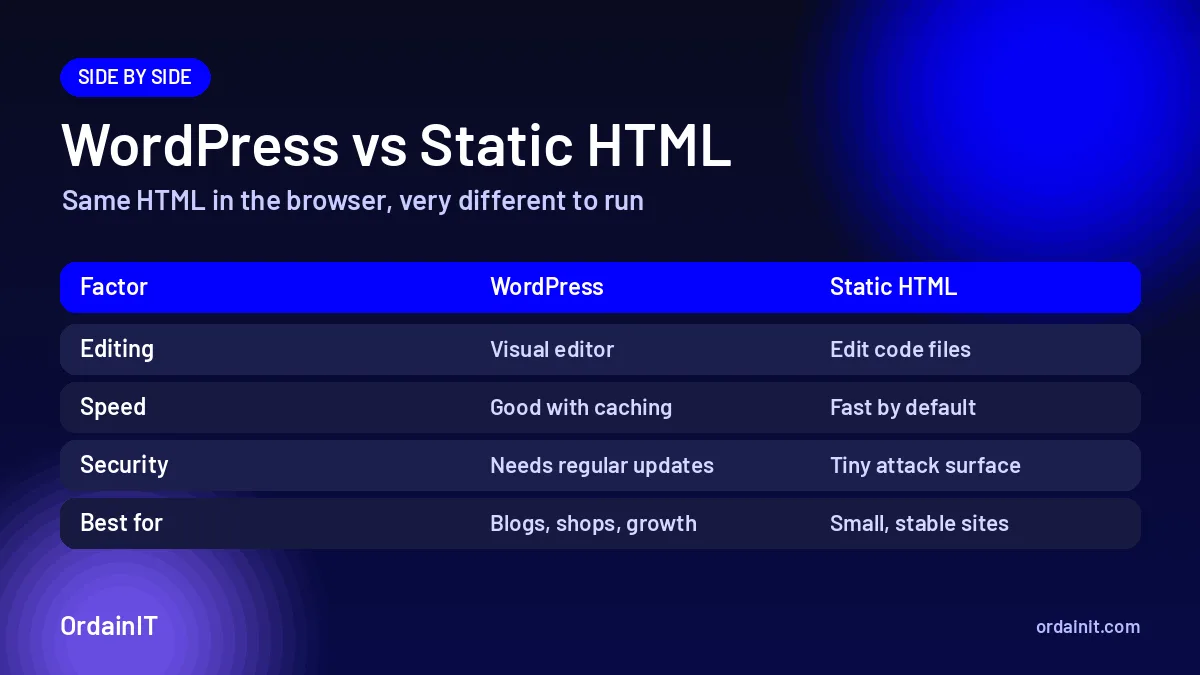
| Factor | WordPress | Static HTML |
|---|---|---|
| Editing content | Visual editor, no code needed | Edit code files, or ask a developer |
| Speed | Good with caching and a light theme | Fast by default, no database |
| Security | Needs updates for core, theme and plugins | Very small attack surface |
| Hosting | PHP and MySQL hosting | Any host, including free static hosts |
| Features | Plugins for shop, booking, forms, SEO | Built by hand or with third-party services |
| Best for | Blogs, shops, growing business sites | Landing pages, portfolios, small brochure sites |
The trade-off is maintenance: WordPress core, the theme and every plugin need updates, and a site that is never updated becomes a security risk.
The trade-off is editing: every text change means editing a file, and features such as a blog or shop need extra tools.
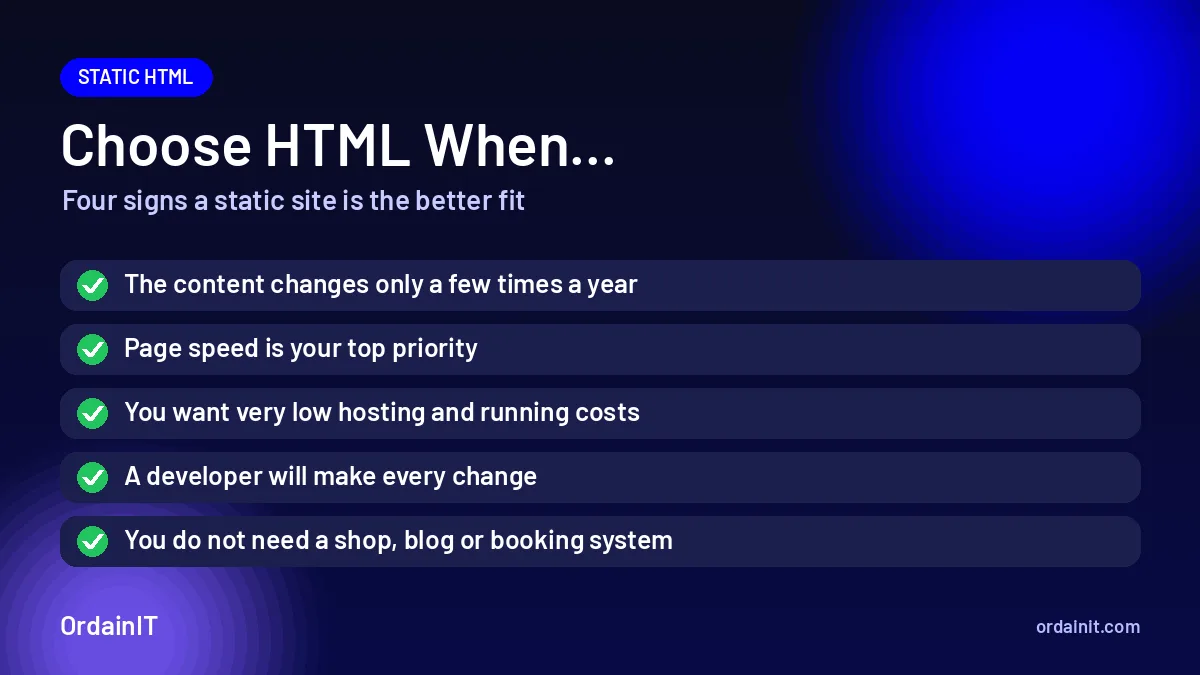
Google ranks pages, not platforms. Both a WordPress site and a static HTML website can have fast pages, clean headings, structured data and good content. The practical difference is effort:
Whichever you choose, page speed, mobile layout and useful content will matter far more than the platform.
The build cost depends mostly on design work, not the platform, and a ready template cuts it sharply on both. Running costs are where they differ:
So a site that changes every week usually costs less in WordPress, and a site that changes twice a year usually costs less in HTML.
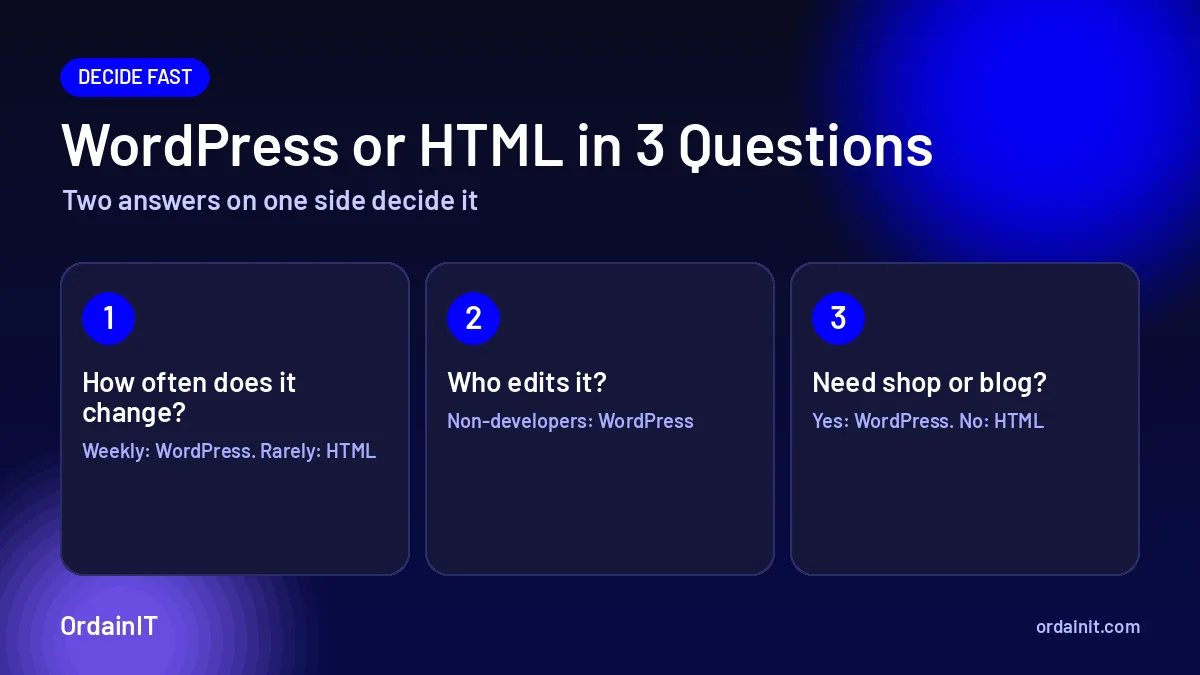
If two answers point to WordPress, choose WordPress; if two point to HTML, choose a static site.
The choice is not always one or the other. Three middle paths are common:
Whichever way you go in the WordPress vs HTML decision, plan the upkeep before launch:
Write these tasks into your plan or your client contract, because most website problems come from upkeep that nobody owns.
Whichever side of WordPress vs HTML you land on, a template saves most of the design and build time. OrdainIT makes many designs in both formats, so you can keep the same look and pick the platform that fits. Browse our WordPress themes or HTML templates, or take every design in one payment with the WordPress theme bundle or the HTML template bundle. Open a demo and run a speed test yourself before you buy.
You can also move later. A small HTML site can be rebuilt in WordPress when the business grows, and a WordPress site can be exported to static HTML with a static-site plugin if it stops changing.
WordPress is better when non-developers update the site often or you need features such as a shop or blog. Static HTML is better for small sites that rarely change and need maximum speed and security.
Usually yes, because static files need no database or PHP processing. A well-built WordPress site with caching and a light theme can come close.
Neither has a built-in ranking advantage. WordPress makes SEO basics easier through plugins, while HTML gives full control with more manual work.
Yes. You can rebuild the pages with a WordPress theme that matches the design, or have a developer convert the HTML template into a custom theme.
HTML is usually cheaper to host and maintain, while WordPress is usually cheaper to update when content changes often. Templates lower the build cost for both.
Chosen a theme or template? The OrdainIT team, which designs and builds its own WordPress themes and templates, can also get your website live. Pick a fixed-price service:
Want a design to start from? Browse OrdainIT WordPress themes, each with free installation and lifetime updates, or see all WordPress services. Not sure what you need? Contact OrdainIT for a free, no-obligation quote.
See OrdainIT’s themes and customer ratings on OrdainIT’s ThemeForest profile.



We reply 24 hours a day, Monday to Saturday. Sunday is our day off.