A healthcare website template gives hospitals, clinics, doctors, pharmacies and care providers ready pages for departments, doctors, appointments and patient information. Healthcare sites carry extra responsibilities, including accessibility, privacy and accurate medical information, so the template needs to be maintained and easy to adapt. This guide compares templates by format using ThemeForest listing data and OrdainIT product pages checked on 15 November 2026, and flags popular templates that have not been updated in years.
We read ThemeForest’s medical HTML search results on 15 November 2026 for price, sales, review count and last update, and OrdainIT product pages the same day. The listing shows review counts rather than star ratings. We earn nothing from third-party links. Test the demo and run a speed test yourself.
ThemeForest listing and OrdainIT product pages, 15 November 2026. Sales / reviews = review count, not stars.
| Template | Format | Price | Sales / reviews | Last update |
|---|---|---|---|---|
| Medicate | HTML | $18 | 396 / 5 | 28 Sep 2026 |
| Medikal | HTML | $17 | 649 / 20 | 27 May 2025 |
| Medihub | HTML | $19 | 225 / 4 | 19 Jun 2026 |
| Medinosi (OrdainIT) | HTML | $9 | Own store | Lifetime updates |
| Medito Pharmacy (OrdainIT) | HTML | $9 | Own store | Lifetime updates |
| Medito (OrdainIT) | WordPress | $13 | Own store | Lifetime updates |
| Medito React (OrdainIT) | React | $9 | Own store | Lifetime updates |
| Health & Medical (WPlook) | HTML | $20 | 495 / 17 | 8 Jul 2017 |
$18, 396 sales and 5 reviews, last updated 28 September 2026. A recently maintained option for clinics and hospitals. View Medicate.
$17, 649 sales and 20 reviews, the best seller in our results, last updated 27 May 2025. View Medikal.
$19, 225 sales and 4 reviews, last updated 19 June 2026. View Medihub.
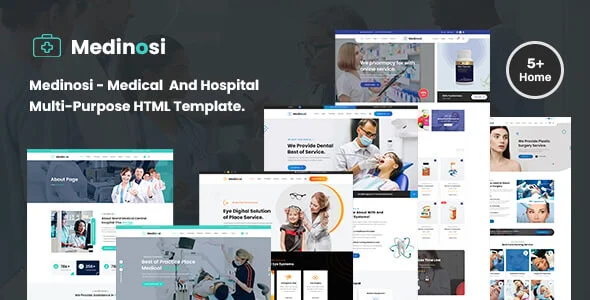
An HTML5 and Bootstrap medical template for clinics, hospitals and doctors with 5+ home pages and 26+ pages, $9. View Medinosi.
An HTML template for pharmacies and health shops with 6 home pages and 35+ pages including shop pages, RTL ready, $9. View Medito Pharmacy.
Several templates in the results still sell but were last updated long ago: Health & Medical by WPlook (8 July 2017), Medicina (19 January 2016) and MedicalPRO (18 August 2015). Their libraries are likely outdated, so budget developer time or choose a maintained option.
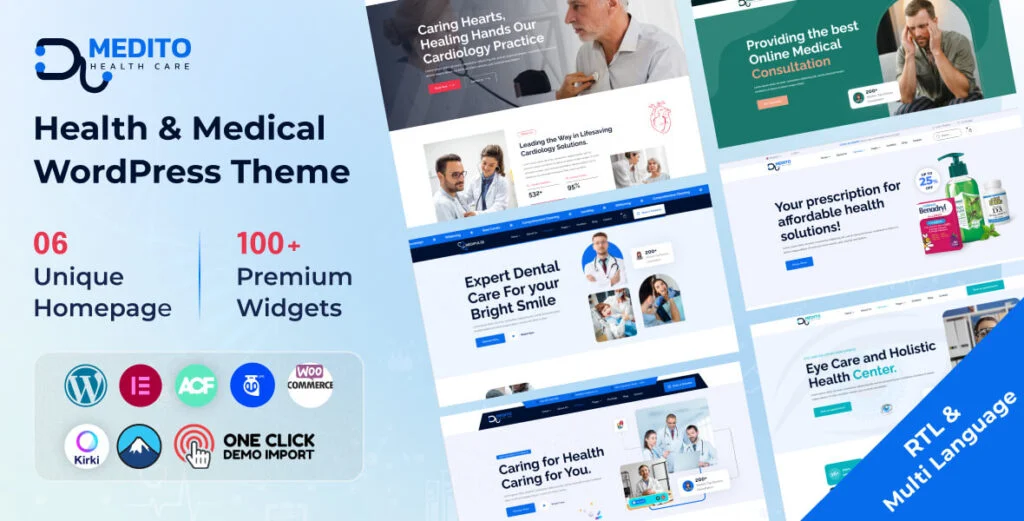
OrdainIT prices were checked on our site on 15 November 2026 and include lifetime updates; we check speed and demos before release.
| Page | Why it matters |
|---|---|
| Services or departments | Patients search by condition or treatment |
| Doctors and staff | Qualifications and photos build trust |
| Appointments | The main action for most visitors |
| Patient information | Insurance, preparation, forms and FAQs |
| Locations and hours | Map, parking and accessibility |
| Emergency and contact | Clear numbers and when to call |
Patients include older people and people with disabilities, so follow WCAG guidance: readable text, strong contrast, keyboard-friendly forms and alt text. Keep clinical records off the public website; use it for appointment requests and information only, with secure forms and a clear privacy notice. Follow your local health privacy rules for any data you collect.
Health information affects decisions, so accuracy matters more than on most sites. Have clinicians review service and condition pages before publishing, add the reviewer’s name and the review date, and link to recognised sources for clinical claims. Avoid promising outcomes. Update pages when guidance changes, and remove outdated advice rather than leaving it live. Search engines also look for signs of expertise and trust on health topics, so clear authorship and review dates help visibility as well as patients.
Hospitals and multi-specialty clinics often have dozens of services and doctors. Choose a healthcare website template with department and doctor listing layouts that can filter by specialty, location or language. Plan URLs so each department and doctor has its own page, which helps patients and search engines. Make sure the appointment form can route requests to the right department instead of one general inbox.
Patients often visit health sites on phones while worried or in pain, so the most important information must be easy to find: phone numbers, emergency guidance, opening hours and how to book. Keep these in the header or a sticky bar on mobile. Keep pages light by compressing images and limiting animation, and test forms on slow connections.
Install or open the template on a staging environment, replace every demo doctor, photo and statistic with real information, and review all text with your clinical team. Set up the appointment workflow and test it end to end. Add privacy, accessibility and cookie notices. Run an accessibility checker and PageSpeed Insights before launch, and fix serious issues first.
The right choice depends on the type of provider. A single-doctor practice needs a simple site with services, about, booking and contact; a lightweight HTML template or a WordPress theme with one demo is enough. A multi-specialty clinic needs department and doctor directories with filters, which favours WordPress. A pharmacy needs product pages and possibly online orders, so pick a template with shop layouts. Care and disability providers need clear eligibility information, referral forms and accessible design. Hospitals usually need a CMS, many editors and integration with booking systems, so a template is a starting point for a larger project rather than the finished site.
Healthcare sites are trusted only when they stay current. Review doctor profiles, opening hours and service pages every quarter, remove staff who have left, and check every form monthly. Keep the software updated and backed up.
We recheck the sales, reviews and update dates in this guide regularly and update the table and date when they change.
Before buying any healthcare website template, open the demo on a phone, find the phone number and booking button within five seconds, and submit a test appointment. Check the department and doctor pages, read the newest buyer comments, and confirm the last update date. If any of these steps is frustrating, patients will feel the same frustration on your live site.
Involve a nurse or receptionist in this test, because they know which questions patients ask most often and can spot missing information quickly and suggest practical fixes before launch day.
Before you pick a format, write down who will update the site after launch. A clinic with no developer is usually better served by WordPress, while a team with in-house developers can get more speed and control from HTML or React.
A ready-made design for healthcare providers, with pages for services or departments, doctors, appointments and patient information.
WordPress, if staff will update content; HTML, if a developer maintains a mostly static site.
They can work, but outdated libraries need updating. Prefer templates updated in the last year.
It provides the form and layout; real-time booking comes from your scheduling software or a booking plugin.
Yes. Accessibility helps patients and is legally required for many providers. Check WCAG guidance and your local rules.
Chosen a theme or template? The OrdainIT team, which designs and builds its own WordPress themes and templates, can also get your website live. Pick a fixed-price service:
Want a design to start from? Browse OrdainIT HTML templates, with lifetime updates, or see all WordPress services. Not sure what you need? Contact OrdainIT for a free, no-obligation quote.
See OrdainIT’s themes and customer ratings on OrdainIT’s ThemeForest profile.