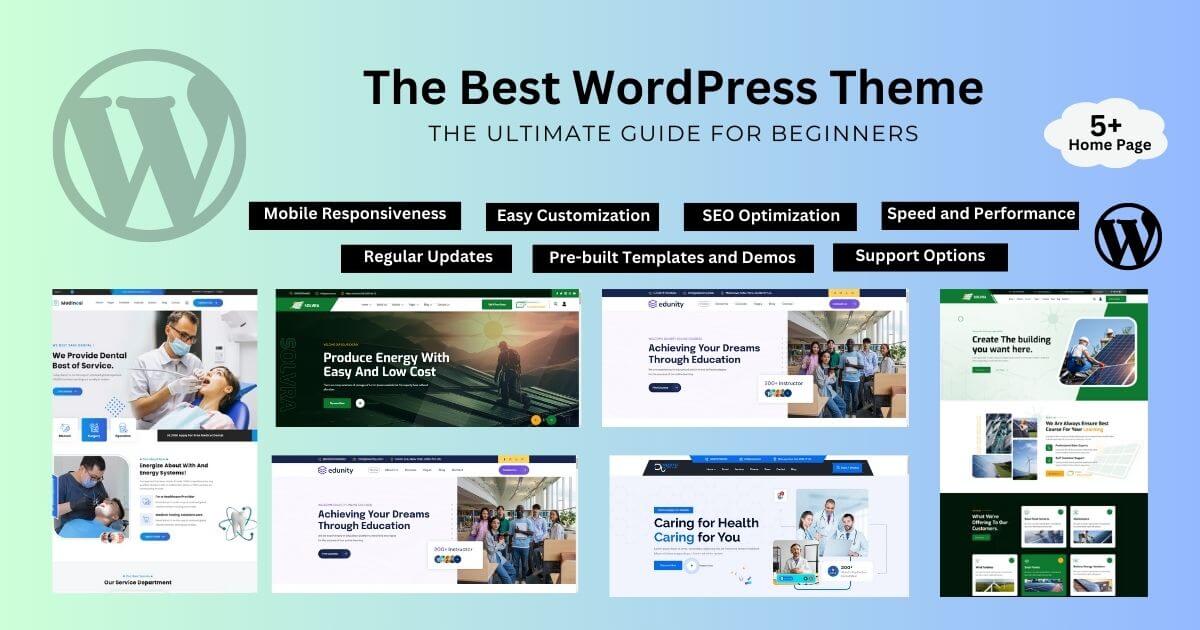
The best WordPress theme is the one that fits your site type, stays fast with your content and is actively maintained. There is no single winner for everyone, so this guide gives you a simple five-step way to choose, then recommends a theme for each common need using WordPress.org data, our own page-weight test and official prices checked on 14 and 15 November 2026.
Write down what the site must do: publish articles, sell products, show a portfolio, take bookings or generate leads. A blog needs readable typography; a store needs strong product and checkout pages; a business needs clear services and contact pages.
Decide whether you will use the block editor and site editor, or a page builder such as Elementor. Block themes like Twenty Twenty-Five work best with the site editor. Classic themes like Astra and GeneratePress work with both. Builder-first themes like Hello Elementor expect Elementor.
Open the theme’s page on WordPress.org or its marketplace. Look for an update in the last few months, a large number of active installations or sales, good recent reviews and fast support replies.
Run the demo through PageSpeed Insights on mobile and check page weight in your browser’s Network tab. In our 15 November 2026 test of official previews, weights ranged from about 43 KB to about 278 KB.
List the features you need and check whether the free version covers them. Upgrade only for a specific feature, support or ready industry pages.
Installs and ratings from WordPress.org (14 Nov 2026), page weight from our preview test (15 Nov 2026), prices from official pages and ThemeForest (14-15 Nov 2026).
| Need | Pick | Evidence | Price |
|---|---|---|---|
| Overall free | Astra | 1,000,000+ installs, 98/100 | Free |
| Speed | GeneratePress | ~77 KB preview | Free / $99/yr |
| Elementor users | Hello Elementor | ~43 KB preview | Free |
| Header builder | Blocksy | 100/100 rating | Free / $69/yr |
| Site editor | Twenty Twenty-Five | Default block theme | Free |
| Premium multipurpose | Avada | 1,075,414 sales | $69 |
| WooCommerce | Flatsome | 270,756 sales | $59 |
| Specific industry | Niche theme (e.g. OrdainIT) | Ready industry pages | From $13 |
1,000,000+ active installations, rated 98/100 from 6,558 ratings, updated 12 November 2026, with the largest free starter template library. View Astra.
About 77 KB on its preview in our test, the lightest full-featured theme we measured, rated 98/100 from 1,428 ratings. View GeneratePress.
About 43 KB, 1,000,000+ installations; a blank base so Elementor controls the design. View Hello Elementor.
Rated 100/100 from 874 ratings, 300,000+ installations, updated 13 November 2026. View Blocksy.
The current default block theme, 1,000,000+ installations, with every template editable in the site editor. View Twenty Twenty-Five.
The best-selling ThemeForest theme with 1,075,414 sales at $69, updated 28 October 2026. View Avada.
270,756 sales at $59, 4.83 stars, focused on online stores. View Flatsome.
If your industry is clear, a niche theme gives you ready pages with less setup. OrdainIT makes niche themes such as Buconz for business, Sassty for SaaS, Sorex for portfolios and Medito for healthcare, priced at $13 on 15 November 2026 with free installation and lifetime updates. We check speed and demos before release.
We earn nothing from third-party links. Test the demo and run a speed test yourself.


Block themes use the site editor for everything: headers, footers, templates and global styles are edited visually, and the theme loads little code of its own. They suit people who are comfortable with the block editor and want fewer plugins. Classic themes use the customizer for global settings and templates written in PHP; most work well with any page builder, and they are still the majority among premium themes. Page builders such as Elementor or Divi give the most visual control and the largest template libraries, but add their own code to every page. None of these is wrong. Pick one approach and use it consistently across the site so pages stay consistent and light.
Before you settle, install your top two choices on a staging site and build the same home page with both. Use your real logo, text and two or three real images. Then compare how long the build took, how the page looks on a phone and what PageSpeed Insights reports. An hour spent on this test usually makes the decision obvious and saves you from switching themes after launch.
A theme choice is rarely permanent, but switching is work. After launch, keep the theme and plugins updated, take a backup before every major update, and review your speed every few months as you add content. Watch the theme’s changelog for compatibility notes with new WordPress releases. If the developer stops updating the theme for a long time, plan a move on staging before it becomes urgent. Keeping design settings in global styles, rather than hard-coded on each page, makes any future switch much faster.
We recheck the data behind these picks regularly and update the date when it changes. All figures on this page come from WordPress.org, ThemeForest and official pricing pages, or from our own preview test described in our fastest WordPress theme guide.
If you are still unsure, start with a well-maintained free theme on staging. You lose nothing by testing, and you will quickly learn which features you actually need before spending money on a premium licence.
For most people, Astra is the best all-round free choice, GeneratePress is best for speed and Avada is the best-selling premium theme. The right one depends on your site type and editing approach.
Often, yes. See our best free WordPress themes guide.
Buy premium for features, ready demos or support you need. Compare options in our best premium WordPress themes guide.
Yes, through speed, clean markup and mobile layouts, but content and links matter more.
Yes. Posts and pages stay, but layouts built with theme-specific features may need rebuilding.
Chosen a theme or template? The OrdainIT team, which designs and builds its own WordPress themes and templates, can also get your website live. Pick a fixed-price service:
Want a design to start from? Browse OrdainIT WordPress themes, each with free installation and lifetime updates, or see all WordPress services. Not sure what you need? Contact OrdainIT for a free, no-obligation quote.
See OrdainIT’s themes and customer ratings on OrdainIT’s ThemeForest profile.





 New release: