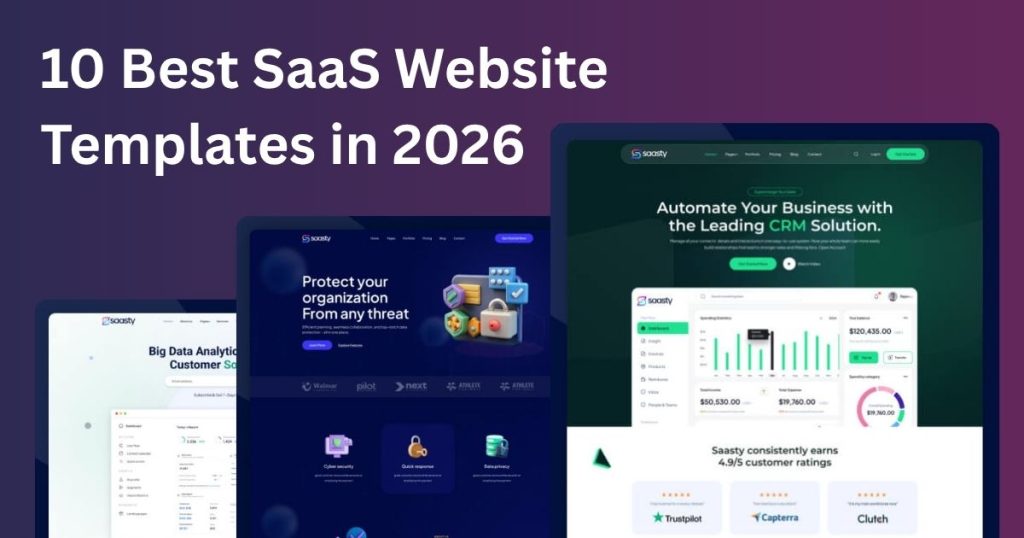

SaaS Landing Page Template | Modern & Responsive Design
Are you looking to make a striking first impression with your SaaS product? The SaaS UI Template could be your secret weapon. Imagine capturing your audience’s attention in seconds, guiding them effortlessly through your offerings, and converting visitors into loyal customers—all with a beautifully designed landing page. In this post, we’ll explore how a SaaS landing page template can transform your online presence. We’ll dive into design principles that captivate, content strategies that persuade, and user experiences that convert. Ready to unlock the potential of your SaaS UI Template? Let’s get started! What Is A Saas Landing Page? A SaaS landing page is a web page designed to promote software services. It is a high-converting landing page template for saas marketing companies. It helps create attractive, user-friendly pages. It highlights key features, benefits, and encourages visitors to take action. A landing page is the first impression your potential customers get of your software-as-a-service product. Imagine this page as the friendly face greeting your visitors, guiding them effortlessly toward understanding and engaging with your service. It’s designed to convert curious visitors into enthusiastic users by clearly communicating the value of your product. Understanding The Purpose Of A SaaS UI Template It serves as your digital storefront. Its primary purpose is to capture leads and convert them into customers. Think of it as the first handshake with your visitors, offering them a glimpse into the benefits of your service. It must be tailored to address the specific needs and concerns of your target audience. Consider it a personalised pitch, crafted to engage, inform, and persuade. Key Elements Of A Saas Landing Page Your page should have a clear headline that speaks directly to your audience’s needs. This is the hook that draws them in. Include compelling visuals that highlight your product features. Visuals can often say what words struggle to convey. An effective call-to-action (CTA) is crucial. It should guide your visitors on the next steps, whether it’s signing up or requesting a demo. Crafting An Engaging User Experience Every element should work together to provide a seamless user experience. Navigation should be intuitive, making it easy for visitors to find information. Content must be concise and actionable, leaving no room for confusion. Your visitors should feel compelled to take action immediately. You can share testimonials or case studies to build trust. Seeing real-world applications often helps visitors visualize how your product fits into their lives. Why Design Matters A visually appealing landing page can set you apart from competitors. Design not only attracts but also retains interest. Consider your branding. Consistency in color, fonts, and imagery reinforces your identity and helps visitors remember you. Your layout should guide the visitor’s eye naturally from one section to the next. This ensures your message is absorbed effortlessly. Engaging Your Audience Ask yourself: Are you addressing your audience’s pain points? Your landing page should speak directly to their challenges and offer your solution. Encourage interaction. Use forms, buttons, and other interactive elements to keep visitors engaged. Test and refine. Regularly check how your page is performing and make necessary adjustments. Optimization is an ongoing process. Remember, your website is more than just a webpage. It’s an opportunity to connect with your audience and inspire action. How will you make yours stand out? Key Elements For High Conversions Creating a high-converting page requires a strategic approach. Each element on your page should work together to guide visitors towards taking action, whether it’s signing up, downloading a trial, or making a purchase. Let’s dive into the key elements that can boost your conversions. Compelling Headlines Your headline is often the first thing visitors see. It should be compelling and convey the value of your SaaS product. Use direct, powerful language that speaks to your target audience’s needs. Imagine you’re browsing for a solution—what headline would grab your attention immediately? Engaging Visuals Visuals play a crucial role in capturing interest. Use clean, high-quality images that showcase your product in action. Videos or animations can also illustrate features effectively. Remember, your visuals should enhance the message, not overwhelm it. How are you visually telling your story? Clear Call-to-actions CTAs are the linchpins of conversion. Make them clear and concise. Use action-oriented language that inspires confidence. Whether it’s “Start Your Free Trial” or “Get Started Now,” your CTA should be strategically placed and stand out. Is your CTA irresistible? Trust Indicators Building trust is essential for conversions. Incorporate testimonials, reviews, or case studies from satisfied users. Display logos of well-known clients or partners. Trust indicators reassure potential customers and validate your product’s credibility. How are you showcasing trust on your page? User-friendly Design A cluttered design can deter potential customers. Ensure your layout is intuitive and easy to navigate. Use whitespace effectively to guide the eye. A user-friendly design helps visitors focus on what truly matters—your product. Is your design facilitating a seamless user experience? Each of these elements plays a critical role in crafting a landing page that not only attracts but also converts. By focusing on these key areas, you can create a compelling narrative that drives action and engagement. Design Best Practices Designing a SaaS landing page requires careful attention to detail. The right design can captivate users and drive conversions. Following design best practices ensures your page is effective and user-friendly. Let’s explore some essential aspects of landing page design. Responsive Layouts A responsive layout adapts to different devices. Users access pages from phones, tablets, and desktops. Your design should look great on all screens. Use flexible grids and scalable images. This ensures a seamless experience for users. Intuitive Navigation Navigation should be simple. Visitors should find information quickly. Use clear menus and logical paths. Avoid clutter and keep navigation concise. This helps users stay engaged with your content. Consistent Branding Branding creates recognition and trust. Use consistent colours, fonts, and images. Align these elements with your brand identity. Consistent branding reinforces your message. It builds a strong connection with your audience.