Solar Business WordPress Theme: Elevate Your Eco Brand
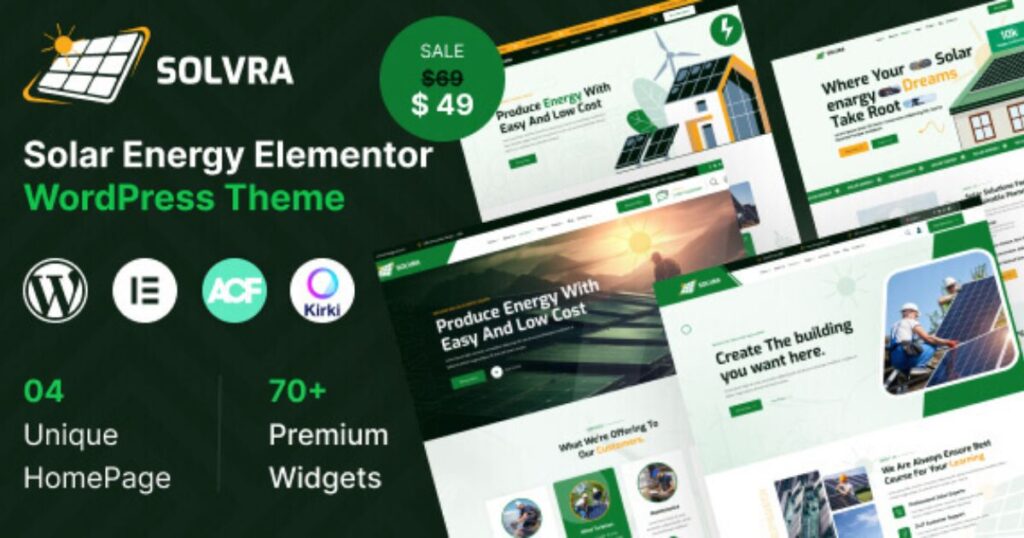
Are you ready to transform your solar, ecology, or energy business into a digital powerhouse? Imagine having a website that not only showcases your commitment to sustainable practices but also captivates your audience with stunning design and seamless functionality. Meet Solvra – the ultimate WordPress theme designed specifically for the green and solar energy niche. Whether you’re aiming to elevate your brand or boost your sales, this theme is your go-to solution. With Solvra, you get the perfect blend of aesthetics and efficiency. Its modern design, coupled with a user-friendly interface, ensures that you can easily customize your site without any coding skills. Plus, it’s SEO optimised, making your business more visible online, and WooCommerce-ready, so you can effortlessly sell eco-friendly products. Dive into a world of endless possibilities for your solar and ecology business and let Solvra be the cornerstone of your online presence. Click here to explore Solvra and take the first step towards a greener future. Introduction To Solar Business WordPress Theme The Solvra theme is a powerful tool for solar business websites. It is designed to promote solar energy and eco-friendly practices. Businesses can showcase their commitment to green solutions with ease. This theme is ideal for organisations working towards clean energy goals. Understanding The Purpose And Vision Solvra aims to simplify website creation for solar businesses. It focuses on promoting renewable energy resources effectively. The theme offers easy-to-use features that require no coding skills. Built with Bootstrap 5 and Elementor Page Builder, it ensures seamless customisation. Drag-and-drop functionality for easy design changes Ready-made pages for services, testimonials, and contact forms Lifetime updates and six months of user support Overview Of Eco Branding In The Digital Age In today’s digital age, eco branding is crucial. Solvra supports businesses in establishing a green brand online. It offers a SEO optimized structure to enhance search engine visibility. This boosts the online presence of eco-friendly businesses. Main Features Benefits WooCommerce support for online stores Sell eco-friendly products effortlessly Mobile-first responsive design Ensures compatibility with all devices Cross-browser compatibility Consistent look across major web browsers Creating an eco brand online is now simpler with Solvra. It includes extensive documentation and video guides for setup. Translation-ready features allow for global reach. Credit: themeforest.net Key Features Of Solar Business WordPress Theme The Solar Business WordPress Theme offers solutions for businesses promoting solar energy. With modern design elements and a user-friendly interface, this theme enhances online presence and supports eco-friendly initiatives. Discover how each feature can transform your website into a powerful platform for solar energy advocacy. Responsive Design: Seamless Experience Across Devices Built with Bootstrap 5, the theme ensures a mobile-first responsive design. Whether viewed on a smartphone or a desktop, the theme maintains a consistent appearance. Cross-browser compatibility guarantees your site looks great on all major web browsers. Eco-friendly Aesthetics: Enhancing Brand Identity The theme’s design promotes eco-friendly aesthetics, aligning with brands focused on green solutions. Use ready-made pages to showcase services, testimonials, and photo galleries that reflect your commitment to sustainability. Visual elements reinforce your brand identity, attracting eco-conscious customers. Customizable Layouts: Tailoring To Your Unique Brand Needs With Elementor Page Builder, customization is straightforward. Drag-and-drop functionality allows tailoring without coding skills. Choose from 3+ header styles and 2+ footer variations to match your brand’s unique voice. Create a website that truly represents your vision. Seo Optimization: Boosting Visibility And Reach Designed to enhance search engine rankings, this theme includes SEO optimization. Improve your site’s visibility and attract more visitors. SEO-friendly features ensure your content reaches a broader audience, enhancing online presence. Integration With Green Technologies: Future-proof Your Website The theme supports WooCommerce for eco-friendly product sales. It integrates seamlessly with green technologies and is updated regularly to stay current. Lifetime updates ensure your site remains compatible with the latest WordPress versions. Explore the extensive documentation and video guides for easy setup. With professional support available, the Solar Business WordPress Theme is a reliable choice for solar energy businesses. Pricing And Affordability Breakdown The Solvra WordPress Theme offers a comprehensive solution for solar, ecology, and energy businesses. Understanding its pricing and affordability is crucial for making an informed decision. This section breaks down the cost and value comparison, helping you choose the best option for your needs. Cost Analysis: Understanding The Investment The Solvra Theme provides a Regular License at $49, discounted from $59. This pricing includes access to lifetime updates and six months of user support. It’s a one-time investment for a theme that supports eco-friendly businesses. The theme’s features, like SEO optimization and WooCommerce support, offer long-term value. Feature Details One-time Cost $49 Support Duration 6 Months Lifetime Updates Included Comparing Value: Solar Theme Vs. Competitors Solvra stands out with its drag-and-drop customization and cross-browser compatibility. Competitor themes often lack these features or charge extra. The Elementor Page Builder in Solvra simplifies design without coding skills. While other themes may offer similar features, Solvra’s pricing and support provide a competitive edge. Built with Bootstrap 5 and Elementor Includes 40+ custom widgets Offers one-click installation Budget-friendly Options: Payment Plans And Discounts For those seeking budget-friendly solutions, Solvra offers a significant discount on its regular price. Currently priced at $49, this offers a cost-effective opportunity. While payment plans aren’t available, the one-time fee is competitive given the extensive features. Be sure to check for potential seasonal discounts on platforms like Envato. With this pricing strategy, Solvra ensures an affordable entry point for businesses aiming to enhance their online presence. Credit: themeforest.net Pros And Cons Based On Real-world Usage Solvra is a versatile WordPress theme catering to solar, ecology, and energy businesses. While it offers several advantages for promoting green solutions, there are practical aspects to consider. This section delves into the pros and cons based on real-world usage, providing insights into user experience, scalability, and performance. User-friendly Interface: Ease Of Use For Non-Developers Solvra shines with its user-friendly interface, making it accessible to non-developers. It features Elementor Page Builder, allowing users to drag and drop elements with ease. No