Follow :

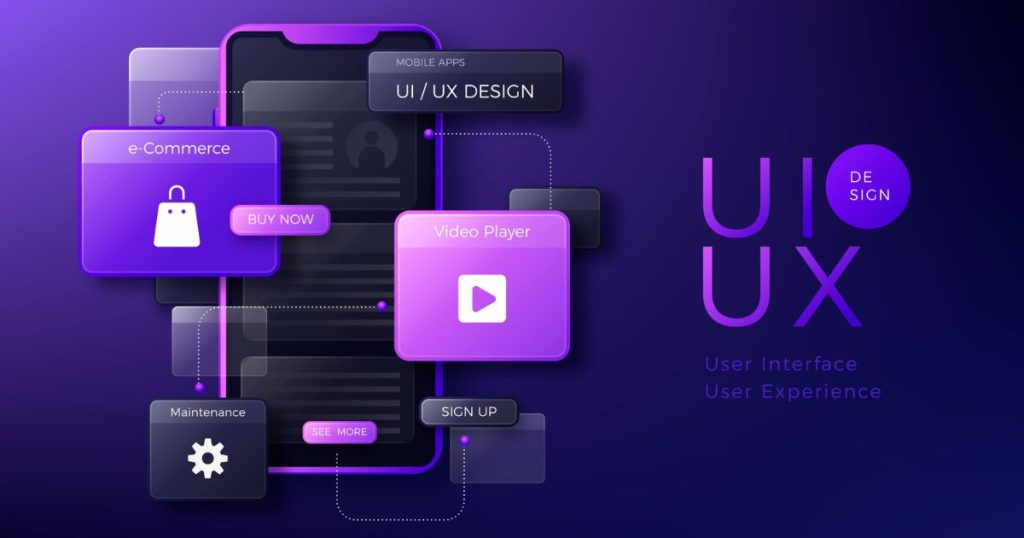
UI vs UX comparison illustration showing user interface design elements like buttons, icons, colors, and layouts alongside user experience concepts such as user journey, usability flow, wireframes, and interaction design for digital products
UI VS UX

UI vs UX: Understanding the Real Difference

UI vs UX are two of the most important terms in digital product design, but they are often misunderstood or used interchangeably. While they work closely together, UI and UX represent very different aspects of how a user interacts with a product. Understanding the difference is essential for designers, developers, product managers, and business owners who want to create successful websites, apps, or software platforms. A well-designed UI without strong UX can confuse users, while excellent UX paired with poor UI can feel outdated or untrustworthy. The true magic happens when UI and UX complement each other, creating an experience that is both visually appealing and easy to use. What is UI? UI stands for User Interface. It encompasses everything a user sees and interacts with on a screen, including: Layout and grids Colors and typography Buttons and icons Forms and input fields Spacing and visual hierarchy UI design is all about presentation and aesthetics. It defines how information is visually organized and ensures that users can understand and interact with the interface effortlessly. For example, consider a website for a solar company. The UI elements would include the color scheme, the placement of the “Get a Quote” button, the icons used for services like roof repair or installation, and the spacing between sections. A well-crafted UI makes the interface intuitive, attractive, and consistent with the brand. UI design also focuses on creating clarity and consistency across all screens and touchpoints. This includes designing: Buttons that are easy to find and click Forms that are simple and readable Icons that clearly represent actions Typography that enhances readability In short, UI is what the user sees, and it sets the first impression of your product. What is UX? UX stands for User Experience, which is about how a product works and how it feels to use. While UI focuses on visuals, UX focuses on the overall experience and the ease of completing tasks. UX design addresses questions like: Can users easily understand the product? Are key actions clear and accessible? Does the product flow logically from one step to another? Is the user journey enjoyable and frustration-free? UX is user-centered design. It starts with research, including: Understanding your target audience Mapping user journeys and flows Creating wireframes and prototypes Conducting usability testing and feedback sessions Using the same roofing company example, UX design ensures that a visitor can: Navigate from the homepage to the services page without confusion Understand pricing and options clearly Request a quote or schedule an appointment easily Feel confident and satisfied with the overall experience UX is about functionality, accessibility, and emotional response. A user may love the visual appeal of your site (UI), but if they can’t find the quote form or struggle to navigate the service pages, the UX has failed. UI vs UX: The Key Difference A simple way to differentiate: UI = Presentation | UX = Experience UI shapes what users see: Colors, typography, layout, and visual elements UX shapes how users feel and interact: Navigation, flow, usability, and satisfaction A product can have a beautiful UI but fail if the UX is weak. For instance: A modern app may look visually stunning but have confusing menus and hidden features, frustrating users. Conversely, a product can have a strong UX but poor UI: A website may be highly functional and easy to navigate, but outdated visuals or cluttered design can reduce trust and engagement. The best digital products combine strong UI and UX, providing a visually appealing and highly usable experience. Examples of UI and UX in Action E-commerce Website UI: Product images, buttons, typography, color palette UX: Easy navigation, smooth checkout process, clear calls to action Mobile Banking App UI: Clean icons, consistent color scheme, readable fonts UX: Quick login, intuitive money transfers, helpful error messages SaaS Dashboard UI: Graphs, charts, buttons, alerts, and labels UX: Logical workflow, helpful onboarding, easy data input and reporting These examples show that UI and UX are distinct but inseparable. A successful product requires both. Why UI and UX Are Important 1. Improved User Satisfaction Good UI/UX ensures that users can find information quickly, complete tasks efficiently, and enjoy the interaction. 2. Higher Conversion Rates A seamless user journey encourages visitors to take action, whether it’s signing up, making a purchase, or requesting a service. 3. Brand Credibility Consistent and professional UI, combined with smooth UX, builds trust and reliability, making users more likely to return. 4. Reduced Support Costs When users understand how to use a product intuitively, fewer customer support issues arise, saving time and resources. How UI and UX Work Together UX defines the structure: Wireframes, user flows, and functional layouts UI brings it to life visually: Colors, fonts, buttons, and graphics Think of it like a house: UX is the blueprint and layout, while UI is the interior design and paint colors. Both must align for the home to be functional and visually appealing. Tips for Designing Great UI and UX Start with UX Research: Understand your users, their needs, and pain points. Wireframe Before Visuals: Map out the user journey and page structure. Design UI Consistently: Use consistent colors, typography, and iconography. Test with Real Users: Conduct usability tests to uncover friction points. Iterate Continuously: UI and UX are never “finished”—keep improving based on feedback. Focus on Accessibility: Ensure your product works for users with disabilities. Conclusion UI and UX are different but deeply interconnected. UI focuses on the visual and interactive elements of a product, while UX ensures the overall experience is smooth, intuitive, and satisfying. A product with strong UI and UX is visually appealing, easy to navigate, and builds trust and engagement. Designers, developers, and business owners must consider both to create digital products that look great and work perfectly. Remember: UI catches the eye, UX guides the journey. Only when both work together can a product truly succeed. FAQ: UI vs UX 1. What is the difference between UI and UX? UI (User Interface) is about
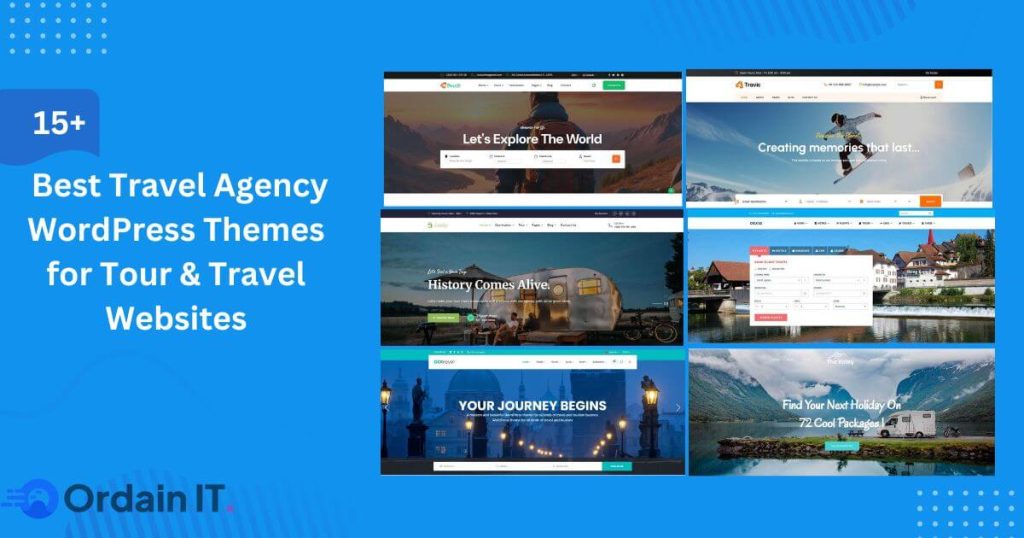
A travel agency WordPress theme is a website design made only for travel businesses. It helps you build a website where people can see trips, explore places, and book tours easily.
Travel theme

15+ Best Travel Agency WordPress Themes for Tour & Travel Websites

Online travel booking is growing fast. Today, most people search for trips, tours, and hotels online before they talk to any travel agent. A travel website is no longer just a place to show pictures. It is now the main way to get customers and bookings. But many travel websites fail. They look nice, but they do not work well. Pages load slowly. Menus are confusing. Booking is hard. Visitors leave within seconds. The main reason for this problem is using the wrong theme. A travel agency WordPress theme is made to solve this. It is built specially for travel businesses. It helps you create clear pages, show destinations, list trips, and guide visitors to book. Whether you are using a trip website template, a travel site template, or modern travel website design templates, the right theme gives your site the right structure from the start. In this guide, you will Find 10  best travel web design template and travel and tourism templates to build a fast, trusted, and booking-ready travel website.  What Is a Travel Agency WordPress Theme? A travel agency WordPress theme is a website design made only for travel businesses. It helps you build a website where people can see trips, explore places, and book tours easily. This type of theme is different from normal WordPress themes. Regular themes are made for blogs or company websites. A travel agency WordPress theme is made for trips and tourism. It includes tour pages, destination layouts, photo galleries, maps, and booking sections. Everything is built to help visitors choose a trip and make a booking. What makes it a true travel and tourism template is its ready-made structure. It already has pages for destinations, tour packages, travel blogs, and contact or booking pages. Many themes also support calendars, price tables, and online payments. That is why it works well as a trip website template or a full travel site template. In real life, these themes are used by tour companies, travel agencies, hotels, resorts, and adventure travel businesses. Some small agencies use them to sell local trips. Big travel websites use them to manage many tours and destinations. Modern travel website design templates also help with branding and bookings. They make your site look professional. They help people trust your business. They also guide visitors step by step until they are ready to book. 15+ Travel Agency WordPress Themes Below you will find 15+ carefully selected travel agency WordPress themes designed for tour operators, travel agencies, and tourism businesses. These themes focus on clean design, easy navigation, and layouts that help visitors explore trips and destinations with ease. Each option offers a strong starting point for building a professional travel website.  1. Travello – Best Travel & Tour Booking HTML Template   Travello is a modern website template designed for travel businesses that want a strong visual presence online. It helps tour operators, travel agencies, and tourism brands present their services in a clear and attractive way. The design focuses on large images, clean sections, and smooth navigation. This makes it easy for visitors to explore destinations, browse trips, and understand what your business offers. The homepage layouts are built to highlight popular tours, special deals, and customer feedback, which helps build interest and trust. Travello includes ready pages for tour listings, trip details, galleries, and contact sections. These pages are well organized, so users can move through the site without confusion. The structure also supports storytelling, which is important in the travel industry. This template is well suited for businesses that want a modern, professional look without complex layouts. It works especially well for tour companies, adventure travel brands, and tourism projects that rely on strong images and clear information. Overall, Travello is a good option for travel businesses that want a clean design, easy navigation, and a layout that supports both promotion and customer inquiries. 2. Gofly – Tour Booking and Travel Agency WordPress Theme   Gofly is a flexible travel website theme built for tour operators and travel service providers who want a professional and easy-to-manage site. It is designed to help businesses organize trips, destinations, and services in a clear and user-friendly way. The theme offers ready layouts for tour packages, destination pages, blogs, and contact sections. These layouts help visitors find information quickly and explore your offerings without effort. The structure is simple, which improves browsing and keeps users engaged longer. Gofly is especially useful for businesses that sell tour packages. It allows you to present trips with images, short descriptions, and important details. This helps customers understand what you offer and make better decisions. From a design point of view, Gofly focuses on clean visuals, smooth scrolling, and mobile-friendly layouts. You can adjust colors, fonts, and page sections without technical knowledge. This makes it suitable for both beginners and growing travel brands. Overall, Gofly works well for agencies that want a reliable website that supports marketing, builds trust, and helps connect with customers online. 3. SetSail – Travel Agency WordPress Theme SetSail is a creative website theme made for travel agencies and tourism businesses that want a more emotional and visual approach. It is designed to help brands share travel experiences, not just trip lists. The theme includes beautiful layouts for destinations, galleries, travel stories, and tour packages. These layouts allow you to present trips in a way that feels inspiring and engaging. This makes it a good choice for agencies that focus on luxury travel, adventure trips, or unique experiences. SetSail also supports clear and well-structured tour pages. You can highlight important trip details, images, and calls to action. This helps visitors understand your offers and encourages them to explore more. On the design side, SetSail offers smooth animations, modern layouts, and mobile-friendly pages. It can be customized easily, so you can match it to your brand style. Overall, SetSail is well suited for travel businesses that want to mix strong design with clear information. It works best for brands that want

best wordpress ecommerce themes for woocommerce online stores
ecommerce themes

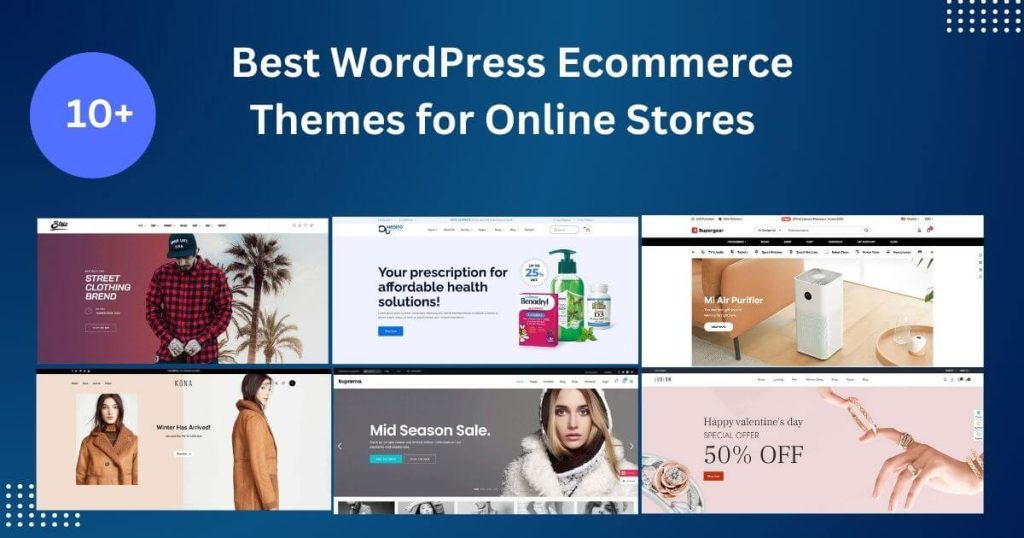
10+ Best WordPress Ecommerce Themes for Online Stores (2026)

WordPress ecommerce themes are ready-made website designs that help you build an online store with WordPress. These themes are made for selling products. They include shop pages, product layouts, and shopping features. With the right theme, you can create a clean, professional store without coding. This is why many store owners choose WordPress ecommerce themes to start their online business. Choosing the best WordPress ecommerce themes is very important. Your theme controls how your website looks, how fast it loads, and how easy it is to use. A good theme makes your store simple to browse and easy to shop from. It also helps your site rank better on Google. When your site is fast and clear, visitors stay longer and are more likely to buy. That is why picking from the top WordPress themes for ecommerce can directly affect your success. Most modern ecommerce themes work with WooCommerce. WooCommerce is the most popular tool for building online stores on WordPress. It lets you add products, accept payments, manage shipping, and track orders. The best WordPress ecommerce themes are built to work smoothly with WooCommerce. This means fewer errors, better security, and a better shopping experience for your customers. What Is a WordPress Ecommerce Themes? A WordPress ecommerce theme is a special type of website theme made for online stores. It helps you sell products or services using WordPress. These themes come with ready-made pages for shops, products, carts, and checkout. A good WordPress theme for online shop makes your store easy to use and nice to look at. Normal WordPress themes are made for blogs or business websites. They focus on showing text, images, and pages. Ecommerce themes are different. They are built for selling. They show products clearly, support online payments, and guide visitors step by step to checkout. This makes ecommerce themes better for anyone who wants to run an online store. WooCommerce support is very important. WooCommerce is the tool that turns a WordPress site into an online store. It lets you add products, take payments, manage orders, and handle shipping. A strong ecommerce theme works smoothly with WooCommerce. This keeps your site fast, safe, and easy to shop from. A reliable WordPress theme for online shop helps customers trust your store and buy with confidence. Key Features to Look for in Top WordPress Themes for Ecommerce Not all themes are good for online stores. The top WordPress themes for ecommerce come with special features that make your store fast, safe, and easy to use. Before choosing a theme, make sure it includes the features below. WooCommerce compatibility The theme should work perfectly with WooCommerce. This allows you to add products, manage orders, and accept payments without problems. A good WordPress theme for online store must support WooCommerce tools and updates. Mobile responsiveness Many people shop using their phones. That is why mobile design is very important. Responsive ecommerce themes adjust to all screen sizes, so your store looks good on mobile, tablet, and desktop. Page speed optimization Fast websites rank better and convert more visitors. A good ecommerce theme should load quickly and use clean code. Speed helps reduce bounce rate and improves user experience. SEO-friendly structure The theme should follow SEO best practices. This includes clean HTML, proper heading tags, and schema support. An SEO-friendly theme helps your products rank higher on Google. Elementor / Gutenberg support Most modern themes support page builders. Elementor ecommerce themes and Gutenberg-ready themes let you design pages easily using drag-and-drop tools without coding. Secure checkout support Online stores handle customer data. Your theme should support secure checkout pages and work well with trusted payment gateways to keep buyers safe. Product page layouts Good themes offer clean and flexible product layouts. This helps show images, prices, reviews, and buttons clearly so customers can decide faster. Custom shop filters Filters help users find products quickly. A quality WordPress theme for online store should support category filters, price filters, and search tools. 10+ Best wordpress ecommerce themes We researched and tested many themes to create this list of the 10+ best WordPress ecommerce themes available today. Each theme is chosen based on speed, design quality, WooCommerce support, and ease of use. These top WordPress themes for ecommerce are perfect for online stores that want better user experience, higher rankings, and more sales. 1. Medito – Health & Medical Ecommerce WordPress Themes (RTL Ready) Medito is a clean and professional best wordpress ecommerce themes made for health and medical online stores. It is ideal for pharmacies, medical equipment shops, supplement stores, clinics, and wellness brands. The design focuses on clarity and trust, which are very important for medical and healthcare websites. Visitors can easily find products, read details, and complete purchases without confusion. Medito comes with ready-made layouts for homepages, product pages, service pages, and blogs. These layouts help you build a full ecommerce website quickly. The theme is fully compatible with WooCommerce, so you can manage products, stock, orders, shipping, and payments from one simple dashboard. It also supports popular payment systems and checkout features. One of Medito’s strongest features is RTL support. This means it works well with right-to-left languages like Arabic and Hebrew. If your target market includes RTL users, Medito is a very strong option. The theme is also fully responsive, so it looks great on mobile phones, tablets, and desktops. Medito is built with speed and SEO in mind. It uses clean code, fast-loading pages, and a structure that search engines can understand easily. This helps improve your site’s visibility on Google. Overall, Medito is a great WordPress ecommerce theme for anyone who wants to build a trusted, professional, and easy-to-use health or medical online store. 2. Avada | Website Builder for WordPress & eCommerce Avada is one of the best-selling WordPress themes of all time. It is a powerful website builder that can be used to create any type of website, including ecommerce stores. Avada is known for its flexibility, strong performance, and large set

Portfolio WordPress themes 2026 collection for designers, freelancers, and agencies to showcase work
portfolio themes

Best 16+ Portfolio WordPress Themes – 2026 Collection

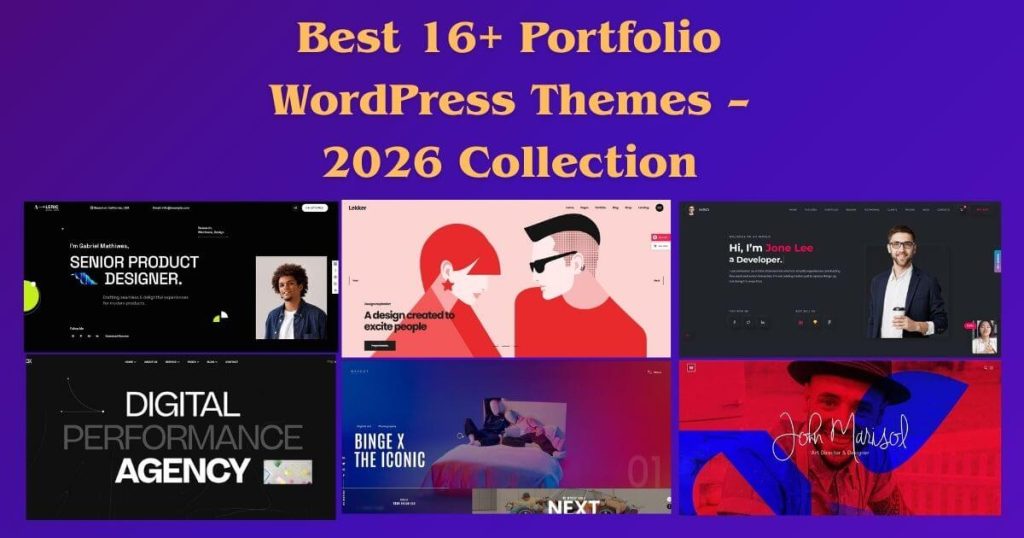
A portfolio WordPress themes is one of the most powerful tools you can use to build a professional online presence today. In the modern digital world, people no longer rely only on resumes, business cards, or social media profiles. They want to see real work. They want to explore projects, designs, websites, photos, campaigns, and results before making any decision. This is exactly why portfolio websites have become so important. A portfolio website works like your digital office. It is open all the time. Anyone from anywhere can visit it, learn about you, and understand what you do. Whether you are a designer, developer, photographer, marketer, writer, student, or freelancer, a portfolio website gives you a place to present your skills and experience in a clear and professional way. Instead of sending many links, files, and documents, you can share one simple website that tells your full story. This is where choosing the right portfolio website theme becomes very important. The theme controls how your work is shown, how fast your site loads, and how easy it is for visitors to understand you. A strong theme helps your projects stand out. A weak theme can make even good work look average. In this complete guide, you will learn what a portfolio WordPress theme really is, why it matters, how it compares with a personal WordPress theme, what features are important, how to choose the right theme, how to structure your portfolio website, how SEO fits into portfolio sites, and how to avoid common mistakes. By the end, you will clearly understand how to build a strong portfolio website that supports your long-term growth. What Is a Portfolio WordPress Themes? A portfolio WordPress theme is a type of theme specially designed to showcase work. Instead of focusing mainly on blogging or selling products, it focuses on presenting projects, visuals, and professional achievements. It is built to display images, videos, designs, websites, apps, case studies, and creative work in a clean and organized way. A normal WordPress theme may work for blogs or business sites, but a portfolio website WordPress theme gives special attention to layouts that highlight work. It often includes ready-made designs for project galleries, individual project pages, sliders, and featured sections. These elements help visitors explore your work easily without feeling confused. Most modern portfolio themes support drag-and-drop page builders. This means you can design pages visually without writing code. You can move sections, change colors, adjust fonts, and build layouts by clicking and dragging. This makes portfolio websites possible even for beginners. In simple words, a portfolio WordPress theme is built to help you show what you can do, not just talk about it. It turns your website into a professional presentation of your skills, creativity, and experience. Top 16 Portfolio WordPress Themes Choosing the right portfolio WordPress theme is essential for showcasing your work in a professional and engaging way. Whether you are a designer, developer, photographer, or creative agency, a well-designed portfolio theme helps you make a strong first impression. Below are the top 16 portfolio WordPress themes that combine modern design, flexibility, and performance. 1. Sorex – Creative Agency and Personal Portfolio HTML Template Sorex is a modern and flexible creative agency and personal portfolio HTML template designed for professionals who want a clean and impressive online presence. It is built to help designers, developers, agencies, and freelancers showcase their work in a clear and professional way. The layout focuses on strong visuals, smooth navigation, and well-structured sections that guide visitors through your services, projects, and story. This template comes with carefully designed pages for portfolios, services, about sections, blogs, and contact forms. Each section is created to highlight your skills and projects without distraction. The design is fully responsive, so your website looks great on desktops, tablets, and mobile devices. Sorex is also optimized for speed and clean code, making it easier to maintain and customize. If you want a creative HTML template that feels professional, modern, and easy to adapt for both agency websites and personal portfolios, Sorex is a strong choice. Download  2. Pixora – Creative Agency & Portfolio WordPress Theme Pixora is a creative agency and portfolio WordPress theme built for brands and individuals who want to stand out online. It combines modern design with practical features, making it ideal for agencies, freelancers, designers, and digital professionals. The theme focuses on presenting projects clearly while keeping the website fast, smooth, and easy to navigate. Pixora includes beautifully crafted portfolio layouts that help you showcase work in grids, galleries, and detailed project pages. It also supports popular page builders, allowing you to customize pages without coding. With flexible design options, you can easily match your website to your brand style. This portfolio WordPress theme is fully responsive and optimized for performance, ensuring a smooth experience across all devices. Pixora is perfect for building a professional portfolio website that highlights creativity, builds trust, and supports long-term growth. Download 3. Avista – Digital Agency & Portfolio WordPress Theme Avista is a powerful digital agency and portfolio WordPress theme designed for modern businesses and creative professionals. It is created to help agencies, marketing teams, and freelancers present their services, projects, and case studies in a professional and engaging way. The design is clean, structured, and focused on clarity, making it easy for visitors to understand what you offer. Avista comes with ready-made layouts for portfolios, services, blogs, and agency pages. These layouts allow you to build a complete portfolio website without complexity. The theme is built with performance in mind, offering fast loading times and smooth interactions. With strong customization options and page builder support, Avista allows you to shape your site according to your business needs. If you are looking for a portfolio website WordPress theme that blends creativity with professionalism, Avista is a reliable solution. Download 4. Virtuo – Personal Portfolio WordPress Theme Virtuo is a personal portfolio WordPress theme designed for individuals who want to build a strong personal brand online.

A React ecommerce template is a ready-made website layout built with the React framework. It gives you a strong starting point for building an online store. Instead of designing every page and feature from scratch, you get a complete structure that you can customize to match your brand and business goals.
React template

Top React Ecommerce Template for Ecommerce Stores 2026

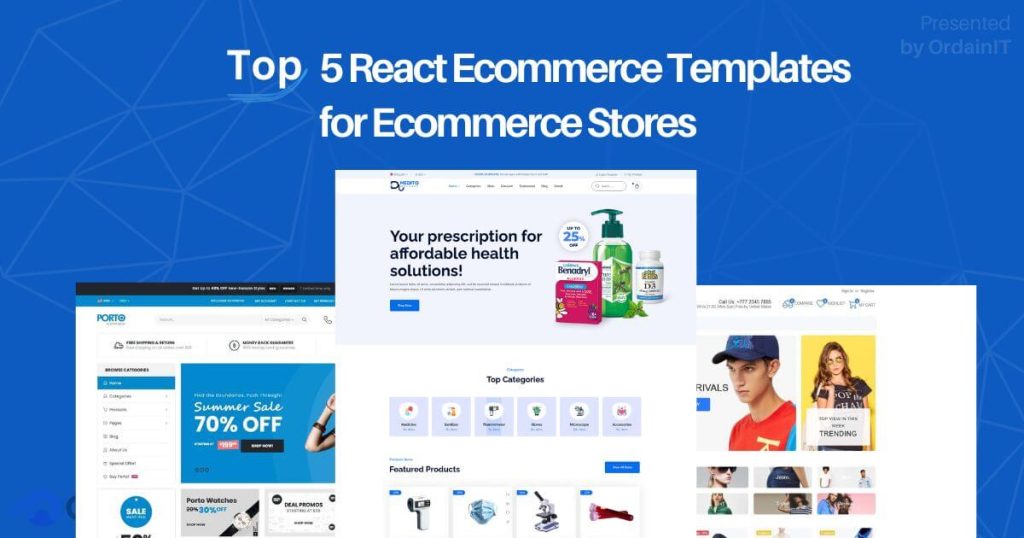
React ecommerce template is a pre-made website template .Now it is  one of the easiest ways to build a modern online store. Every year, more businesses move online. Customers expect websites that are fast, clean, and easy to use. Because of this, many developers and companies now choose React to build ecommerce and admin systems. React is popular because it is flexible, powerful, and great for building interactive websites. It allows stores to load faster, update content smoothly, and give users a better shopping experience. Instead of slow and heavy websites, React-based stores feel modern and responsive. Today, many online businesses use a React Nextjs template for the store front. They also use a shopping cart system to manage products, carts, and checkout. For the back end, they often rely on admin panels or dashboards to manage orders, customers, inventory, and reports. Together, these tools make it easier to run and grow an online business. In this article, you will learn what a React ecommerce template is, why businesses prefer React-based solutions, and how store templates and admin dashboards work together. You will also discover what features to look for, how to choose the right template, and which popular templates are worth checking out. What is a React Ecommerce Template? A React ecommerce template is a ready-made website layout built with the React framework. It gives you a strong starting point for building an online store. Instead of designing every page and feature from scratch, you get a complete structure that you can customize to match your brand and business goals. These templates usually include all the main pages an online store needs. This often means homepages, shop pages, product pages, category sections, and customer account areas. Most also come with built-in cart and checkout layouts, which saves a lot of development time. A good ecommerce template also provides reusable design parts, such as buttons, forms, sliders, filters, and pop-ups. These parts help you build new pages quickly while keeping the design consistent across the site. This makes your store look more professional and easier to use. React ecommerce templates are used by many different people. Startups use them to launch quickly without high costs. Agencies use them to deliver client projects faster. SaaS companies use them to build scalable online platforms. Developers use them to save time, test new ideas, and build powerful ecommerce systems with clean code. Why React is a Popular Choice for Ecommerce React is not only about design. It is about performance and experience. React websites load parts of the page without refreshing everything. This makes browsing smoother and faster. Customers can switch products, update carts, and filter items without waiting. React also supports reusable components. This means developers can build features once and use them many times. It reduces errors, speeds up work, and makes websites easier to maintain. Another reason React is popular is its strong community. Thousands of developers create tools, libraries, and plugins that improve ecommerce systems. Payment gateways, search systems, dashboards, and security features are easier to add because many solutions already exist. For growing businesses, React is also future-proof. It works well with mobile apps, headless ecommerce systems, and cloud platforms. This makes it a smart long-term choice. How Storefronts and Admin Systems Work Together A modern ecommerce site is not just one website. It is usually two systems working together. The first is the storefront. This is what customers see. It shows products, prices, reviews, carts, and checkout pages. It focuses on speed, design, and smooth shopping. The second is the admin system. This is what store owners use. It manages products, stock, orders, customers, shipping, and reports. It focuses on control, data, and operations. When these two systems are connected, a business can work faster and smarter. Store owners can update products in the dashboard and see changes instantly on the store. They can track sales, monitor customer behavior, and make better decisions. This combination is why many businesses choose React-based solutions for both store and admin areas. How to Choose the Best React Ecommerce Template Choosing the right template is very important. A good choice can save time, reduce costs, and support future growth. A poor choice can cause slow speed, technical problems, and redesign work later.Here are the main things to check before selecting a template. 1. Code Quality: Always look for clean and organized code. Good code is easier to understand, safer to use, and simpler to update. It also makes it easier to add new features later. Well-written code reduces bugs and improves site stability. It also helps other developers work on your project if your team grows. 2. SEO Readiness: Search engines are very important for ecommerce. A strong template should support clean URLs, fast page loading, proper headings, and good content structure. SEO-friendly templates make it easier for your products and pages to appear on Google. This can increase free traffic and long-term sales. 3. Speed and Performance: Speed directly affects sales. Slow websites lose visitors. A good template should load quickly, run smoothly, and work well on all devices. Check if the template uses optimized images, modern loading methods, and responsive design. Fast stores keep users longer and improve conversion rates. 4. Customization Options: Your store should not look like everyone else’s. A good template should allow easy changes to layout, colors, fonts, and sections. You should be able to add new pages, modify product displays, and connect new tools without breaking the design. Flexibility is key. 5. Documentation and Support Clear guides save many hours of frustration. Look for templates with setup instructions, examples, and active support. Good documentation is helpful for beginners and also saves time for experienced developers. 6. UI and UX Quality Good design is not only about looks. It is about ease of use. Customers should find products quickly, understand navigation easily, and complete checkout without confusion. Strong user experience builds trust, keeps users engaged, and increases sales. 5 Best react ecommerce template In

Best LMS WordPress themes for online courses, schools, and education websites
education theme

Top 10 LMS WordPress Themes for eLearning & Online Courses

LMS WordPress themes are very important today because online learning is growing fast. People now prefer to learn online because it is easy to access and flexible. You can learn anytime and from anywhere. Whether someone wants to build career skills, study school subjects, or take professional training, online courses are a great choice. That is why giving students a smooth learning experience is so important. The right LMS WordPress theme can make a big difference. A good theme helps you create and manage courses easily. It also improves how students use your website. Most LMS WordPress themes come with useful features like course management, student dashboards, progress tracking, quizzes, and tools to keep learners engaged. If you want to build an education website, choosing an education WordPress theme is the best option. These themes are made for online learning. They help you organize courses, manage students, and create a simple and user-friendly learning platform. One of the Top LMS Themes, Available in WordPress, React, and HTML Versions. What is an LMS WordPress Theme? An LMS WordPress theme is a special template designed to build and manage Learning Management Systems (LMS) on WordPress websites. LMS stands for Learning Management System, which helps to deliver courses, track student progress, and manage educational content. These themes include everything you need to set up an online learning platform. From creating courses to managing students and payments, Education WordPress themes make it simple for educators and institutions to build professional e-learning websites. Whether you’re creating a site for a school, university, or individual courses, an LMS WordPress theme offers the perfect foundation. Key Features to Look for in the Best LMS WordPress Themes When choosing an LMS WordPress theme, focus on features that make the platform easy to use and effective for both managing courses and helping students. A top WordPress LMS theme should allow you to create and organize courses quickly. It should also offer a student dashboard, where students can track their progress, view assignments, and access course materials with ease. Quizzes and assessments are important for testing student knowledge and giving feedback. Look for themes that allow you to create quizzes that are automatically graded, and offer certificates upon completion of the course. For monetizing your courses, make sure the theme supports payment gateways like PayPal and Stripe. It should also allow flexible pricing options, such as one-time payments or subscriptions. Compatibility with plugins like WooCommerce and BuddyPress is also important. WooCommerce helps you sell courses, while BuddyPress helps you build a community with features like discussion forums and groups. Additionally, the theme should be easy to navigate and mobile-friendly so that students can access courses from any device. In short, the best LMS WordPress theme should make managing courses easy, keep students engaged, and handle payments smoothly. It should also have a clean, simple design and be easy to use on any device. 10 Best lms wordpress themes for online schools, universities, and learning platforms This Best LMS WordPress Themes help online schools, universities, and learning platforms create professional e-learning websites. These themes support course management, quizzes, and popular LMS plugins, making it easy to deliver engaging online education. 1. Edunity – The Best Education WordPress Theme  Edunity is a powerful Education WordPress theme that helps you easily create and manage online schools, universities, and learning platforms. It includes everything you need to set up a professional website with ease. You can quickly create courses, manage student registrations, and track their progress. Edunity also comes with helpful features like quizzes, certificates, and integrated payment systems. The theme is mobile-friendly, ensuring your site looks great on all devices, from computers to smartphones. Whether you’re running an entire online school or just offering a few courses, Edunity makes building a learning platform simple and effective. 2. Epsilon – eLearning LMS WordPress Theme Epsilon is a flexible eLearning LMS WordPress theme designed for schools, universities, and anyone offering online courses. This theme allows you to create and manage courses with ease. You can track student progress, create quizzes, and provide certificates. Epsilon also integrates with PayPal and Stripe for secure payment processing, so you can sell courses online. The theme is responsive, which means it works well on all devices. Whether you’re running a small online course or a large eLearning platform, Epsilon is a great choice for building your site. 3. eSmarts – Education & LMS WordPress Theme eSmarts is a complete Education & LMS WordPress theme perfect for schools, universities, and businesses offering online courses. It offers everything you need to create and manage courses, track student progress, and issue quizzes. With eSmarts, you can also create and send certificates to students who complete courses. It’s fully compatible with WooCommerce, allowing you to sell your courses directly. Plus, it integrates with BuddyPress, so you can build a community around your courses. The theme is mobile-friendly, making it easy for students to learn on any device. eSmarts provides all the tools needed for a professional online learning platform. 4.LMS – Education WordPress Theme LMS is a simple yet powerful Education WordPress theme designed for creating online learning platforms. It offers essential features like course creation, student management, quizzes, and progress tracking. LMS also supports automatic grading for quizzes and allows you to issue certificates to students after they complete a course. The theme is mobile-friendly, ensuring students can access lessons on their phones, tablets, or computers. LMS also supports secure payment processing with PayPal and Stripe, making it easy to sell your courses online. Whether you’re starting a small learning platform or a large-scale school, LMS is an excellent choice 5. Edusion – Education LMS WordPress Theme Edusion is WordPress LMS  theme built for schools, universities, and online learning platforms. This theme offers easy-to-use tools for course creation, student registration, and progress tracking. It supports quizzes and certificates, so you can assess student knowledge and reward them for completing courses. Edusion integrates with WooCommerce for selling courses and supports PayPal and

heck out 10+ best iinsurance broker website design for agencies, brokers, and insurance companies. These templates are clean, user-friendly, and mobile-ready. They include easy navigation, quote forms, trust signals, and fast performance to help you attract leads and grow your business online.
insurance template

10+ Best insurance broker website designTemplates For 2026

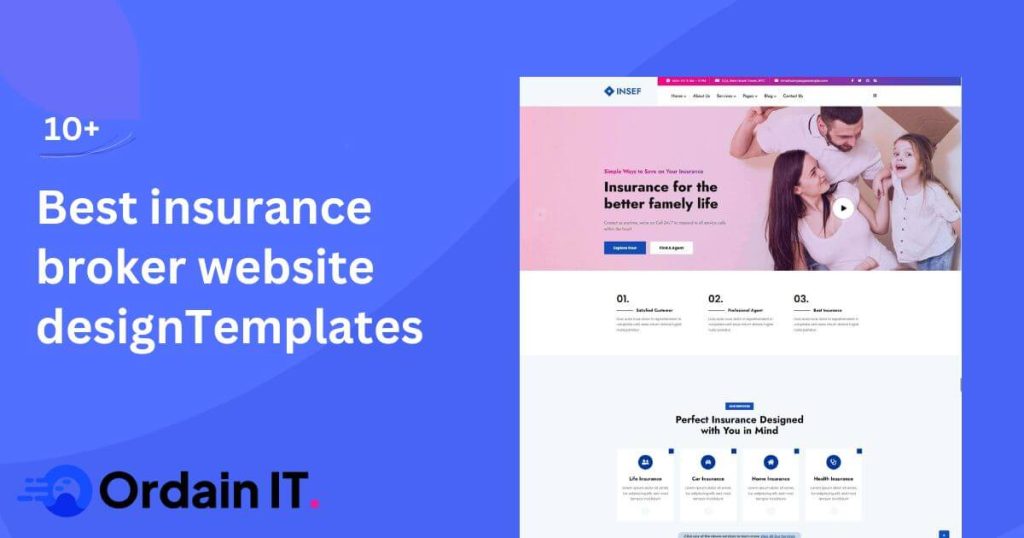
In 2026, a simple and clear insurance broker website design template is a must for agencies, brokers, and insurance companies. Most people search online before choosing an insurance provider. Your website is often the first thing they see. A clean layout helps visitors trust your business right away. A good insurance agency website design template makes everything easy to understand. Menus are clear. Text is easy to read. Pages load fast. When visitors find what they need quickly, they feel confident. This leads to more quote requests, more calls, and better conversions. In this guide, you will learn how to choose 10 best  right insurance broker website design template helps your business grow. We will show how good design builds trust, improves credibility, and turns visitors into real leads for agencies, brokers, and insurance companies. What Is insurance broker website design template? insurance broker website design template is creating websites for insurance businesses. This includes agencies, brokers, and insurance companies. These websites are different from regular business websites. They focus on building trust. They share clear information. They guide visitors to take action, like requesting a quote or contacting an agent. A good insurance company website design looks professional and easy to use. It has clear pages about policies and services. It shows coverage options in a simple way. It includes secure contact forms to protect visitors. An insurance agency website design focuses on helping visitors find local services fast. Menus are simple. Navigation is clear. Important information is easy to read and understand. Insurance website design also helps businesses get more leads. Strong calls to action guide visitors to request quotes or contact agents. Simple layouts and organized content keep people engaged. In short, insurance website design is about trust, clarity, and results. A well-designed website helps insurance businesses connect with visitors and turn them into clients. Key Feature of a insurance broker website design Template A strong insurance broker website design template is simple, clear, and professional. It not only looks good but also helps visitors take action. Every part of the website should guide users, build trust, and make your services easy to understand. Navigation is key. Menus should be easy to use. Service categories must be clear. Visitors should find what they need quickly. A good insurance agency website design template helps people move from learning about services to requesting a quote without confusion. Visual design matters too. Colors, fonts, and images create the first impression. They should match your brand and build trust. A clean insurance agency website design with clear fonts and quality images feels professional and reliable. Mobile-friendly design is essential. Many people visit websites on phones or tablets. Google also favors mobile-friendly sites. A responsive insurance company website design gives a smooth experience on any device. Speed is very important. Slow websites frustrate visitors and lower conversions. Optimizing images, hosting, and performance keeps your site fast. A fast insurance company website design keeps visitors engaged and improves search rankings. Trust and security are critical. SSL certificates, compliance badges, and client testimonials show that your business is safe and credible. These signals encourage visitors to request quotes or contact your team. In short, a great insurance website design is clear, fast, mobile-friendly, and trustworthy. It guides visitors, builds confidence, and turns them into clients.   10 Best insurance broker website design template for 2026 Choosing the right website template is essential for insurance brokers who want to build trust and generate leads online. The 10 best insurance broker website design templates are created to look professional, load fast, and guide visitors toward requesting quotes or contacting an agent. These templates use clean layouts, clear service sections, and strong calls to action to improve conversions. 1. Insef – Insurance Company HTML5 Template Insef is a professionally crafted HTML5 template designed to meet the specific needs of insurance companies, brokers, and financial service providers. Its clean, corporate layout emphasizes trust, clarity, and readability, making it easier for visitors to understand insurance services and offerings quickly. The template features well-structured sections for showcasing services, company information, claims guidance, and contact forms, making it a complete solution for full-scale insurance website projects. Each section is thoughtfully designed to guide users through the website seamlessly, enhancing user experience and encouraging engagement. Insef is fully responsive, ensuring that the website looks and performs beautifully across desktops, tablets, and mobile devices. Its modern design prioritizes credibility, helping businesses present themselves as professional, reliable, and client-focused. Additionally, Insef offers flexibility for customization, allowing agencies to adjust layouts, colors, and typography to match their brand identity. Whether you are building a website for an insurance agency, brokerage, or financial services company, Insef provides a professional, scalable, and user-friendly foundation for creating an effective online presence. 2. Insurs – Insurance WordPress Theme Insurs is a powerful and well-structured WordPress theme created for insurance agencies, brokers, and financial service providers who want to build a strong and credible online presence. Designed with performance and usability in mind, Insurs delivers a professional layout that helps businesses present their services clearly while maintaining a modern and trustworthy appearance. The theme includes flexible layouts for service pages, policy explanations, client testimonials, and inquiry sections. These elements are carefully organized to guide visitors through insurance offerings and encourage meaningful engagement. Insurs makes it easy for agencies and brokers to communicate value, explain coverage options, and generate leads through clear calls to action. Insurs features a clean and intuitive interface that ensures smooth navigation across the website. The responsive design guarantees consistent performance on desktops, tablets, and mobile devices, providing a seamless user experience for all visitors. Its customization-friendly structure allows users to adjust colors, typography, and layouts to align with their brand identity without technical complexity. 3.Insurify – Ultimate Template for Insurance Agency Insurify is a complete solution for modern insurance website design, tailored specifically for insurance agencies and advisory firms. The template focuses on presenting insurance services, coverage options, and value propositions in a clear and engaging way. Its

Modern startup landing page on desktop and mobile screens with clean design
Startup Landing Page

Startup Landing Page Design: 10+ Best Examples & Guide

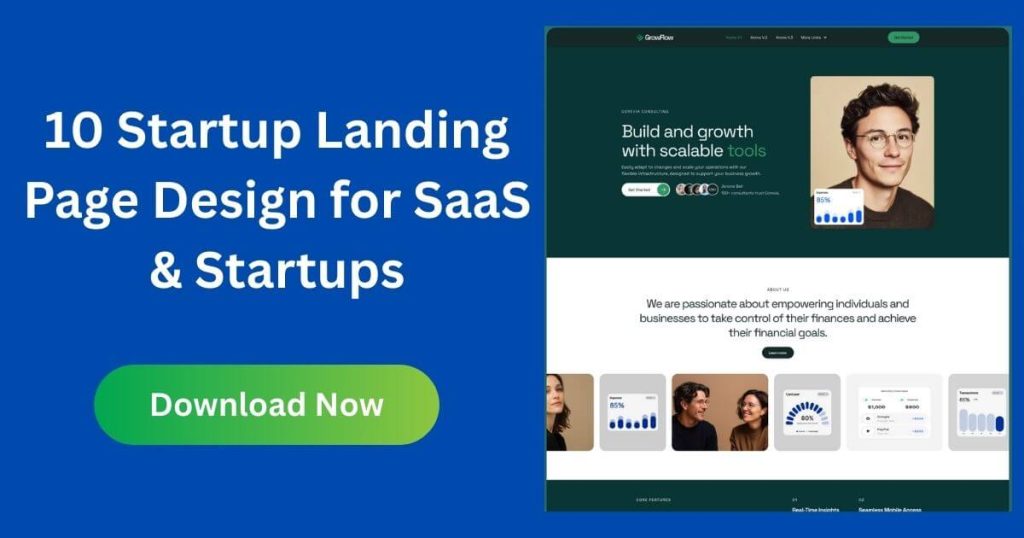
 In today’s competitive digital space, a well-designed startup landing page can be When it comes to growing your startup, your landing page plays a pivotal role in the success of your online presence. A well-designed Startup Landing Page not only needs to capture attention but also needs to drive action—whether it’s capturing leads, gaining subscriptions, or making sales. For your landing page to be effective, it needs to be SEO-friendly. In this article, we will cover the key principles for creating an SEO-optimized startup landing page that enhances your visibility in search engines and boosts conversions. What Is a Startup Landing Page? A startup landing page is a simple webpage that shows up when someone visits a new business. It focuses on one clear goal, like getting people to sign up, learn about a product, or share their contact details. Startups use landing pages to attract visitors and encourage them to take action. This page is important, especially for new businesses in the early stages. It helps build an audience and get the word out about the brand. Think of it as the first impression of your business online. The landing page needs to be simple, clear, and focus on one thing. Whether you’re launching a new product, collecting email sign-ups, or building awareness, a well-made landing page can turn visitors into customers. why is a Startup Landing Page Important? A startup landing page is important for a few reasons. First, first impressions matter. When someone visits your landing page, it’s often the first time they see your brand. A clean, easy-to-read page makes a good first impression and helps visitors trust your business. Another reason a landing page is important is lead generation. It’s a great way to collect contact details. By offering something valuable, like a free trial or early access to a product, you can encourage people to share their information. This lets you build a list of people who are interested in what you offer. Landing pages also help startups test product ideas. Before spending money on ads or production, you can see if people are interested in your product. You can check how many people sign up or show interest, helping you decide if it’s a good fit for the market. Lastly, landing pages help you focus on one goal. Unlike a website with many pages, a landing page is designed to get visitors to do one thing, like signing up for a newsletter or buying a product. This focus makes it more likely that visitors will take action. In short, a startup landing page is a useful tool for new businesses. It helps you make a great first impression, collect leads, test your ideas, and stay focused. If done well, it can turn visitors into customers and help your business grow. What Are The Benefits of Startup Landing Pages? A startup landing page is a helpful tool for new businesses. First, it helps with lead generation. Offering things like free trials, discounts, or downloadable resources encourages visitors to share their contact information. This helps you build an email list, which is useful for reaching out to potential customers later. Another big benefit is higher conversion rates. Landing pages are simple and focused on one goal, like signing up for a newsletter or making a purchase. This clear focus makes it easier for visitors to take action compared to a regular website. Landing pages are also cost-effective. They are quick and easy to set up, which saves money. You can use landing pages for ads or social media campaigns without spending much. Plus, landing pages let you test product ideas. By seeing how many people sign up or show interest, you can know if a product is worth pursuing before investing too much. Another benefit is that landing pages help you focus on one goal. Unlike websites that have many sections, a landing page directs visitors to take just one action, like signing up or making a purchase. Landing pages also help build trust and credibility. You can add social proof, like customer reviews or well-known brand logos, to show that others trust your business. Landing pages help with SEO, too. Using the right keywords makes them appear higher in search results, which brings more visitors. You can track how your landing page is doing with analytics tools like Google Analytics. This helps you see what’s working and make improvements. Finally, landing pages are quick to set up. You can create a page for a product launch, special offer, or promotion in no time. They are also scalable and flexible. As your business grows, you can easily create new landing pages for different campaigns or products. In summary, startup landing pages help you attract leads, improve conversion rates, test ideas, and drive traffic. A well-designed landing page is a key tool for any new business looking to grow and succeed. 10+ Startup Landing Page Examples (What Successful Startups Do Right) 1. Gostart – Startup Landing Page Gostart is a modern landing page template made for startups. It’s perfect for SaaS, tech businesses, and new ventures. The design is clean and simple, making it easy for visitors to understand what your product does right away. The call-to-action (CTA) buttons are easy to find and guide users to take the next step, like signing up or exploring your product. The hero section explains your product’s value, while the product highlights and testimonials build trust. The template is responsive, meaning it looks great on desktops, tablets, and mobile devices. This is important because your landing page needs to work well on any device. The layout focuses on user experience, readability, and conversion, helping businesses collect leads easily. Gostart is also customizable. You can easily change the branding, colors, fonts, and content to match your style. You don’t need coding or design skills to make these changes. This makes it simple to make the landing page feel like your own. This template is perfect for MVP launches, SaaS

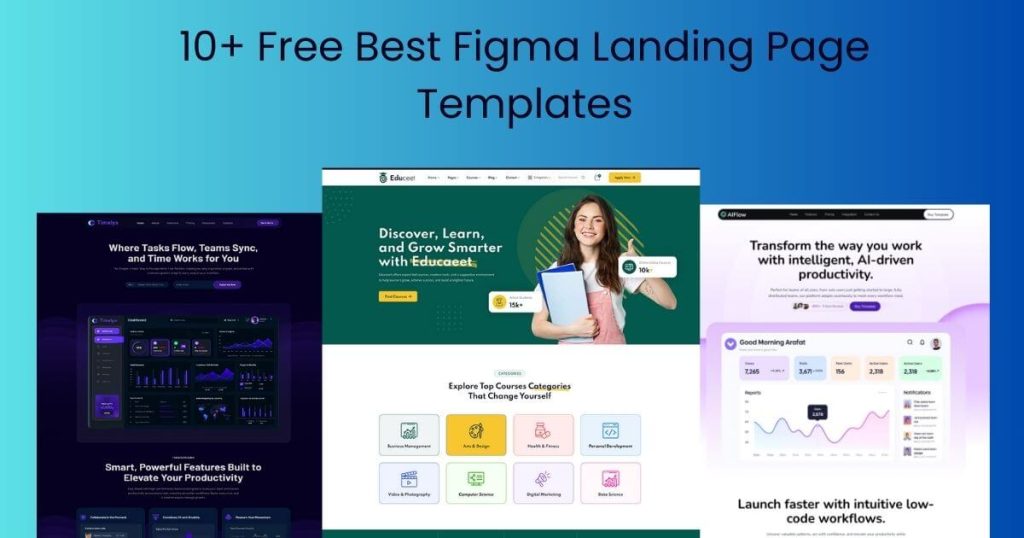
Figma landing page templates for SaaS, startups, and agencies, highlighting free Figma templates, modern figma website design, and UI/UX landing page benefits”
Figma Landing Page

10+ Best Figma Landing Page Templates (Free Download)

Figma is a powerful tool for SaaS companies, startups, and digital agencies. It helps teams build high-converting websites very quickly. Today, many businesses require clean UI/UX and layouts that facilitate user action. Because of this, designers use Figma landing page templates instead of starting from zero. With cloud-based Figma software, teams can design, share ideas, and make changes together in real time. Using free Figma templates helps businesses save time and money. These templates follow modern design rules and look professional. You do not need leading design skills to use them. Whether you are testing a new startup idea or growing a SaaS product, a well-made Figma landing page improves user experience, builds trust, and helps your website perform better. What is Figma used for? Figma is a tool that helps people design websites, apps, and landing pages. It is very popular with startups, SaaS companies, and digital agencies because it makes designing faster and easier. Figma is mostly used for UI and UX design. UI refers to the visual appearance of a website or app, including elements such as colours, buttons, and fonts. UX means how easy it is for people to use it. Using Figma, designers can plan how users move through a website or app, so it is simple and clear. One of the best things about Figma is that it is cloud-based. This means teams can work together at the same time. Designers, marketers, and developers can see changes in real time, add comments, and give feedback. This makes projects faster and keeps everyone on the same page. Figma also has many free templates. These templates can be for landing pages, dashboards, apps, or SaaS websites. Using templates saves time because you do not have to start from scratch. You can simply change colours, text, and images to match your brand. After designing, Figma is helpful for developers too. They can check the Figma file to see the exact colours, spacing, and fonts. This makes it easier to turn the design into a real website or app. In short, Figma is a tool for designing, testing, and building websites and apps. It helps teams save time, work together, and make beautiful, easy-to-use products. Whether you are a beginner or a professional, Figma makes design simple and fast. What Is a Figma Landing Page? A Figma landing page is a website page designed using Figma software. It is usually the first page a visitor sees when they visit a website. Landing pages are meant to capture attention, explain a product or service, and encourage people to take action—like signing up, downloading, or buying something. Unlike traditional coded landing pages, a Figma landing page is design-first. It is created visually in Figma before any coding starts. This makes it easier for designers to experiment with layouts, colours, and content. Once the design is ready, developers can use it as a guide to build the real website. Designers love using Figma for landing pages because it is fast, flexible, and collaborative. With Figma, teams can: Work together in real time Leave comments and feedback. Reuse components like buttons, cards, and forms. Figma also offers many free Figma templates, free Figma website templates, and Figma web templates, which help designers save time. Using these templates makes it simple to create professional Figma website designs and UI/UX landing pages, even if you are not an expert. In short, a Figma landing page is a quick, flexible way to design a professional, high-converting page before coding starts. It is perfect for startups, SaaS products, agencies, or anyone who wants to create modern websites using Figma web design tools. Why Use Free Figma Landing Page Templates? Using free Figma landing page templates can save a lot of time and effort. Instead of designing a page from scratch, you can start with a ready-made layout and customise it for your brand. This is especially helpful for startups, SaaS companies, and digital agencies that need to launch websites quickly. Benefits of Free Figma Templates Save Time Templates come with pre-made sections like hero banners, feature lists, pricing tables, and CTAs. You only need to change text, images, and colours to match your product. Reduce Costs Free templates are perfect for small teams or new businesses. You don’t have to hire a designer to create every section. Professional UI/UX Most templates follow modern Figma website design standards. They include clear navigation, readable typography, and clean layouts, making your landing page look professional. Easy Customization With Figma, you can edit Figma web templates easily. Change colours, fonts, buttons, and images in minutes. Collaboration Friendly Figma enables the collaboration of teams in real time. Designers, marketers, and developers can leave comments and suggest changes instantly. Who Can Use Free Figma Website Templates? Startups testing new ideas or products SaaS companies are launching landing pages fast. Agencies and freelancers building websites for clients Beginners who want professional designs without advanced skills Using free Figma templates helps you create high-quality UI/UX landing pages faster and more efficiently. These templates are a smart choice if you want a professional website look without spending too much time or money.  10+ Best Free Figma Landing Page Templates Using free Figma landing page templates can save time and help you build a professional website quickly. Here are 10+ of the best free figma templates for startups, SaaS, and agencies. 1. GrowthPilot – AI Marketing Automation & CRM Figma Landing Page GrowthPilot is a modern Figma landing page template built for SaaS startups, marketing teams, and digital agencies. This landing page Figma template allows you to design a professional, high-converting landing page quickly, without coding skills. It includes a bold hero section to capture attention, detailed feature highlights, pricing tables for easy comparisons, client testimonials to build trust, and clear call-to-action buttons to guide visitors. This template is perfect for showcasing AI marketing automation tools or CRM solutions. By using this Figma landing page template, you can save time and work efficiently. Teams can

Education WordPress Them
education theme

Top 10 Education WordPress Theme For LMS, School & Online Courses 2026

Final Thoughts On Maximizing Learning Potential Edunity enhances the learning potential by offering a student-friendly interface. It provides intuitive navigation and engaging designs. This theme is a comprehensive solution for educational websites. Features like SEO optimization and e-commerce readiness boost traffic and monetization. Edunity is compatible with multiple WordPress versions and major browsers. It offers one-click installation and demo content import. These features make it a reliable choice for educators aiming to maximize their learning platforms. With Edunity, educational institutions gain a robust tool for online education. Its lifetime updates and extensive support ensure ongoing improvements and assistance. Investing in a versatile and feature-rich theme like Edunity is wise for any educational websit Frequently Asked Questions What Makes A WordPress Theme Ideal For Education? An ideal education WordPress theme should be responsive, easy to customize, and feature-rich. It should support LMS integration, offer educational templates, and be SEO-optimized. Additionally, having a user-friendly interface and compatibility with essential plugins enhances the learning experience. How To Choose The Best Education Theme? To choose the best theme, identify your specific needs and budget. Look for features like LMS compatibility, responsive design, and customization options. Read user reviews and test demos to ensure it meets your requirements. Consider support and updates from the theme developer as well. Are Education WordPress Themes Mobile-friendly? Yes, most modern education WordPress themes are mobile-friendly. They are designed to be responsive, ensuring a seamless experience across devices. This adaptability is crucial for students accessing content on smartphones and tablets. Always check the theme’s responsiveness before purchasing. Do Education Themes Support Learning Management Systems? Many education WordPress themes support Learning Management Systems (LMS). They integrate seamlessly with popular plugins like LearnDash and LifterLMS. This integration allows you to create, manage, and sell courses effectively. Ensure your chosen theme is compatible with your preferred LMS plugin. Conclusion Edunity stands as a powerful tool for educational websites. Its customizable features cater to diverse needs. Whether it’s a university or online platform, Edunity delivers. The responsive design ensures access from any device. Built-in LMS compatibility streamlines course management. SEO optimization enhances visibility, drawing more visitors. Multi-language support breaks language barriers, offering global reach. E-commerce readiness opens avenues for monetization. With a student-friendly interface, navigation becomes seamless. Priced at $49, it’s a cost-effective choice. Invest in Edunity to build a dynamic, user-friendly educational site. Visit Edunity today for more details.  

The Top 20 Most-Used Wordpress Themes In the World in 2025
web development

The Top 20 Most-Used popular WordPress Themes In 2025: Global Favorites

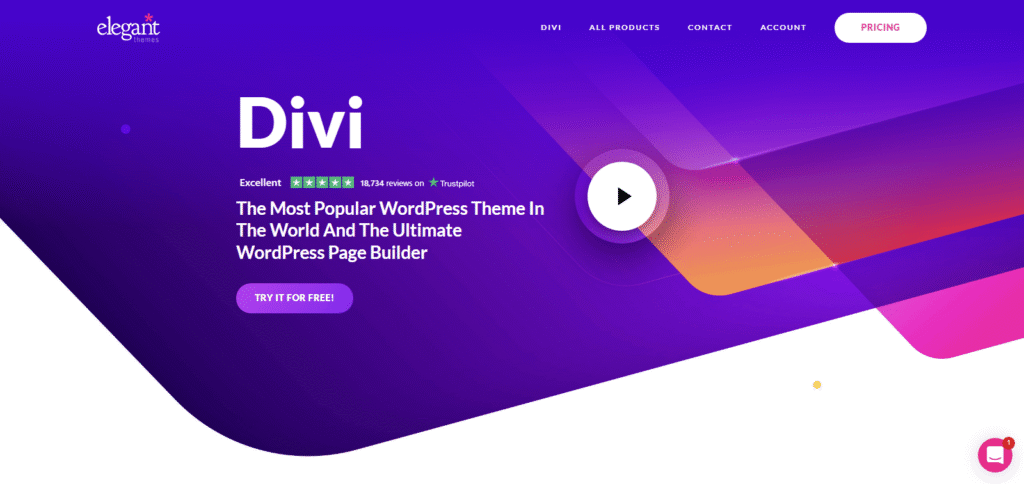
  Imagine scrolling through countless WordPress themes, searching for the perfect one to make your website shine. You’re not alone—every year, millions of users hunt for themes that will help them stand out in the digital landscape. But what if you could cut through the noise and discover the most popular themes that everyone is talking about? You’re about to dive into a treasure trove of information that reveals the top 20 most-used WordPress themes in the world in 2025. These themes have captured the hearts and minds of users just like you, promising to enhance your site’s design and functionality with ease. Uncover the secrets behind their popularity and see how they can elevate your online presence to new heights. The themes that have made it to this list are not just trends; they are tools that can transform your vision into reality. Keep reading to find out which themes made the cut and why they might be the perfect fit for your next project. Popular WordPress Themes Overview In 2025, popular WordPress themes will continued to evolve, reflecting users’ diverse needs. The top 20 most-used themes provide a blend of functionality, aesthetics, and customization options. This overview explores why these themes have gained immense popularity globally. 1. Customizability: A Key Feature Many themes offer extensive customization. Users can tailor their sites without coding. This flexibility attracts both beginners and experts alike. 2. Responsive Design: Meeting Mobile Needs Responsive design ensures websites function well on all devices. Popular themes prioritize this feature, enhancing user experience across platforms. 3. Seo Optimization: Boosting Visibility Top themes come with built-in SEO tools. These tools help websites rank better on search engines, increasing site traffic. 4. Speed And Performance: Ensuring Efficiency Users value fast-loading sites. Leading themes optimize speed, reducing bounce rates and improving user engagement. 5. User-friendly Interface: Simplifying Management A simple interface makes theme management easier. Popular themes feature intuitive dashboards, aiding effortless site updates. 6. Versatile Layouts: Catering To Various Needs Diverse layouts cater to different industries. Themes offer multiple templates, allowing users to find the perfect fit for their content. 7. Robust Security: Protecting Websites Security is crucial for any website. Popular themes integrate security measures, safeguarding data and building trust with users. 8. Regular Updates: Staying Current Themes that update regularly remain relevant. These updates introduce new features and fix bugs, keeping websites running smoothly. 9. Community Support: Assisting Users A strong community provides valuable support. Popular themes have active forums where users share tips and solve problems. 10. Multilingual Capabilities: Reaching Global Audiences Multilingual support extends reach beyond borders. Many top themes allow easy translation, making sites accessible worldwide. Criteria For Theme Popularity The popularity of WordPress themes hinges on user ratings, frequent updates, and compatibility across devices. These criteria determine the top 20 themes worldwide in 2025. Design appeal and reliable support also play crucial roles in theme selection. In the ever-evolving world of WordPress, the popularity of themes isn’t just about flashy designs or trending colors. It’s about how these themes resonate with users and meet their needs. What makes a theme stand out? It’s a mix of user engagement, customisation options, and performance. Let’s dive into these criteria to understand what makes a theme the go-to choice for millions worldwide.  User Engagement User engagement goes beyond mere aesthetics. It’s about how a theme interacts with its audience. A theme that encourages comments, shares, and interactions is a winner. Consider a personal experience: I once switched to a theme that doubled my blog’s comment rate. It wasn’t just pretty—it made readers want to engage. Do you feel your current theme encourages interaction? If not, it might be time for a change.  Customization Options The freedom to mold a theme to fit your brand is crucial. A theme that offers flexibility without overwhelming you with options is ideal. Think about the time you spent hours trying to tweak a theme, only to end up frustrated. Themes that offer drag-and-drop builders or live previews save time and sanity. Are you finding it easy to add your personal touch to your site? The right theme should make customization a breeze.  Performance And Speed No one likes a slow website. A theme’s code should be clean and optimized for speed. Faster themes not only improve user experience but also boost SEO rankings. Once, I switched to a lightweight theme, and my page load time improved significantly. The bounce rate dropped, and my traffic saw a noticeable uptick. Is your site loading quickly enough to keep visitors engaged? If not, your theme might be the culprit. In selecting a WordPress theme, consider how it impacts user engagement, customization, and speed. These factors are crucial to standing out in a crowded digital landscape. What matters most to you when choosing a theme? Design Trends In 2025 The design landscape of WordPress themes in 2025 is evolving. New trends are emerging, reshaping how websites look and feel. These trends are driven by user preferences for simplicity, clarity, and modernity. Designers are focusing on creating visually appealing and functional themes. This ensures user engagement and satisfaction. Minimalist Aesthetics Minimalism is gaining popularity in WordPress themes. Clean lines and simple layouts dominate designs. Users prefer spaces that highlight content without distractions. Minimalist themes reduce clutter and enhance readability. They use neutral colors and simple icons. This approach ensures a smooth user experience. Bold Typography Typography is crucial in 2025 designs. Bold fonts capture attention and convey messages. They add personality and flair to websites. Themes use typography to create visual hierarchy. This helps guide users through content effortlessly. Large headings and crisp text enhance engagement. Dark Mode Designs Dark mode is becoming a favourite in theme design. It offers a stylish and modern look. Dark backgrounds reduce eye strain during prolonged use. Themes use contrasting colors for elements. This ensures content stands out and remains readable. Dark mode designs are sleek and sophisticated. Top Theme: Divi Divi stands out as a top WordPress

Collection of popular and creative WordPress themes for designers
popular themes

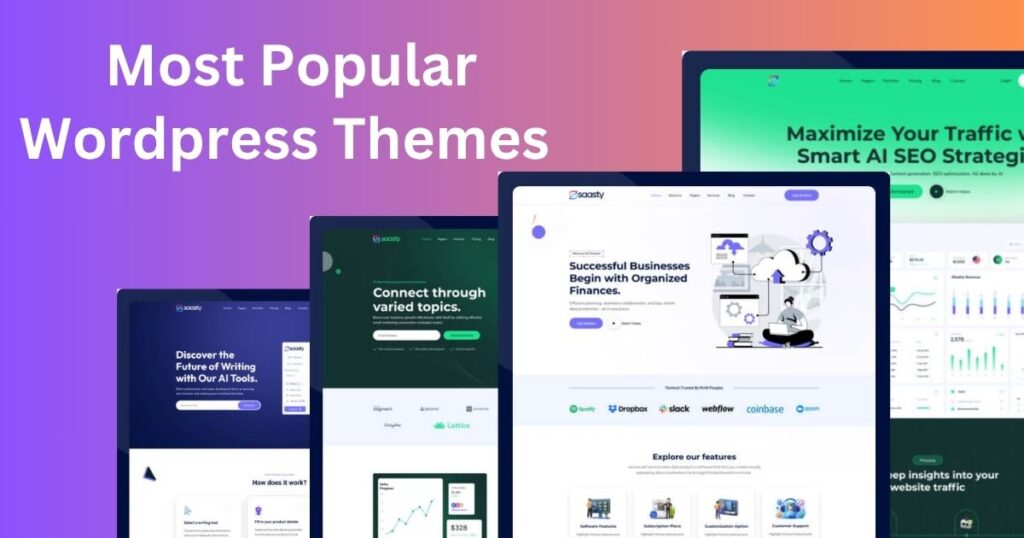
The Most Popular WordPress Themes In The World: Top Picks

Imagine transforming your website into a stunning, functional masterpiece without breaking a sweat. That’s the magic of WordPress themes. Whether you’re launching your first blog, setting up an online store, or creating a portfolio, the right theme can make all the difference. But with thousands of options out there, how do you know which themes are truly worth your time? You’ve come to the right place. You’ll discover the most popular WordPress themes in the world. These themes have captured the hearts of millions, offering the perfect blend of style, ease-of-use, and powerful features. Why settle for ordinary when you can have extraordinary? Dive in to find out which themes can elevate your WordPress experience and help you achieve your online goals effortlessly. Why Popular WordPress Themes Matter WordPress themes are the backbone of your website’s design. They are not just about aesthetics; they dictate functionality, user experience, and even how well your site performs in search engines. Imagine visiting a site that looks outdated or cluttered – you’d likely leave immediately, right? This is why choosing the right WordPress theme is crucial. It’s like picking the right outfit for an important event; it sets the tone and makes a lasting impression. But why exactly do these themes matter so much? Enhancing User Experience Think about the last time you browsed an easy-to-navigate website. You probably spent more time exploring its content. A well-designed WordPress theme can do the same for your site. It ensures visitors find what they need without hassle. Smooth navigation keeps them engaged. If your site is easy to use, people will stay longer and return often. Boosting Site Performance Fast-loading sites are a must in today’s digital age. WordPress themes directly impact your site’s speed. A heavy theme with complex coding can slow down load times. This frustrates users and increases bounce rates. On the other hand, a lightweight theme enhances performance. Your visitors enjoy faster access to your content. Reflecting Your Brand Identity Your website is your digital storefront. It’s where visitors first experience your brand. The right theme should reflect your brand’s personality. Whether it’s sleek and modern or warm and inviting, the theme sets the mood. Consider your favorite brands and their websites. How do their designs convey their message? Your theme should do the same for your brand. Simplifying Customization Customizing your site shouldn’t feel like rocket science. Choose a theme that makes it easy to adjust layouts, colors, and fonts. Many popular themes offer drag-and-drop builders. This feature lets you personalize your site without coding knowledge. Ask yourself: how much time do you want to spend tweaking your site? A customizable theme saves time and effort. Improving Seo Rankings SEO is vital for visibility in search engines. The right theme can boost your site’s SEO capabilities. Features like clean code, responsive design, and fast loading speed improve rankings. Search engines prioritize sites that offer great user experience. A well-optimized theme ensures your site stands out. What steps are you taking to make your site SEO-friendly? In essence, WordPress themes are more than just a visual aspect. They play a vital role in your site’s success. From user experience to SEO, every element matters. Choosing the right theme is an investment in your digital presence. So, what theme will you choose to elevate your website? Criteria For Choosing Themes Selecting the right WordPress theme involves considering design, speed, and customization options. Popular themes offer responsiveness, SEO optimization, and ease of use. Prioritize themes with good support and regular updates. Choosing the right WordPress theme is crucial for a successful website. Themes affect how your site looks and functions. They can impact user experience and search engine rankings. Hence, understanding the criteria for choosing themes is vital. User-friendliness A theme should be easy to use for everyone. Users need to navigate without confusion. A simple interface helps visitors find what they need quickly. Clear menus and intuitive layouts enhance user satisfaction. No one likes a site that’s hard to use. Customization Options Customization allows you to make your site unique. Themes should offer various options for colors, fonts, and layouts. This flexibility helps create a brand identity. You can tailor the site to fit your needs. Personalization makes your site stand out. Responsive Design A responsive design is essential in today’s mobile world. Your site must look good on phones, tablets, and desktops. Themes with responsive design adjust to different screen sizes. This ensures a consistent user experience across all devices. Visitors expect seamless navigation everywhere. Seo Optimization SEO optimization helps your site rank higher in search results. A theme should be coded with SEO in mind. Clean code and fast loading speeds are essential. Themes should support SEO plugins for better optimization. This helps attract more visitors to your site. Themeforest Dominance When you think of WordPress themes, ThemeForest often comes to mind. It’s a powerhouse in the theme market, offering a plethora of options that cater to every niche imaginable. Have you ever wondered why certain themes stand out among the thousands available? Avada Avada is the best-selling theme on ThemeForest for a reason. It’s not just a theme; it’s a toolkit that empowers you to create stunning websites with ease. I once revamped a friend’s online store using Avada, and the transformation was astounding. The theme’s intuitive Fusion Builder makes customization a breeze. You can drag and drop elements to your heart’s content. If you’re looking for flexibility and reliability, Avada might just be your perfect match. X Theme X Theme is another favorite among WordPress enthusiasts. This theme is known for its versatile design stacks, which offer unique layouts and features. Have you explored the possibilities of creating a site that stands out? With X Theme, you get access to over 30 premium extensions. These extensions can enhance your website in ways you might not have anticipated. Whether you’re crafting a blog or an e-commerce site, the possibilities are endless. Enfold Enfold is celebrated for its user-friendly

Scroll to Top