
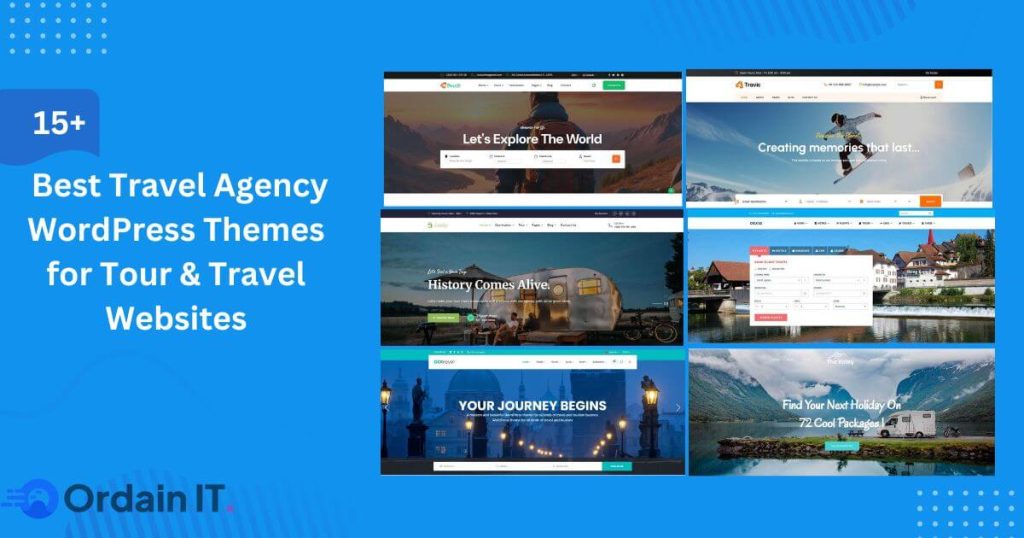
15+ Best Travel Agency WordPress Themes for Tour & Travel Websites
Online travel booking is growing fast. Today, most people search for trips, tours, and hotels online before they talk to any travel agent. A travel website is no longer just a place to show pictures. It is now the main way to get customers and bookings. But many travel websites fail. They look nice, but they do not work well. Pages load slowly. Menus are confusing. Booking is hard. Visitors leave within seconds. The main reason for this problem is using the wrong theme. A travel agency WordPress theme is made to solve this. It is built specially for travel businesses. It helps you create clear pages, show destinations, list trips, and guide visitors to book. Whether you are using a trip website template, a travel site template, or modern travel website design templates, the right theme gives your site the right structure from the start. In this guide, you will Find 10 best travel web design template and travel and tourism templates to build a fast, trusted, and booking-ready travel website. What Is a Travel Agency WordPress Theme? A travel agency WordPress theme is a website design made only for travel businesses. It helps you build a website where people can see trips, explore places, and book tours easily. This type of theme is different from normal WordPress themes. Regular themes are made for blogs or company websites. A travel agency WordPress theme is made for trips and tourism. It includes tour pages, destination layouts, photo galleries, maps, and booking sections. Everything is built to help visitors choose a trip and make a booking. What makes it a true travel and tourism template is its ready-made structure. It already has pages for destinations, tour packages, travel blogs, and contact or booking pages. Many themes also support calendars, price tables, and online payments. That is why it works well as a trip website template or a full travel site template. In real life, these themes are used by tour companies, travel agencies, hotels, resorts, and adventure travel businesses. Some small agencies use them to sell local trips. Big travel websites use them to manage many tours and destinations. Modern travel website design templates also help with branding and bookings. They make your site look professional. They help people trust your business. They also guide visitors step by step until they are ready to book. 15+ Travel Agency WordPress Themes Below you will find 15+ carefully selected travel agency WordPress themes designed for tour operators, travel agencies, and tourism businesses. These themes focus on clean design, easy navigation, and layouts that help visitors explore trips and destinations with ease. Each option offers a strong starting point for building a professional travel website. 1. Travello – Best Travel & Tour Booking HTML Template Travello is a modern website template designed for travel businesses that want a strong visual presence online. It helps tour operators, travel agencies, and tourism brands present their services in a clear and attractive way. The design focuses on large images, clean sections, and smooth navigation. This makes it easy for visitors to explore destinations, browse trips, and understand what your business offers. The homepage layouts are built to highlight popular tours, special deals, and customer feedback, which helps build interest and trust. Travello includes ready pages for tour listings, trip details, galleries, and contact sections. These pages are well organized, so users can move through the site without confusion. The structure also supports storytelling, which is important in the travel industry. This template is well suited for businesses that want a modern, professional look without complex layouts. It works especially well for tour companies, adventure travel brands, and tourism projects that rely on strong images and clear information. Overall, Travello is a good option for travel businesses that want a clean design, easy navigation, and a layout that supports both promotion and customer inquiries. 2. Gofly – Tour Booking and Travel Agency WordPress Theme Gofly is a flexible travel website theme built for tour operators and travel service providers who want a professional and easy-to-manage site. It is designed to help businesses organize trips, destinations, and services in a clear and user-friendly way. The theme offers ready layouts for tour packages, destination pages, blogs, and contact sections. These layouts help visitors find information quickly and explore your offerings without effort. The structure is simple, which improves browsing and keeps users engaged longer. Gofly is especially useful for businesses that sell tour packages. It allows you to present trips with images, short descriptions, and important details. This helps customers understand what you offer and make better decisions. From a design point of view, Gofly focuses on clean visuals, smooth scrolling, and mobile-friendly layouts. You can adjust colors, fonts, and page sections without technical knowledge. This makes it suitable for both beginners and growing travel brands. Overall, Gofly works well for agencies that want a reliable website that supports marketing, builds trust, and helps connect with customers online. 3. SetSail – Travel Agency WordPress Theme SetSail is a creative website theme made for travel agencies and tourism businesses that want a more emotional and visual approach. It is designed to help brands share travel experiences, not just trip lists. The theme includes beautiful layouts for destinations, galleries, travel stories, and tour packages. These layouts allow you to present trips in a way that feels inspiring and engaging. This makes it a good choice for agencies that focus on luxury travel, adventure trips, or unique experiences. SetSail also supports clear and well-structured tour pages. You can highlight important trip details, images, and calls to action. This helps visitors understand your offers and encourages them to explore more. On the design side, SetSail offers smooth animations, modern layouts, and mobile-friendly pages. It can be customized easily, so you can match it to your brand style. Overall, SetSail is well suited for travel businesses that want to mix strong design with clear information. It works best for brands that want